
Skip to content
View in the app

A better way to browse. Learn more.

Ford Owners Club - Ford Forums

A full-screen app on your home screen with push notifications, badges and more.

To install this app on iOS and iPadOS
  1. Tap the Share icon in Safari
  2. Scroll the menu and tap Add to Home Screen.
  3. Tap Add in the top-right corner.
To install this app on Android
  1. Tap the 3-dot menu (⋮) in the top-right corner of the browser.
  2. Tap Add to Home screen or Install app.
  3. Confirm by tapping Install.


Join the Independent Ford Owners' Club

Our community has been built by enthusiasts, for enthusiasts, and proudly run by Ford owners' for over 18 years. As an independent, non-official club, everything you’ll find here, advice, support, and opinions, comes directly from members with genuine Ford ownership experience.

Join our friendly community... it's Free!


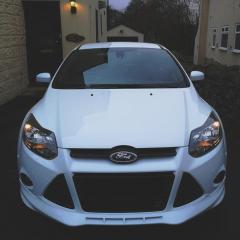
Mk3 Focus RS headlining in a Zetec S
Featured Replies

Hi chaps. 

I'm looking for some knowledge and advice. Since buying my mk3 Zetec S last year, I've wanted to change the headlining and interior trim from the beige/tan to black. 

I've picked up all the pieces, including the headlining loom which includes the vanity lights in both sun visors, and wonder if someone could let me know how to go about getting the parts to work. I imagine I will have to use foCCCus or similar software to activate it. 

But before I take my headlining out, I was wondering if someone could help me understand it a bit better. 

spacer.png

spacer.png

I've already put in the easiest bits 

spacer.png


  • Author

I've married the loom up with the new headlining to see where it all goes 

spacer.png

I can't figure out where these two go. Any ides? 

spacer.png

spacer.png

Then this runs it all. Does anyone have any thoughts on if this would work if I use the new loom and activate the necessary lighting?  

spacer.png

I'm debating on keeping my current loom in and not having the additional features. Just for ease.

  • Author

Another question. If I use the new loom but do not activate the additional features, would my original features work with out a problem? - original features being interior lights

5 hours ago, WillP said:

I can't figure out where these two go. Any ides? 

Probably out the notch at the front to go behind the rear view mirror for the rain sensor and other sensors behind there.

Ive done this to mine you will need foccus to enable the lights. Also if yours is a mk3 ZS then the mic wont work without undoing the roof loom and re routing it. 

  • Author
On 7/23/2019 at 10:33 PM, vindi93 said:

Ive done this to mine you will need foccus to enable the lights. Also if yours is a mk3 ZS then the mic wont work without undoing the roof loom and re routing it. 

Aye thanks for the heads up. A @chriswynne got in touch with me on how he did his and is giving me a hand this weekend.

I'll post photo updates in due course. 

move to the bumpers next 😄

  • Author
On 7/27/2019 at 5:49 PM, mastachaz said:

move to the bumpers next 😄

What do you mean? 

3 minutes ago, WillP said:

What do you mean? 

take mods to another level :)

  • Author

Update

All fitted and working! Thanks to @chriswynne resorting my faith in humanity. Traveling from Merseyside to Leeds to help out! 

spacer.png

spacer.png

spacer.png

spacer.png

spacer.png

  • Author

Also, auto wipers and auto headlights sorted 😏

Latest Deals

Ford UK Shop for genuine Ford parts & accessories

Disclaimer: As the club is an eBay Partner, The club may be compensated if you make a purchase via the club

Join the conversation

You can post now and register later. If you have an account, sign in now to post with your account.

Guest
Reply to this topic...

The "Digestive"


Background Picker
Customize Layout

Account

Navigation

Search

Search

Configure browser push notifications

Chrome (Android)
  1. Tap the lock icon next to the address bar.
  2. Tap Permissions → Notifications.
  3. Adjust your preference.
Chrome (Desktop)
  1. Click the padlock icon in the address bar.
  2. Select Site settings.
  3. Find Notifications and adjust your preference.
