
Skip to content
View in the app

A better way to browse. Learn more.

Ford Owners Club - Ford Forums

A full-screen app on your home screen with push notifications, badges and more.

To install this app on iOS and iPadOS
  1. Tap the Share icon in Safari
  2. Scroll the menu and tap Add to Home Screen.
  3. Tap Add in the top-right corner.
To install this app on Android
  1. Tap the 3-dot menu (⋮) in the top-right corner of the browser.
  2. Tap Add to Home screen or Install app.
  3. Confirm by tapping Install.


Join the Independent Ford Owners' Club

Our community has been built by enthusiasts, for enthusiasts, and proudly run by Ford owners' for over 18 years. As an independent, non-official club, everything you’ll find here, advice, support, and opinions, comes directly from members with genuine Ford ownership experience.

Join our friendly community... it's Free!


Led's Are Flashing!!
Featured Replies

Fiesta mk7 2008, added leds to my number plate lights and sidelights and interior light, however the passenger sidelight led started flashing I thought it was a faulty bulb and replaced it, put it on my test plug and it did it, but now the pas sidelight (again) and also just noticed pas side number plate bulb are doing it.

I tested all bulbs before installing them.....someone said to me its due to voltage or something?......has anyone else had a problem like this.

Link to bulbs bought...

http://www.ebay.co.uk/itm/151320010933?var=450460926013&ssPageName=STRK:MEWNX:IT&_trksid=p3984.m1497.l2649

if its just the bulbs are dodgy does anyone have a link to a decent set?

thanks Kev

also image of the old focus as image was not showing for some reason

post-45897-0-50366900-1405380648_thumb.j

post-45897-0-61923000-1405380819_thumb.j


The cheaper LED's can do this, the voltage is regulated for a standard bulb as opposed to LED's, so when you replace them with something that needs so little power it can have a bit of a hissy fit!

Have you tried any more expensive bulbs?

Bin the cheapo ebay bulbs mate, get some decent Phillips LED's in there, much better quality. Not a single flicker in a year from mine.

  • Author

Hi guys,

I have just ordered some osram, cool blue intense for the sidelights, instead of leds so I'll give them ago and pop the old, w5w's back in the number plate lights for now.

If anyone has any links to a decent set of leds, that would be great.

I've found some Philips blue vision on ebay for about £18 does that sounds about right....?

All my LED w5w's are from ebay and non branded and have never had a single problem with any of them, I'd say you've just been unlucky mate, try a different seller! Mine are about 2 years old and been across 2 cars!

  • Author

i do find it odd that its only the pass sides doing it, however i cant swap them to test them as once they start doing it, they continue to do it on my tester rig.......its like the pass side is corrupting them, they were all tested before hand.

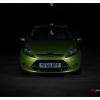
Sorry, completely off topic, but is that lime green Fiesta yours?!?!

If it is, you have excellent taste, I still have to wait 2 years for mine. :(

the power network for these things is high enough voltage to power a candescent bulb, sadly the issue with this is that when you put in an LED it uses a tiny fraction of the electric supply offered, the rest just flows in waste. This could be the issue as you could have higher flow through the nearside bulb which is causing problems on the chips on the circuits of the LED's

  • Author

Sorry, completely off topic, but is that lime green Fiesta yours?!?!

If it is, you have excellent taste, I still have to wait 2 years for mine. :(

yep thats mine :)

Latest Deals

Ford UK Shop for genuine Ford parts & accessories

Disclaimer: As the club is an eBay Partner, The club may be compensated if you make a purchase via the club

Join the conversation

You can post now and register later. If you have an account, sign in now to post with your account.

Guest
Reply to this topic...

The "Digestive"


Background Picker
Customize Layout

Account

Navigation

Search

Search

Configure browser push notifications

Chrome (Android)
  1. Tap the lock icon next to the address bar.
  2. Tap Permissions → Notifications.
  3. Adjust your preference.
Chrome (Desktop)
  1. Click the padlock icon in the address bar.
  2. Select Site settings.
  3. Find Notifications and adjust your preference.
