
Skip to content
View in the app

A better way to browse. Learn more.

Ford Owners Club - Ford Forums

A full-screen app on your home screen with push notifications, badges and more.

To install this app on iOS and iPadOS
  1. Tap the Share icon in Safari
  2. Scroll the menu and tap Add to Home Screen.
  3. Tap Add in the top-right corner.
To install this app on Android
  1. Tap the 3-dot menu (⋮) in the top-right corner of the browser.
  2. Tap Add to Home screen or Install app.
  3. Confirm by tapping Install.


Join the Independent Ford Owners' Club

Our community has been built by enthusiasts, for enthusiasts, and proudly run by Ford owners' for over 18 years. As an independent, non-official club, everything you’ll find here, advice, support, and opinions, comes directly from members with genuine Ford ownership experience.

Join our friendly community... it's Free!


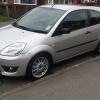
My New Fiesta Zetec S 1.6 Tdci
Featured Replies

Hi all

Picked my new car up Saturday but where it live it got filthy quickly

Decided to give it a clean today and it came out beautiful!!!

Ordered a EGR valve blanking plate as it keeps coming on and off the engine management light

Here's a few pics what you think??

DSC00095_zps76c5a23e.jpg

DSC00094_zps49ef7ed3.jpg

DSC00093_zpsbe1f9da8.jpg

DSC00092_zpsbd1792a1.jpg

DSC00091_zps0f13ef82.jpg


Really like the mk6 Zetec S. Something about older fiestas, especially in Moondust silver. Overall the car looks spot on! Get that sticker out of the back window though. ;)

  • Author

Yeh that will be removed asap

Overall though its fantastic condition

Agreed. Looms brilliant. Does it have any extras on top of the spec added?

Sent from my iPhone 5 using Ford OC mobile app

  • Author

Agreed. Looms brilliant. Does it have any extras on top of the spec added?

Sent from my iPhone 5 using Ford OC mobile app

Comes with a/c etc and Ive added full hids inc fogs and 5000k sidelights, and just blanked egr as it was bringing code up :)

Latest Deals

Ford UK Shop for genuine Ford parts & accessories

Disclaimer: As the club is an eBay Partner, The club may be compensated if you make a purchase via the club

Join the conversation

You can post now and register later. If you have an account, sign in now to post with your account.

Guest
Reply to this topic...

The "Digestive"


Background Picker
Customize Layout

Account

Navigation

Search

Search

Configure browser push notifications

Chrome (Android)
  1. Tap the lock icon next to the address bar.
  2. Tap Permissions → Notifications.
  3. Adjust your preference.
Chrome (Desktop)
  1. Click the padlock icon in the address bar.
  2. Select Site settings.
  3. Find Notifications and adjust your preference.
