
Skip to content
View in the app

A better way to browse. Learn more.

Ford Owners Club - Ford Forums

A full-screen app on your home screen with push notifications, badges and more.

To install this app on iOS and iPadOS
  1. Tap the Share icon in Safari
  2. Scroll the menu and tap Add to Home Screen.
  3. Tap Add in the top-right corner.
To install this app on Android
  1. Tap the 3-dot menu (⋮) in the top-right corner of the browser.
  2. Tap Add to Home screen or Install app.
  3. Confirm by tapping Install.


Join the Independent Ford Owners' Club

Our community has been built by enthusiasts, for enthusiasts, and proudly run by Ford owners' for over 18 years. As an independent, non-official club, everything you’ll find here, advice, support, and opinions, comes directly from members with genuine Ford ownership experience.

Join our friendly community... it's Free!


Apple Maps And Sync
Featured Replies

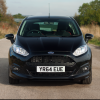
Picked up my Zetec S yesterday and wanted to try and get the Apple Maps directions to work through the cars speakers, is this possible? I plugged it in to the USB but no luck :( Also, can you reply to text messages through the Sync system?


I asked a similar question about google maps. It works via Bluetooth.

And I can reply to texts but only using the short responses predefined by sync eg "see you later" that type of thing

Can those be altered ?

I haven't seen an option to

Sync is Pooh.

I use another free navigation app - Waze, which is crowd sourced so it's more up to date than Apple Maps and it also provides live traffic reports. With Waze there is an option for the voice commands via Bluetooth which works with the Sync on my ST-2. Presumably you have an iPhone if you are using Apple Maps, unfortunately the iPhone is not compatible with the text messages on Sync.

Sent from my iPad using Ford OC

  • Author

I've got an iPhone yeah, I can get the texts to come up on the display and be read out to me I just can't reply to them. Also when fiddling this morning on Apple maps after you have entered a direction and hit start a little Bluetooth icon appears bottom right with some options when you click it for the loudness and whether the sound comes out of iPhone or the sync system.

  • Author

Got the apple maps to work through Bluetooth this evening.

Latest Deals

Ford UK Shop for genuine Ford parts & accessories

Disclaimer: As the club is an eBay Partner, The club may be compensated if you make a purchase via the club

Join the conversation

You can post now and register later. If you have an account, sign in now to post with your account.

Guest
Reply to this topic...

The "Digestive"


Background Picker
Customize Layout

Account

Navigation

Search

Search

Configure browser push notifications

Chrome (Android)
  1. Tap the lock icon next to the address bar.
  2. Tap Permissions → Notifications.
  3. Adjust your preference.
Chrome (Desktop)
  1. Click the padlock icon in the address bar.
  2. Select Site settings.
  3. Find Notifications and adjust your preference.
