
Skip to content
View in the app

A better way to browse. Learn more.

Ford Owners Club - Ford Forums

A full-screen app on your home screen with push notifications, badges and more.

To install this app on iOS and iPadOS
  1. Tap the Share icon in Safari
  2. Scroll the menu and tap Add to Home Screen.
  3. Tap Add in the top-right corner.
To install this app on Android
  1. Tap the 3-dot menu (⋮) in the top-right corner of the browser.
  2. Tap Add to Home screen or Install app.
  3. Confirm by tapping Install.


Join the Independent Ford Owners' Club

Our community has been built by enthusiasts, for enthusiasts, and proudly run by Ford owners' for over 18 years. As an independent, non-official club, everything you’ll find here, advice, support, and opinions, comes directly from members with genuine Ford ownership experience.

Join our friendly community... it's Free!


How To Convert My Ford 3 Button Remote To Flip Key ?
Featured Replies

Hi there, firstly, apologies if this has been posted in the wrong section, I'm new to the forums.

I have 2 ford keys, one 3 button remote key and one basic key with the blue chip. I want a flip key for my car mainly for 2 reasons. 1 is because they look better and 2 because I have my keys in my pockets at all times and I'm either constantly stabbing my self or scratching my phone (no lockers where I work and I don't want to leave my keys lying around).

I have seen some guides on making a flip key however they all seem to have information for the pill type chip and not the black transponder chip that is currently in my 3 button remote so I was hoping for some advice with either converting an existing key or buying a whole new key and programming it. (What is the cheapest way?)

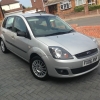
I have a 2006 Facelift Fiesta and I will post some pictures of the keys down below.

Thanks in advance for your help guys !

post-59144-0-62780800-1413201339_thumb.j

post-59144-0-58247500-1413201342_thumb.j

post-59144-0-53172100-1413201346_thumb.j

post-59144-0-34075300-1413201351_thumb.j

post-59144-0-13849900-1413201355_thumb.j

  • 2 weeks later...


  • Author

Any one ? Please, if this has already been answered can someone direct me to the post. I am struggling to find a solution.

Many thanks.

Hi, I brought a flip key online, cut and ready. Took the transponder chip out my 3 button, placed it inside the flip and programmed the central locking to the car. Cost £40, will post some links later. I did it because ford wanted £200 odd to replace my broken remote key, then told me they could not do it.

Sent from my iPad using Ford OC

I could also do with this!!!

Sent from my iPad using Ford OC

  • Author

Hi, I brought a flip key online, cut and ready. Took the transponder chip out my 3 button, placed it inside the flip and programmed the central locking to the car. Cost £40, will post some links later. I did it because ford wanted £200 odd to replace my broken remote key, then told me they could not do it.

Sent from my iPad using Ford OC

Thanks dude, was there any specific way you removed the transponder? My one just doesn't want to get out & I'm afraid I may damage the thing. Because I've got two programmed keys do you think I should buy a new flip key with a new transponder?

Btw £200 is shocking, is that the price you have to pay to upgrade the key ?!

Right so there are 3 main parts that have to be completed to have a fully working key. That the physically key (1) which needs to be cut, the radio key (2) for the central locking has to be programmed and you need to have a immobiliser chip (3) that is programmed to your ignition.

1,

So the whole key can be purchased from, here are the two types of key blades:

http://www.carkeyhelp.co.uk/products/Ford-HU101T-3-button-replacement-remote-with-flip-key.html

http://www.carkeyhelp.co.uk/products/Ford-FO21T-3-button-replacement-remote-with-flip-key.html

I would recommend uploading a photo and having it cut, its cheaper and lots of shops do not like cutting them for some reason.

when you order, it might help to let them know you plan on putting you own chip in so they send it unassembled.

2,

This part is simple, I would recommend doing this step last so you end up with the fully working key. All you do Is insert the key into the inanition and switch it back and forth to the 2 setting until you hear a beap, then press any button on the new key, you should hear another beep which means it had been successful, to complete you just turn the engine on. here is a link:

Radio Frequency Programming Instructions:

  • Insert the ignition key and turn from position II (Ignition) to position 0 (All off) and back four times within three seconds.
  • Remove the ignition key. The locking control system is now in "learn mode" for the next 20 seconds and the red warning system LED (By the clock) stays on continuously to indicate this.
  • During the 20 seconds press one of the transmitter buttons. The remotes signal and code number is learned by the locking module and is indicated by flashing the warning system LED.
  • Wait until learn mode times out (20 seconds) or switch the ignition back to ON.

3,

This part is probably the hardest. With you working key, remove the transponder chip. On my key it was glued in with what looked like PVA glue, so after a while or prising, easing and cutting it slid out, then I just used my nail to remove the glue. Make sure you check it still works after you do this by holding it near a key and starting the car, if it does not then you need to have the chip that came with the new key programmed by an auto locksmith.

4,

Put the chip inside the new key. There will be some instructions with the key on where to put it, but it just sits in. I did not glue mine it, I use a small amount of blue tac with seems to work fine.

WHEN DISASSEMBLING THE FLIP KEY PORTION, BE VERY CAREFUL NOT TO LOOSE OR DAMAGE THE SPING! Take a good look on how it fits together. I searched on YouTube in the end when putting it all back tother on how to do it.

Although its a different key its the same idea.

Let me know if there is anything missing.

Also have a look at this post as its very good too: http://www.fordownersclub.com/forums/topic/27157-flip-key/#

  • Author

Wow, excellent guide. Thanks man, I've got a couple questions though.

1. I've got two working keys, as shown in the pictures, can I use these keys to program my new key with a new transponder without having to remove the existing transponder ? (Mk6.5)

2. Did you have the little black transpinder or the pill type ?

Wow, excellent guide. Thanks man, I've got a couple questions though.

1. I've got two working keys, as shown in the pictures, can I use these keys to program my new key with a new transponder without having to remove the existing transponder ? (Mk6.5)

2. Did you have the little black transpinder or the pill type ?

I can only speak for the mark 7s here, the only way to program a new chip would be through ford or an auto locksmith. Thats why I just took the working one out my old key and put it in the new one.

Also I had the littler black chip not the pill :)

Sent from my iPad using Ford OC

Latest Deals

Ford UK Shop for genuine Ford parts & accessories

Disclaimer: As the club is an eBay Partner, The club may be compensated if you make a purchase via the club

Join the conversation

You can post now and register later. If you have an account, sign in now to post with your account.

Guest
Reply to this topic...

The "Digestive"


Background Picker
Customize Layout

Account

Navigation

Search

Search

Configure browser push notifications

Chrome (Android)
  1. Tap the lock icon next to the address bar.
  2. Tap Permissions → Notifications.
  3. Adjust your preference.
Chrome (Desktop)
  1. Click the padlock icon in the address bar.
  2. Select Site settings.
  3. Find Notifications and adjust your preference.
