
Skip to content
View in the app

A better way to browse. Learn more.

Ford Owners Club - Ford Forums

A full-screen app on your home screen with push notifications, badges and more.

To install this app on iOS and iPadOS
  1. Tap the Share icon in Safari
  2. Scroll the menu and tap Add to Home Screen.
  3. Tap Add in the top-right corner.
To install this app on Android
  1. Tap the 3-dot menu (⋮) in the top-right corner of the browser.
  2. Tap Add to Home screen or Install app.
  3. Confirm by tapping Install.


Join the Independent Ford Owners' Club

Our community has been built by enthusiasts, for enthusiasts, and proudly run by Ford owners' for over 18 years. As an independent, non-official club, everything you’ll find here, advice, support, and opinions, comes directly from members with genuine Ford ownership experience.

Join our friendly community... it's Free!


Mountune Rear Spoiler Extensions
Featured Replies

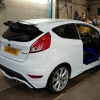
Finally managed to attach my mountune rear spoiler extensions. I purchased them and have been waiting for a nice weekend to fit them. I know a lot of people don't like the look of them, but as soon as I saw them I had to buy them. I was a bit disappointed when they turned up as the adhesive they sent with them had already gone off; never mind a bit of tiger seal did the job. Just got a couple of pics of during and after they had been attached.

post-62049-142883665169_thumb.jpg

post-62049-142883666923_thumb.jpg

post-62049-14288366861_thumb.jpg

post-62049-142883671409_thumb.jpg

post-62049-142883672755_thumb.jpg

post-62049-142883673848_thumb.jpg

post-62049-142883675109_thumb.jpg


Nice, I've still got mine to fit but not sure if to get them painted gloss black.

  • Author

I think if you have something like the triple r front splitter that they would look even better in gloss black

Might look better colour coded.

  • Author

Personally I like the contrast, but I see where you are coming from ;)

So hypothetically speaking if I were to hypothetically get these spoiler extensions in a hypothetical world... err... what colour would look good for a spirit blue ST do you guys reckon?

Sent from my iPhone using Ford OC

  • Author

Dependant on what you like I would say either get them in a darker colour like the black or colour matched. But if you want them to stand out get them in a bright colour ;)

Hypothetically speaking they would look best left in the box unpainted.

  • Author

Each to their own

So hypothetically speaking if I were to hypothetically get these spoiler extensions in a hypothetical world... err... what colour would look good for a spirit blue ST do you guys reckon?

Sent from my iPhone using Ford OC

I don't know if to leave them plain like this

7F14D2CB-3013-4289-81B9-CFED86301CA7.png

Spray them gloss black to match the rear grill and wiper arm, was thinking of painting them spirit blue but after seeing the,mit looks too much.

3A9DCEDB-5348-4633-B921-97A5C9BB221C.png

  • Author

Wow, I love the look of the sprayed ones

If you have to ignore my advice above, cc'd looks a lot better.

  • Author

I think you have to take into consideration the colour of the car as well. In my oppion they look better in colour coded and on my white car I prefer them black :p

And opinion is all it is,

& if we all liked the same thing it'd be a boring world.

& we'd all be driving around in 'spirit blue' ST3's as well :)

  • Author

:)

Latest Deals

Ford UK Shop for genuine Ford parts & accessories

Disclaimer: As the club is an eBay Partner, The club may be compensated if you make a purchase via the club

Join the conversation

You can post now and register later. If you have an account, sign in now to post with your account.

Guest
Reply to this topic...

The "Digestive"


Background Picker
Customize Layout

Account

Navigation

Search

Search

Configure browser push notifications

Chrome (Android)
  1. Tap the lock icon next to the address bar.
  2. Tap Permissions → Notifications.
  3. Adjust your preference.
Chrome (Desktop)
  1. Click the padlock icon in the address bar.
  2. Select Site settings.
  3. Find Notifications and adjust your preference.
