
Skip to content
View in the app

A better way to browse. Learn more.

Ford Owners Club - Ford Forums

A full-screen app on your home screen with push notifications, badges and more.

To install this app on iOS and iPadOS
  1. Tap the Share icon in Safari
  2. Scroll the menu and tap Add to Home Screen.
  3. Tap Add in the top-right corner.
To install this app on Android
  1. Tap the 3-dot menu (⋮) in the top-right corner of the browser.
  2. Tap Add to Home screen or Install app.
  3. Confirm by tapping Install.


Join the Independent Ford Owners' Club

Our community has been built by enthusiasts, for enthusiasts, and proudly run by Ford owners' for over 18 years. As an independent, non-official club, everything you’ll find here, advice, support, and opinions, comes directly from members with genuine Ford ownership experience.

Join our friendly community... it's Free!


Advice For Problems With Mk6 Fiesta Zetec S
Featured Replies

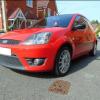
Hello everyone, I recently got a 57 plate zetec s but when I got it, it has a few problems with it.

  • The Drivers side tilt handle is broken.
  • The clock and trip information resets everytime the engine is switched off.
  • The boot button makes the lights come up but the boot doesn't open.

if anyone has had these problems or knows how I could solve it, it would be much appreciated.

Thank you very much.


If I remember correctly how the boot release worked on my MK6, doesn't it have a button on the dash that does the same thing as pressing the button on the key, and if so does that button work? I think the boot and trip problem could possibly be fixed by disconnecting the battery to reset everything, but I'd wait and see if someone can come up with a less drastic fix than that first lol.

  • Author

yeah there is a button on the dashboard as well, does the same thing, the lights turn on like its trying to do something but then the boot doesn't open, I thought the clock was due to the radio not keeping its memory but it keeps the radio station it was last on so don't think it can be that lol

The boot could be due to the mechanism/solenoid in the boot lid failing. By inserting the key you unlock the latch manually, so if the mechanism has failed the key will work and the button will not

  • Author

yeah if I use the key to unlock the boot it works perfectly fine, just the button.

Is this an expensive job to do?

Not if you do it yourself. I'm breaking a mk6 fiesta and still have all the boot mechanisms available if you need them :)

  • Author

I wouldn't have a clue how to do it myself haha,

I did just purchase a haynes manual for the car so hopefully that will help,

would there be any other reasons why the boot is doing this?

thank you so much for your help :)

I wouldn't have a clue how to do it myself haha,

I did just purchase a haynes manual for the car so hopefully that will help,

would there be any other reasons why the boot is doing this?

thank you so much for your help :)

Id say it's probably the mechanism.. it may even just need greasing up.

As far as I'm aware, there isn't a fuse for the boot lid. Although you could double check your manual for one :)

  • Author

Okay then thank you very much,

sorry i'm quite new too diagnosing stuff myself, as my last car which was a polo I just took to the mechanic every time it had a problem haha (which was quite often)

  • Author

I pressed the button earlier while I was in the car and heard a noise like something was happening but still didnt open.

i then tried it with the boot open and saw the mechanism move slightly but doesnt look a lot

Latest Deals

Ford UK Shop for genuine Ford parts & accessories

Disclaimer: As the club is an eBay Partner, The club may be compensated if you make a purchase via the club

Join the conversation

You can post now and register later. If you have an account, sign in now to post with your account.

Guest
Reply to this topic...

The "Digestive"


Background Picker
Customize Layout

Account

Navigation

Search

Search

Configure browser push notifications

Chrome (Android)
  1. Tap the lock icon next to the address bar.
  2. Tap Permissions → Notifications.
  3. Adjust your preference.
Chrome (Desktop)
  1. Click the padlock icon in the address bar.
  2. Select Site settings.
  3. Find Notifications and adjust your preference.
