
Skip to content
View in the app

A better way to browse. Learn more.

Ford Owners Club - Ford Forums

A full-screen app on your home screen with push notifications, badges and more.

To install this app on iOS and iPadOS
  1. Tap the Share icon in Safari
  2. Scroll the menu and tap Add to Home Screen.
  3. Tap Add in the top-right corner.
To install this app on Android
  1. Tap the 3-dot menu (⋮) in the top-right corner of the browser.
  2. Tap Add to Home screen or Install app.
  3. Confirm by tapping Install.


Join the Independent Ford Owners' Club

Our community has been built by enthusiasts, for enthusiasts, and proudly run by Ford owners' for over 18 years. As an independent, non-official club, everything you’ll find here, advice, support, and opinions, comes directly from members with genuine Ford ownership experience.

Join our friendly community... it's Free!


Door lock sticks in frosty weather
Featured Replies

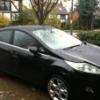
Hi there, I am wondering if anyone is having or has had the same problem as I've been getting on frosty mornings? My driver's door unlocks but the handle doesn't recede and the door won't close. I have tried all the other doors (it's a 4 door) and they don't seem to have the problem. I have to put the air blower on full blast and wait about 10 minutes until I hear a clunk from inside the door then it's fine.

I just thought it was a strange thing for only one door to suffer with it in a frost but surely this isn't right?


Sounds like there’s some moisture around the inside of the door lock and it needs a drop of something like WD40 squirting into the lock – why not nip into you nearest Ford dealer and have a word with them about it :)

HTH

cyb

  • Author

Sounds like there’s some moisture around the inside of the door lock and it needs a drop of something like WD40 squirting into the lock – why not nip into you nearest Ford dealer and have a word with them about it :)

HTH

cyb

Already tried that :)

It's "keyless entry" so I'm not sure if that's anything to do with it. I just wondered if anyone else had the same problem. I will be booking it in with them though.

Mine would not lock at one point and turned out the actual lock was frozen lol. Bit of heat and it locked again

I just thought it was a strange thing for only one door to suffer with it in a frost but surely this isn't right?

You sure this isn't because of the way you park? You might park with the other doors more sheltered from the elements? =]

  • Author

You sure this isn't because of the way you park? You might park with the other doors more sheltered from the elements? =]

Strangely enough, I park alongside the other half's Ka so the driver's side is sheltered by his car (which in turn is sheltered by an 8ft wall). That's why I thought it odd because if it had been the passenger side, which is exposed, then I would have understood it but all other locks are fine, just the driver door. Like S666LER says happened with his, I think the entire lock was frozen but it seems to happen every time there's a frost for me.

  • 7 years later...

I know this is an old post but its relevant to me as the 2011 focus drivers keyless door lock freezes up in cold weather. There may be other posts about it but I cant find them

Tried wd40 etc into lock but it still freezes .

 I think as the wd40 stuff doesn't/cant  get into the problem area it still freezes,  anyone had this problem recently and found a foolproof cure ? 

Don't like using de-icer into locks as it tends to put water into the lock leaving it more prone to freezing up

Latest Deals

Ford UK Shop for genuine Ford parts & accessories

Disclaimer: As the club is an eBay Partner, The club may be compensated if you make a purchase via the club

Join the conversation

You can post now and register later. If you have an account, sign in now to post with your account.

Guest
Reply to this topic...

The "Digestive"


Background Picker
Customize Layout

Account

Navigation

Search

Search

Configure browser push notifications

Chrome (Android)
  1. Tap the lock icon next to the address bar.
  2. Tap Permissions → Notifications.
  3. Adjust your preference.
Chrome (Desktop)
  1. Click the padlock icon in the address bar.
  2. Select Site settings.
  3. Find Notifications and adjust your preference.
