
Skip to content
View in the app

A better way to browse. Learn more.

Ford Owners Club - Ford Forums

A full-screen app on your home screen with push notifications, badges and more.

To install this app on iOS and iPadOS
  1. Tap the Share icon in Safari
  2. Scroll the menu and tap Add to Home Screen.
  3. Tap Add in the top-right corner.
To install this app on Android
  1. Tap the 3-dot menu (⋮) in the top-right corner of the browser.
  2. Tap Add to Home screen or Install app.
  3. Confirm by tapping Install.


Join the Independent Ford Owners' Club

Our community has been built by enthusiasts, for enthusiasts, and proudly run by Ford owners' for over 18 years. As an independent, non-official club, everything you’ll find here, advice, support, and opinions, comes directly from members with genuine Ford ownership experience.

Join our friendly community... it's Free!


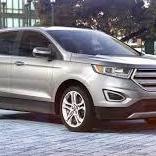
Got my new Edge
Featured Replies

Hi, I got my Edge on Sunday, 210 Titanium with the 20" wheels. It was being built when I ordered it, and I got it 4 weeks later. So far very pleased. I've had a lot of this type of car over the years, 2 Hyundai Santa Fes, a Mitsubishi Outlander, a Discovery, and a good few others. I find the Edge drives better than most of them, possible exception of the Discovery, although that was a 4 litre V8 petrol (17mpg!) I've noted a few on here bemoaning the performance of the car. Having had several similar vehicles I cant see the issue. The Edge feels (and is) nippier than all the others I've had. I love the effortless comfortable and quiet way it drives. Maybe if I was coming from something smallier and sportier I might see it differently, but for me its a pretty good engine. No issues so far, but the I've only done 150 miles :smile:


Just had the 18,000 miles service and its going very well and still impressed with it.

I agree- pretty nippy for a big lump. Corners well too 

Latest Deals

Ford UK Shop for genuine Ford parts & accessories

Disclaimer: As the club is an eBay Partner, The club may be compensated if you make a purchase via the club

Join the conversation

You can post now and register later. If you have an account, sign in now to post with your account.

Guest
Reply to this topic...

The "Digestive"


Background Picker
Customize Layout

Account

Navigation

Search

Search

Configure browser push notifications

Chrome (Android)
  1. Tap the lock icon next to the address bar.
  2. Tap Permissions → Notifications.
  3. Adjust your preference.
Chrome (Desktop)
  1. Click the padlock icon in the address bar.
  2. Select Site settings.
  3. Find Notifications and adjust your preference.
