
Skip to content
View in the app

A better way to browse. Learn more.

Ford Owners Club - Ford Forums

A full-screen app on your home screen with push notifications, badges and more.

To install this app on iOS and iPadOS
  1. Tap the Share icon in Safari
  2. Scroll the menu and tap Add to Home Screen.
  3. Tap Add in the top-right corner.
To install this app on Android
  1. Tap the 3-dot menu (⋮) in the top-right corner of the browser.
  2. Tap Add to Home screen or Install app.
  3. Confirm by tapping Install.


Join the Independent Ford Owners' Club

Our community has been built by enthusiasts, for enthusiasts, and proudly run by Ford owners' for over 18 years. As an independent, non-official club, everything you’ll find here, advice, support, and opinions, comes directly from members with genuine Ford ownership experience.

Join our friendly community... it's Free!


Entertainment Unavailable
Featured Replies

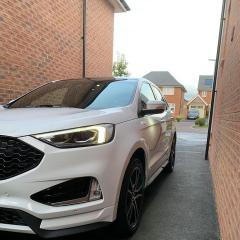
Jumped in the car this morning for my commute & no music, it appeared to be simply turned off but I couldn't turn on via the touch screen or by the main volume/on/off knob, message on touch screen in the entertainment section says "entertainment unavail", anyone else experienced this & can suggest a quick fix before i start pulling fuses out or contacting Ford? The phone connection, satnav, climate control etc all work as normal. Cheers 


Not on my edge but had similar on my 2017 kuga st line and I did a factory reset and after that no issues

  • Author
18 hours ago, schnipps said:

Not on my edge but had similar on my 2017 kuga st line and I did a factory reset and after that no issues

I was going to do that but then the fault rectified itself next time I used the car, just another Ford gremlin to keep us entertained, cheers 

  • 2 years later...

I have this problem on my 2017 ford edge can anyone help please

My Sync2 did this a couple years ago. The next day I used the car, it was working again. Never happened again since. Sorry not much help, but from what I researched at the time, if you just leave it, it should hopefully be working after a day. I tried turning the ignition off and on a few times at the time but that didn't work.

Yep, had the same on mine once, 

Switched car off locked it, waited 2 mins (dont know why 2 mins, just seemed a reasonable time), opened up, started up, and bingo working as normal. Never happened again since

Sync 3 on 2018 Edge Sport

Latest Deals

Ford UK Shop for genuine Ford parts & accessories

Disclaimer: As the club is an eBay Partner, The club may be compensated if you make a purchase via the club

Join the conversation

You can post now and register later. If you have an account, sign in now to post with your account.

Guest
Reply to this topic...

The "Digestive"


Background Picker
Customize Layout

Account

Navigation

Search

Search

Configure browser push notifications

Chrome (Android)
  1. Tap the lock icon next to the address bar.
  2. Tap Permissions → Notifications.
  3. Adjust your preference.
Chrome (Desktop)
  1. Click the padlock icon in the address bar.
  2. Select Site settings.
  3. Find Notifications and adjust your preference.
