
Skip to content
View in the app

A better way to browse. Learn more.

Ford Owners Club - Ford Forums

A full-screen app on your home screen with push notifications, badges and more.

To install this app on iOS and iPadOS
  1. Tap the Share icon in Safari
  2. Scroll the menu and tap Add to Home Screen.
  3. Tap Add in the top-right corner.
To install this app on Android
  1. Tap the 3-dot menu (⋮) in the top-right corner of the browser.
  2. Tap Add to Home screen or Install app.
  3. Confirm by tapping Install.


Join the Independent Ford Owners' Club

Our community has been built by enthusiasts, for enthusiasts, and proudly run by Ford owners' for over 18 years. As an independent, non-official club, everything you’ll find here, advice, support, and opinions, comes directly from members with genuine Ford ownership experience.

Join our friendly community... it's Free!


Diagnostic tester ?
Featured Replies

I have posted a similar question on a couple of forums to try and get good variety of suggestions.

I look after four family cars of different makes and a variety of ages. What would be the best diagnostic tool at a reasonable price that plugs into the OBD port ?

I would like to read and clear faults and hopefully clear dashboard warnings. 

Suggestions Please.


How long is a piece of string ?

You have not said what manufacturers or what ages. Do they have OBD ports or OBDII ?

For Ford vehicles with OBDII ports the best thing is a laptop with the software FORScan, and you will need an ELM327 modified lead.

https://forscan.org/download.html

https://tunnelrat-electronics.fwscart.com/USB_Modified_with_switch_ELM327/p4541936_17045457.aspx


  • Author

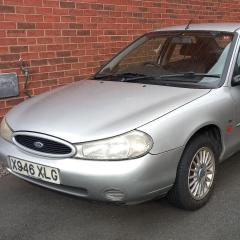
Ahh. Never considered the port difference. Wife's Vauxhall, Daughters Vw and Dads Fiesta all have OBD-2. Mine is a 2000 Mk2 Mondeo, not checked that ?

I know I may be limiting functionality but don't want to be tied to one make. 


I can't say about other manufactures, but generic code reads often will not pick up Ford specific codes.

The OBDII standard only covers the major codes, and therefore so long as manufactures meet the basic requirements then it complies. FORScan works with Ford and Mazda.

VW have there own version of FORScan but I don't think it does as much, and i don't know about Vauxhall.

Basic code readers that you get for £20 - £30 are exactly that 'basic'

I have a Foxwell code reader which was not cheap, and even that can sometimes not pick up on a Ford specific code

  • Author

I have heard good things about the Foxwell, but probably not worth the investment for the amount of use I would get from it.

You're honestly better off buying the specific diags for each car.  I bought a couple of decent generic readers when I first started working on cars and found they'd rarely pick up the specific faults I needed so were useless tbh.

I ended up with Forscan for Ford's.  VCDS for anything VW/Audi group. PP2K/Lexia for Peugeot/Citroen. And Tech2 for vauxhall/GM.  As well as Galetto & MPPS for remaps.  Needed a second toolbox for all the cables! :laugh:

All except Forscan were 'clones' though, as genuine are super expensive.

If you just want to read OBD2 faults on other makes then the ELM cable for Forscan will allow you to do that and is the cheapest option. 

I don't know if a 2000 Mondeo will even be compatible with OBD2.

  • Author

Guess what I need is to persuade the family to all buy the same make or at least same family of cars.  🙄

To be honest, not to bothered about Mondeo as that basic enough for me to sort most faults with a multi-meter. And this Forum of course 😀

Thanks all 

Latest Deals

Ford UK Shop for genuine Ford parts & accessories

Disclaimer: As the club is an eBay Partner, The club may be compensated if you make a purchase via the club

Join the conversation

You can post now and register later. If you have an account, sign in now to post with your account.

Guest
Reply to this topic...

The "Digestive"


Background Picker
Customize Layout

Account

Navigation

Search

Search

Configure browser push notifications

Chrome (Android)
  1. Tap the lock icon next to the address bar.
  2. Tap Permissions → Notifications.
  3. Adjust your preference.
Chrome (Desktop)
  1. Click the padlock icon in the address bar.
  2. Select Site settings.
  3. Find Notifications and adjust your preference.
