
Skip to content
View in the app

A better way to browse. Learn more.

Ford Owners Club - Ford Forums

A full-screen app on your home screen with push notifications, badges and more.

To install this app on iOS and iPadOS
  1. Tap the Share icon in Safari
  2. Scroll the menu and tap Add to Home Screen.
  3. Tap Add in the top-right corner.
To install this app on Android
  1. Tap the 3-dot menu (⋮) in the top-right corner of the browser.
  2. Tap Add to Home screen or Install app.
  3. Confirm by tapping Install.


Join the Independent Ford Owners' Club

Our community has been built by enthusiasts, for enthusiasts, and proudly run by Ford owners' for over 18 years. As an independent, non-official club, everything you’ll find here, advice, support, and opinions, comes directly from members with genuine Ford ownership experience.

Join our friendly community... it's Free!
 

Map update

Featured Replies

I've just looked and there is a new map update for the sync 3 which is good as there hasn't been one for over a year. 

I went to download it and the instructions say about having a 32gb usb stick which is fine as I've got one I've used before.

I was rather surprised to find the downloaded file is only 44KB which I think is a bit small for a map update, it also doesn't install one of the files on the stick when it is extracted.

Has anybody else had the same issue?


22 minutes ago, Ben Green said:

Has anybody else had the same issue?

Yes, just a few dozen people that I know about 😉

There is no Map update, the file is just another of Fords 'errors'

The file that you have downloaded is of no use, just delete it and wait for the real map update which is probably not due anytime soon 🙁

  • Author

Thanks for the reply, I will delete it.

I did think it was something like that as I have on a couple of occasions had to have 4 attempts to get the sync and map download to complete instead of hanging half way through.

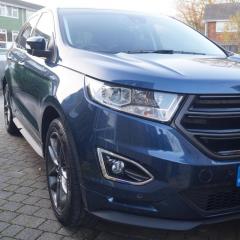
Yes I’m getting the same result of 44kb file for my 2016 Ford Edge and also my sons 2021 Ford Puma as both cars show map update available. I did query this with Ford dealer today when I was in there and they are not aware of any issues regarding sync map updates at this time.  Guess its another waiting game to see if/when a proper update is available 

6 minutes ago, GrumpyJohn said:

I did query this with Ford dealer today when I was in there and they are not aware of any issues regarding sync map updates at this time.  

🤣🤣🤣🤣🤣🤣

Good to know that the dealer is keeping up to date with current issues 🙄

13 hours ago, GrumpyJohn said:

Yes I’m getting the same result of 44kb file for my 2016 Ford Edge and also my sons 2021 Ford Puma as both cars show map update available. I did query this with Ford dealer today when I was in there and they are not aware of any issues regarding sync map updates at this time.

The number of updates put out by Ford, in the last 7 years, that are either just garbage or for the wrong version of Sync is staggering. Before Cyanlabs was created (which is all I use now), I was forever editing/correcting the autoinstall script and downloading the correct firmware files from the Ford servers. Nice to see nothing has changed with regards their firmware/map update system!

Their tech support was useless and used to be a premium rate phone number too!

Latest Deals

Ford UK Shop for genuine Ford parts & accessories

Disclaimer: As the club is an eBay Partner, The club may be compensated if you make a purchase via the club

Join the conversation

You can post now and register later. If you have an account, sign in now to post with your account.

Guest
Reply to this topic...

The "Digestive"


Background Picker
Customize Layout

Account

Navigation

Search

Search

Configure browser push notifications

Chrome (Android)
  1. Tap the lock icon next to the address bar.
  2. Tap Permissions → Notifications.
  3. Adjust your preference.
Chrome (Desktop)
  1. Click the padlock icon in the address bar.
  2. Select Site settings.
  3. Find Notifications and adjust your preference.
