
Skip to content
View in the app

A better way to browse. Learn more.

Ford Owners Club - Ford Forums

A full-screen app on your home screen with push notifications, badges and more.

To install this app on iOS and iPadOS
  1. Tap the Share icon in Safari
  2. Scroll the menu and tap Add to Home Screen.
  3. Tap Add in the top-right corner.
To install this app on Android
  1. Tap the 3-dot menu (⋮) in the top-right corner of the browser.
  2. Tap Add to Home screen or Install app.
  3. Confirm by tapping Install.


Join the Independent Ford Owners' Club

Our community has been built by enthusiasts, for enthusiasts, and proudly run by Ford owners' for over 18 years. As an independent, non-official club, everything you’ll find here, advice, support, and opinions, comes directly from members with genuine Ford ownership experience.

Join our friendly community... it's Free!


New User - Fordpass and Sync 3 Issues
Featured Replies

Hello all!

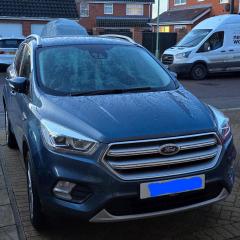
I've just picked up my 2019 Kuga Titanium, and I'm having issues with Fordpass and Sync 3, I'm hoping someone may be able to help!


I've set up the Fordpass app, added my car but for the life of me cannot get it to connect. I've tried via Bluetooth, USB and WiFi and the app cannot see the car.


In addition to this, the current Sync 3 version is 3.3, but the for website tells me there is an update available. When the car is connected to the WiFi, it will do an update search but then just go back to the menu after a minute and not do anything about an update.


I've added a screenshot of the fordpass app, and the error I'm getting when trying to find the car.


Thanks in advance!

Screenshot_20240127_193127_FordPass.jpg


Mk2 kuga doesn’t have a modem so you can’t use remote features. The app screenshot says your car does not have connectivity (a modem)

  • Author
7 minutes ago, alexp999 said:

Mk2 kuga doesn’t have a modem so you can’t use remote features. The app screenshot says your car does not have connectivity (a modem)

Ah okay, that makes sense then.


Just to make sense of why the Sync 3 is refusing to update over wifi... guess I'll have to see if my relic of a laptop will work with a USB stick to update the old fashioned way

There are numerous topics on here and elsewhere regards Syn 3 updating. maybe read thru some of those, or i understand theres is a hack to some external software.

HTH

  • Author

Well a good old USB did the trick! £7 in Argos and I'm all up to dare!

  • Author

I spoke too soon... updated the car fine, but the log file won't upload to Ford, u just get thr spinning icon... argh!

Don't log in. Use your vehicles VIN number.

On 12/2/2023 at 8:47 PM, unofix said:

Read most of page 5 of the following thread. The secret to uploading the log file seems to be not to login, and instead manually type your VIN number in then click the login


VIN Login.JPG


  • Author
15 hours ago, unofix said:

Don't log in. Use your vehicles VIN number.


I will try that later on! Emailed ford and their answer was to visit the main dealer...

Glen that seems to be the standard reply from Ford. I had a problem back in October after sync 3.4 update. Web site would not accept my log file. After much backward and forward communication with Ford they decided the problem would be sorted on 30 January. HURRAH tomorrow. I don't hold much hope though. I somehow get the feeling a new Sync 3.4 update will come out soon so I will be happy loading that. The trouble is no doubt the log file will not be accepted again and I will have to start all over again with them. Both previous times I have updated the log file failed. So I can download the updates so I should be happy but NO. While the log file is not accepted I cannot load map updates. Sorry to have gone on a bit but Ford's disinterested attitude gets to me, 'give it to the dealer'. Whats he expected to do, it's a log flie delivered over the internet.

  • Author
21 hours ago, unofix said:

Don't log in. Use your vehicles VIN number.


It worked! Something so simple! 


Thank you!

  • Author
2 hours ago, jsk said:

Glen that seems to be the standard reply from Ford. I had a problem back in October after sync 3.4 update. Web site would not accept my log file. After much backward and forward communication with Ford they decided the problem would be sorted on 30 January. HURRAH tomorrow. I don't hold much hope though. I somehow get the feeling a new Sync 3.4 update will come out soon so I will be happy loading that. The trouble is no doubt the log file will not be accepted again and I will have to start all over again with them. Both previous times I have updated the log file failed. So I can download the updates so I should be happy but NO. While the log file is not accepted I cannot load map updates. Sorry to have gone on a bit but Ford's disinterested attitude gets to me, 'give it to the dealer'. Whats he expected to do, it's a log flie delivered over the internet.

Do what was quoted above, input your VIN instead of logging in, that worked for me to upload the log file.

Latest Deals

Ford UK Shop for genuine Ford parts & accessories

Disclaimer: As the club is an eBay Partner, The club may be compensated if you make a purchase via the club

Join the conversation

You can post now and register later. If you have an account, sign in now to post with your account.

Guest
Reply to this topic...

The "Digestive"


Background Picker
Customize Layout

Account

Navigation

Search

Search

Configure browser push notifications

Chrome (Android)
  1. Tap the lock icon next to the address bar.
  2. Tap Permissions → Notifications.
  3. Adjust your preference.
Chrome (Desktop)
  1. Click the padlock icon in the address bar.
  2. Select Site settings.
  3. Find Notifications and adjust your preference.
