
Skip to content
View in the app

A better way to browse. Learn more.

Ford Owners Club - Ford Forums

A full-screen app on your home screen with push notifications, badges and more.

To install this app on iOS and iPadOS
  1. Tap the Share icon in Safari
  2. Scroll the menu and tap Add to Home Screen.
  3. Tap Add in the top-right corner.
To install this app on Android
  1. Tap the 3-dot menu (⋮) in the top-right corner of the browser.
  2. Tap Add to Home screen or Install app.
  3. Confirm by tapping Install.


Join the Independent Ford Owners' Club

Our community has been built by enthusiasts, for enthusiasts, and proudly run by Ford owners' for over 18 years. As an independent, non-official club, everything you’ll find here, advice, support, and opinions, comes directly from members with genuine Ford ownership experience.

Join our friendly community... it's Free!


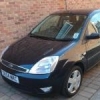
Mk6 Fiesta Unknown Noise
Featured Replies

Hi all,

My car (Fiesta Flame 1.4L 2004) has developed an interesting humming noise when getting above speeds of 20 miles or more. Now before you suspect it being a wheel bearing issue, I have recently had 3 wheel bearings replaced 1 front and 2 on the rear, and not too long ago had its first MOT which passed with no advisories. Also had 4 brand new goodyear tyres fitted just before the MOT test. Now taking all this into account suspension is ok, no problems with drive shaft or cv joints etc. and having new wheel bearings fitted, the noise seems to be coming from the front wheels. I have come to the conclusion that all I can think could be causing it is imbalanced wheels even though tyres are only a few months old and had been balanced at time of fitting, steering wheel does start to wobble when getting to 70mph. Could it be a balancing issue??


I know I'm a bit late posting but I bet your tyres are out of shape. I believe there are quite a few Goodyear tyres that suffer from this. It can give a wheel beating type noise

  • Author

Ah OK sounds like something that I am just going to have to live with. Never mind getting all four wheels balanced again tomorrow so it may help. to quite them down we shall see. Thanks anyway for the info, is it due to the fact they are rolled off the production line out of shape from new, or because of road surfaces, balacing issues etc??

If I've got my maths right, you've still got one wheel bearing that's not been changed...

It could well be tyres making the noise. I've had tyres on a few of my cars sound like wheel bearings going.

  • Author

Well if it is a wheel bearing the only left to replace will be the o/s/f as that is the only left to change. It must be in its early stages if its about to go again, because like I have said recently had a MOT done and the other three wheel bearings have been replaced. Just annoying that I bought the car when everything needs replacing either due to it coming to the end of its life or age of the car! And this is a car that was regularly serviced at a ford garage as it says in the log book. :angry:

  • Author

Had all four wheels re-balanced today. Solved the shaking steering wheel problem, and is more comfortable, but apparently the wheels are buckled so he put them at the back and best ones on the front. Now looking at the alloys I cannot see any buckle on the rims or alloy. The noise is still there which is like a beating noise mentioned. I'm now either putting this down to either tyres out of shape or could be that last wheel bearing is on its way out which is I am guessing will be (car done 46K) soon but until I hear the horrible whining noise of a wheel bearing shall not change it until then.

Latest Deals

Ford UK Shop for genuine Ford parts & accessories

Disclaimer: As the club is an eBay Partner, The club may be compensated if you make a purchase via the club

Join the conversation

You can post now and register later. If you have an account, sign in now to post with your account.

Guest
Reply to this topic...

The "Digestive"


Background Picker
Customize Layout

Account

Navigation

Search

Search

Configure browser push notifications

Chrome (Android)
  1. Tap the lock icon next to the address bar.
  2. Tap Permissions → Notifications.
  3. Adjust your preference.
Chrome (Desktop)
  1. Click the padlock icon in the address bar.
  2. Select Site settings.
  3. Find Notifications and adjust your preference.
