
Skip to content
View in the app

A better way to browse. Learn more.

Ford Owners Club - Ford Forums

A full-screen app on your home screen with push notifications, badges and more.

To install this app on iOS and iPadOS
  1. Tap the Share icon in Safari
  2. Scroll the menu and tap Add to Home Screen.
  3. Tap Add in the top-right corner.
To install this app on Android
  1. Tap the 3-dot menu (⋮) in the top-right corner of the browser.
  2. Tap Add to Home screen or Install app.
  3. Confirm by tapping Install.


Join the Independent Ford Owners' Club

Our community has been built by enthusiasts, for enthusiasts, and proudly run by Ford owners' for over 18 years. As an independent, non-official club, everything you’ll find here, advice, support, and opinions, comes directly from members with genuine Ford ownership experience.

Join our friendly community... it's Free!


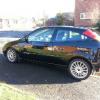
Hello Everyone I Was Wondering If Anyone Can Help. The Brakes On My Focus St170 Seem To Have A Lot Of Travel Before They Kick In
Featured Replies

Sent from my GT-I9300 using Ford OC mobile app


System probably needs bleeding.

  • Author

Hiya big d ive had them bled dtill seem to be the same

Sent from my GT-I9300 using Ford OC mobile app

  • Author

I took it to the garage and they put a bleeding kit on. And if im honest it didn't really seem any different but he said he didn't think it would get much better. But I think they are very poor.

Sent from my GT-I9300 using Ford OC mobile app

how good are the disks and pads?

  • Author

The pads and discs seem to be ok. But I just thought they would be better than they are

Sent from my GT-I9300 using Ford OC mobile app

If the pedal feels spongey it would suggest an airlock. Alternatively it could be that your best off replacing the pads and/or disks.

  • Author

Thanks for your reply. Im bookin it in monday to do just that.

Sent from my GT-I9300 using Ford OC mobile app

did you manage to get this resolved?

  • Author

I did get sorted thanks jeebowhite I took to my mate and he put a bleeding kit on. And there was some air in he said. Much better than before. Kwick fit they said they done the same things as I said on a earlier post. It didn't seem to change If im honest dont really rate my local Kwick fit

Sent from my GT-I9300 using Ford OC mobile app

Kwik Fit are absolutely clueless about cars.

  • Author

I know mate should of rememberd when my neighbour went to Kwick fit. For his oil change on his mondeo 2 days later it blew up. Well they wont be getting anymore of my money. ..

Sent from my GT-I9300 using Ford OC mobile app

I went to them once to get the headlights aligned on my Focus, after fitting black ST170 lights.

A few days later when I drove the car at night, the lights were great.... IF I didn't want to see anything that was more than six feet away from the front of the car. :s

And they used specialist aligning equipment to make them that good! I could have done it better with a garage wall and a bit of sticky tape.

  • Author

They are a joke. What gets me if they have the the proper equipment. Why don't they get people that can use it properly.

Sent from my GT-I9300 using Ford OC mobile app

Probably because they'd have to train everyone which needs someone to know what they're doing but anyone who knows what they're doing would probably want to work elsewhere.

Sent from my HUAWEI P2 using Ford OC mobile app

  • Author

To true mate:rolleyes:

Sent from my GT-I9300 using Ford OC mobile app

Latest Deals

Ford UK Shop for genuine Ford parts & accessories

Disclaimer: As the club is an eBay Partner, The club may be compensated if you make a purchase via the club

Join the conversation

You can post now and register later. If you have an account, sign in now to post with your account.

Guest
Reply to this topic...

The "Digestive"


Background Picker
Customize Layout

Account

Navigation

Search

Search

Configure browser push notifications

Chrome (Android)
  1. Tap the lock icon next to the address bar.
  2. Tap Permissions → Notifications.
  3. Adjust your preference.
Chrome (Desktop)
  1. Click the padlock icon in the address bar.
  2. Select Site settings.
  3. Find Notifications and adjust your preference.
