
Skip to content
View in the app

A better way to browse. Learn more.

Ford Owners Club - Ford Forums

A full-screen app on your home screen with push notifications, badges and more.

To install this app on iOS and iPadOS
  1. Tap the Share icon in Safari
  2. Scroll the menu and tap Add to Home Screen.
  3. Tap Add in the top-right corner.
To install this app on Android
  1. Tap the 3-dot menu (⋮) in the top-right corner of the browser.
  2. Tap Add to Home screen or Install app.
  3. Confirm by tapping Install.


Join the Independent Ford Owners' Club

Our community has been built by enthusiasts, for enthusiasts, and proudly run by Ford owners' for over 18 years. As an independent, non-official club, everything you’ll find here, advice, support, and opinions, comes directly from members with genuine Ford ownership experience.

Join our friendly community... it's Free!
 

New To Ford

Featured Replies

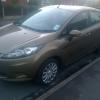
Me and my girlfriend recently bought a mk7 fiesta before the facelift, from a repossession place and there's no user Manuel with the car.

Its a 1.2 edge and wondered about the usb port, at first it charged my phone straight away then the next time it didn't charge at all, I tried a different wire but still nothing then another time it works, I'm not sure if I can play my music through the usb, I have a Nokia lumia 1020 but the stereo doesn't seem to pick anything up. As far as I can tell the stereo doesn't have Bluetooth but.does have a headphone jack to connect it that way. Is the usb port just another way to charge my phone or can I play music through it? Id appreciate any help and a Manuel :) thanks


If you have a USB port, you should have the bluetooth and USB module fitted. Which means it should be able to play music from a USB. Your phone will need to be in Mass Storage mode for the car to read it though.

Otherwise try putting a few mp3s on a USB stick and flicking through the sources on the car to see if it finds the USB and tracks.

You can download a manual here: http://www.ford.co.uk/OwnerServices/Owners-Manual

If you want a paper copy try ebay, or you will have to ask your local Ford dealer.

  • Author

Thanks for that ill try it, I tried searching for Bluetooth from my phone but it didn't find anything, and cant find a Bluetooth option in the stereos menu. I'll have a look through the manuel thanks again.

If you press the "aux" button it will bring up the menu, if you press it again it should cycle through the sub menus. When you come to the screen that says something like "connect BT device" that's the blue tooth and it'll have a "connect device" button. It should bring up a new window with a pin to connect your phone.

All the above is for the facelift but I can't imagine they've changed it (that) much.

  • Author

I've got the usb drive to work but some songs dont work even though they are all mp3, I think I tried pressing aux a couple of times but not sure, if I saw something saying connect bt device I would have guessed that's it so either its not there or not found it yet, thanks for the tips I appreciate it :)

There was a thread at the weekend with someone else having troubles with their usb not working, turned out it was the stick that was faulty/not compatible with the reader on the stereo.

Just fired your reg plate into ford etis and it says you don't have bluetooth unfortunately.

Not sure on your original question though, I know with my outputs I need to push the charger in further than what feels normal for connection to be made.

  • Author

Thanks for advice and thanks for checking, it was nice to have a look myself on ford etis and see all the things my car hasn't got lol thanks again.

It is quite weird to go on and think "wow my car has nothing on it " that's what I thought anyway haha!

Latest Deals

Ford UK Shop for genuine Ford parts & accessories

Disclaimer: As the club is an eBay Partner, The club may be compensated if you make a purchase via the club

Join the conversation

You can post now and register later. If you have an account, sign in now to post with your account.
Note: Your post will require moderator approval before it will be visible.

Guest
Reply to this topic...

The "Digestive"


Background Picker
Customize Layout

Account

Navigation

Search

Search

Configure browser push notifications

Chrome (Android)
  1. Tap the lock icon next to the address bar.
  2. Tap Permissions → Notifications.
  3. Adjust your preference.
Chrome (Desktop)
  1. Click the padlock icon in the address bar.
  2. Select Site settings.
  3. Find Notifications and adjust your preference.
