
Skip to content
View in the app

A better way to browse. Learn more.

Ford Owners Club - Ford Forums

A full-screen app on your home screen with push notifications, badges and more.

To install this app on iOS and iPadOS
  1. Tap the Share icon in Safari
  2. Scroll the menu and tap Add to Home Screen.
  3. Tap Add in the top-right corner.
To install this app on Android
  1. Tap the 3-dot menu (⋮) in the top-right corner of the browser.
  2. Tap Add to Home screen or Install app.
  3. Confirm by tapping Install.


Join the Independent Ford Owners' Club

Our community has been built by enthusiasts, for enthusiasts, and proudly run by Ford owners' for over 18 years. As an independent, non-official club, everything you’ll find here, advice, support, and opinions, comes directly from members with genuine Ford ownership experience.

Join our friendly community... it's Free!


Just Turned My Diesel Mk2 Focus Into An St Rep, Now I'm Stuck On The Dash?
Featured Replies

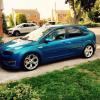
Hi guys, I'm quite new to the forum as I've only posted once before.

I've recently made my pre facelift focus mk2 diesel into a full ST replica. The last thing I need to do is fit the pod & gauges in the centre of the dash. ( I'm aware they won't work )

Now my focus has not had the pocket cut in from factory & id rather not cut into it myself.

However I've also got a scrap focus titanium with me that does have this dash pocket fitted, so I was wondering how easy this would be to swap my dash over or at least the top half of the dash ?.

If possible.

Thanks.

Shaun

post-62338-0-22176400-1439160138_thumb.j


If you chat to Lenny he has fitted a ST pod and is best able to help you out.

  • Author

Ok thanks for your help

It looks nice in that colour, good job there!:)

  • Author

It looks nice in that colour, good job there!:)

Thanks very much!

I was lucky to find an St donor in Aquarius blue

aquarius blue looks ace - i just wish ford got rid of the boring colours on every model.

look at Lenny's guide and fit the pocket but dont use the dremel (too messy/dusty) to cut into the dash as a stanley knife will allow you to do this until you remove the top layer and then use the dremel to cut into the plastic layer underneath - i know as i've done this and now have a titanium pocket pocket after fitting the gauges.

cut top layer using stanley knife

20120707_182942.jpg

then used dremel to cut plastic bottom layer

20120708_115439.jpg

20120708_115422.jpg

made my own dials pod to house 2 x 2" gauges

20120810_195918.jpg

then replaced them by fitting the pocket dash and housing a 5" samsung media player so i had the torque app running and also used it as my sat nav (held in place by velcro so is removable), fitted a charging point inside the pocket so no messy wires!

20140331_193208_zpsdq185uky.jpg

  • Author

^ that's pretty cooool!

Love the colour of your car mate.

  • Author

Love the colour of your car mate.

Thanks very much.

It looks great in the sun

Very pearlescent !

Hi guys, I'm quite new to the forum as I've only posted once before.

I've recently made my pre facelift focus mk2 diesel into a full ST replica. The last thing I need to do is fit the pod & gauges in the centre of the dash. ( I'm aware they won't work )

Now my focus has not had the pocket cut in from factory & id rather not cut into it myself.

However I've also got a scrap focus titanium with me that does have this dash pocket fitted, so I was wondering how easy this would be to swap my dash over or at least the top half of the dash ?.

If possible.

Thanks.

Shaun

You may like to view my full list of guides including the ST pod can be viewed on my profile page:

http://www.fordownersclub.com/forums/user/14733-lenny/

Or

If your using the forum App follow this link: http://www.fordownersclub.com/forums/topic/68214-full-list-lennys-guides/

20140331_193208_zpsdq185uky.jpg

That's the WoW :o factor rite there man :lol: take a selfie at 140mph upload along with the tacograph readout

"heres my face at 4G running 2 bar boost"

  • Author

You may like to view my full list of guides including the ST pod can be viewed on my profile page: http://www.fordownersclub.com/forums/user/14733-lenny/

Or

If your using the forum App follow this link: http://www.fordownersclub.com/forums/topic/68214-full-list-lennys-guides/That's the WoW :o factor rite there man :lol: take a selfie at 140mph upload along with the tacograph readout

"heres my face at 4G running 2 bar boost"

Thanks for reply. I've already had a ganders at your post on making the pod gauges.

I'm a little put off cutting it in the car as I really don't fancy all the mess ha ha.

Is the rubber soft enough to cut with a knife ?

Thanks for reply. I've already had a ganders at your post on making the pod gauges.

I'm a little put off cutting it in the car as I really don't fancy all the mess ha ha.

Is the rubber soft enough to cut with a knife ?

Hi,

Its soft enough to cut with a stanley blade, but risk of slipping to far across dash,

Id drill a hole then use hack saw blade less mess,

I made more of a mess than necessary mainly because it was going on camera :)

  • Author

Ok. I may give it a go this weekend

Fingers crossed

Thanks for the info

Ok. I may give it a go this weekend

Fingers crossed

Thanks for the info

No problem,

Start with cutting small then offer up the pod surround to trial fit,

Trim it out to size, this way you don't take away too much,

If fitting aftermarket gauges; see my guide on fitting an auto dimming relay reduces glare at night.

Link: http://www.fordownersclub.com/forums/topic/31832-guide-fitting-auto-dimmer-unit-from-gen-labs-to-gauges-or-drl/

Latest Deals

Ford UK Shop for genuine Ford parts & accessories

Disclaimer: As the club is an eBay Partner, The club may be compensated if you make a purchase via the club

Join the conversation

You can post now and register later. If you have an account, sign in now to post with your account.
Note: Your post will require moderator approval before it will be visible.

Guest
Reply to this topic...

The "Digestive"


Background Picker
Customize Layout

Account

Navigation

Search

Search

Configure browser push notifications

Chrome (Android)
  1. Tap the lock icon next to the address bar.
  2. Tap Permissions → Notifications.
  3. Adjust your preference.
Chrome (Desktop)
  1. Click the padlock icon in the address bar.
  2. Select Site settings.
  3. Find Notifications and adjust your preference.
