
Skip to content
View in the app

A better way to browse. Learn more.

Ford Owners Club - Ford Forums

A full-screen app on your home screen with push notifications, badges and more.

To install this app on iOS and iPadOS
  1. Tap the Share icon in Safari
  2. Scroll the menu and tap Add to Home Screen.
  3. Tap Add in the top-right corner.
To install this app on Android
  1. Tap the 3-dot menu (⋮) in the top-right corner of the browser.
  2. Tap Add to Home screen or Install app.
  3. Confirm by tapping Install.


Join the Independent Ford Owners' Club

Our community has been built by enthusiasts, for enthusiasts, and proudly run by Ford owners' for over 18 years. As an independent, non-official club, everything you’ll find here, advice, support, and opinions, comes directly from members with genuine Ford ownership experience.

Join our friendly community... it's Free!


Sony DAB upgrade
Featured Replies

Hi

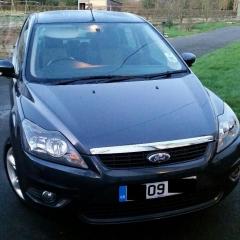
Am looking to fit a Sony DAB 6CD changer to a Mk 2.5 2009 reg Focus. The radio has the Part Number: 8M5T-18C939-MD. Is this compatible? 

As I understand it to get DAB working I would need to get The DAB aerial upgrade kit which includes the following

.1559265 Aerial Mast
.1559268 Aerial Base
.1682844 Wiring
.1575793 Wiring

Could i get away with using some kind of splitter?

In the future I will also be looking at upgrading the Bluetooth module which currently exists to one which supports A2DP and possibly USB. My current module has the code 8M5T-19G488-AM which I understand does not support those functions. 

Is there anything else I could have missed?

Many thanks


Edited by chris_sim82


You may get away with an ebay fakra aerial but when i done this years ago i just got the full dab aerial from ford.  None of the original aerial is interchangeable with the dab one. 

  • Author

The Ford aerial upgrade does sound like the best way forward.

Those part numbers (4 of) you quote are the ones I used. Not cheap but does work. Cost me £81.89.

  • Author

Will look to fit this tomorrow. Parts arrived today. Went for the Ford aerial upgrade as recommended. Will report back. Cheers.

contact dabonwheels and ask them about the dab splitter - much cheaper and works well. this came too late for me and i paid out £80ish to upgrade too.

for the stereo make sure it is a focus one as the mondeo one does not work with the focus.

Just so you know, annoyingly the Sony DAB radio does not support DAB+, which means you'll miss 2/3 stations from the upcoming Digital 2 multiplex.

  • Author

Thanks for your help

 All installed now. Using the ford DAB upgrade kit. Been out for a drive and reception so far is flawless. Must be in a good reception area. Sound is way better than standard radio to.

Had no trouble routing the cable and was left with plenty of length to fit comfortably fit the stereo. 

Must try and get A2DP to work next. 

20160211_152330_resized_1.jpg

  • Author

The stereo has made a huge difference.

streaming wise would the firmware on the stereo support it?

05_06_01

As for the module does it make any difference being from a Fiesta, Mondeo etc? If I understand rightly I should be looking for 8M5T-19C112 with the letters AM or higher?. Once I've swapped out the existing 8M5T-19G488-AM I believe I would then need to Activate it using modified ELM?

On 06/02/2016 at 5:42 PM, Cragrat said:

Those part numbers (4 of) you quote are the ones I used. Not cheap but does work. Cost me £81.89.

Lucky i got Ford Emp prices and paid £55.00 incl vat for the lot

  • Author

I have come across a module with the part number 8M5T-19C112-AR made by Novero. Would this be compatible?


Latest Deals

Ford UK Shop for genuine Ford parts & accessories

Disclaimer: As the club is an eBay Partner, The club may be compensated if you make a purchase via the club

Join the conversation

You can post now and register later. If you have an account, sign in now to post with your account.

Guest
Reply to this topic...

The "Digestive"


Background Picker
Customize Layout

Account

Navigation

Search

Search

Configure browser push notifications

Chrome (Android)
  1. Tap the lock icon next to the address bar.
  2. Tap Permissions → Notifications.
  3. Adjust your preference.
Chrome (Desktop)
  1. Click the padlock icon in the address bar.
  2. Select Site settings.
  3. Find Notifications and adjust your preference.
