
Skip to content
View in the app

A better way to browse. Learn more.

Ford Owners Club - Ford Forums

A full-screen app on your home screen with push notifications, badges and more.

To install this app on iOS and iPadOS
  1. Tap the Share icon in Safari
  2. Scroll the menu and tap Add to Home Screen.
  3. Tap Add in the top-right corner.
To install this app on Android
  1. Tap the 3-dot menu (⋮) in the top-right corner of the browser.
  2. Tap Add to Home screen or Install app.
  3. Confirm by tapping Install.


Join the Independent Ford Owners' Club

Our community has been built by enthusiasts, for enthusiasts, and proudly run by Ford owners' for over 18 years. As an independent, non-official club, everything you’ll find here, advice, support, and opinions, comes directly from members with genuine Ford ownership experience.

Join our friendly community... it's Free!


DRLs? Professional Finish?
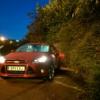
Featured Replies

Hi Guys


I'd like to fit DRLs onto my Focus 3.0 but I want it to look like a professional finish as if it came out the factory. What options do I have? I've seen a few designs around but no pictures of them fitted.


any advice recieved greatfully!


Charles


I'm also quite interested in this one. You don't want to end up with fairy lights...

I've seen a few cars with a white strip light that's been added onto the headlight, looks pretty good.

I've also seen the U shaped ones which sit within the triangular grill pieces but I'm not sure how easy they are to add to a car which doesn't have DRLs fitted already... Surely they require a control box to make sure they activate when all other lights are off?

Sent from my SM-G925F using Tapatalk

0fe6afdb8162c63997e728d104cc9a80.jpg

This is the idea with the strip lights. Seen these looking very smart on a couple of cars.

Sent from my SM-G925F using Tapatalk

6298fa8c4e42385fb7a5e08125afb940.jpg

I like the idea of these too but I think they stick out a little too much and I've only seen them pictures on cars with DRLs already fitted.. I imagine it's easier to get them running if the circuit to activate them is already there

Sent from my SM-G925F using Tapatalk

  • Author

Agreed. I've seen these but I have the honeycomb style grilles and I don't know fi these will fit!

I'd suggest that they won't. The ones you fit into the headlight interest me though if anyone has any experience of them

Sent from my SM-G925F using Tapatalk

This is my car:

56d38e70d623b_ImageUploadedByFordOC14567

56d38e7b47df6_ImageUploadedByFordOC14567

56d38e8404cf7_ImageUploadedByFordOC14567

£40ish from eBay. Fits perfectly and looks amazing with HIDs.

Sent from the pub with a pint in the other hand.

This isn't the best photo of them, as they are really bright. But, these are what I have. They dim automatically when sidelights and headlights are turned on. They aftermarket ones from:

http://www.fordpartsuk.com/shop/ford_focus_nolden_daytime_running_lights_with_matt_black_bezel_f_1746355_c_997.htm

they are bit expensive though, but do look like they are from the factory. They are not honeycomb grille though, only standard Matt or Gloss ones. They come installed in a new triangular grille 

image.jpeg

Edited by mike6688
Added missing information

Kpg yours look mint. Do they activate with the side lights?

Sent from my SM-G925F using Tapatalk

How did you find wiring them up?

Kpg yours look mint. Do they activate with the side lights?

Sent from my SM-G925F using Tapatalk

How did you find wiring them up?

Aye I have them wired so that they're on 100% brightness with sidelights on and dim to 50% when headlights on.

Wiring was ok, bit of thinking and searching to start with but could do it blindfolded now. Some instructions say to splice into sidelight wiring to dim the drls but I didn't want them to dim with sidelights so wired to the dipped beam power instead.

Sent from the pub with a pint in the other hand.

Latest Deals

Ford UK Shop for genuine Ford parts & accessories

Disclaimer: As the club is an eBay Partner, The club may be compensated if you make a purchase via the club

Join the conversation

You can post now and register later. If you have an account, sign in now to post with your account.

Guest
Reply to this topic...

The "Digestive"


Background Picker
Customize Layout

Account

Navigation

Search

Search

Configure browser push notifications

Chrome (Android)
  1. Tap the lock icon next to the address bar.
  2. Tap Permissions → Notifications.
  3. Adjust your preference.
Chrome (Desktop)
  1. Click the padlock icon in the address bar.
  2. Select Site settings.
  3. Find Notifications and adjust your preference.
