
Skip to content
View in the app

A better way to browse. Learn more.

Ford Owners Club - Ford Forums

A full-screen app on your home screen with push notifications, badges and more.

To install this app on iOS and iPadOS
  1. Tap the Share icon in Safari
  2. Scroll the menu and tap Add to Home Screen.
  3. Tap Add in the top-right corner.
To install this app on Android
  1. Tap the 3-dot menu (⋮) in the top-right corner of the browser.
  2. Tap Add to Home screen or Install app.
  3. Confirm by tapping Install.


Join the Independent Ford Owners' Club

Our community has been built by enthusiasts, for enthusiasts, and proudly run by Ford owners' for over 18 years. As an independent, non-official club, everything you’ll find here, advice, support, and opinions, comes directly from members with genuine Ford ownership experience.

Join our friendly community... it's Free!


Retrofit Bluetooth connectivity problems > Focus MK2.5
Featured Replies

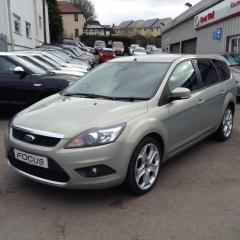
Afternoon - I'm new to the forums and have just purchased a 2010 Focus Estate titanium (MK2.5). It has the Sony DAB Radio (05-06-03), but sadly no Bluetooth - just an AUX in the glove box. I've followed GAS RS's great guide to retrofit with a Bluetooth module (Linked below!) I've installed the following three parts:

1: Replaced the grey foam with the microphone in the courtesy light (wiring was all there).

2: Removed glove box & swapped the audio patch cable (Finis 1592580, 8m5t-19A442) from BB to AB (more loops). There was no microphone socket, so assuming I have the new MK2.5 wiring loom.

3: Found the BVC connector & connected a purchased 8M5T-19C112-AT (apparently previously from a C-MAX).

I wasn't worried about voice control, so didn't put a new control stork in or anything - just want to stream music/answer calls. Turned the car on and the Sony Radio now has phone and BT/USB options :)

However, I'm having two serious problems & any help would be greatly appreciated:

PROBLEM 1: When I search for bluetooth devices on my phone, sometimes it finds 'Ford Audio', sometimes a strange coded name, but mostly nothing. Either way it struggles to connect. Only twice in dozens of tries has it even poped up with a pairing code & even then failed to connect. I've tried friends phones, but nothing can connect (my previous car (stolen) was the same model, so I know how it should work). Any help here would be greatly appreciated!

PROBLEM 2: I've found that with the new audio patch cable connected (the AB cable rather than the original BB cable), the AUX input no longer works. reverting to the old BB cable fixes this, but surely I need the new one for the BT module? Can anyone shed any light/solutions here?

Many thanks,

Tim


IMG_20160322_150811.jpg

IMG_20160322_150607.jpg

  • 2 weeks later...


  • Author

Pity we didn't get any responses. However I've now solved the problem - a dodgy Bluetooth module. I ordered another from a different source ( 8M5T-19C112-AV), installed it and put the AB cable back in - and hey presto, everything's working perfectly & both of the above problems are fixed.

Happy now & just posting in case others have similar problems. If your radio detects the Bluetooth module, but you are having trouble connecting to it, it's probably a damaged module.

Regards,

Tim

  • 10 months later...

Hello,could you tell me where you got your module from?ive tried a couple of sources with the above part number but nothing seems to come up with the end code of AV.

  • Author

Evening wicket73,

I purchased it from Ford Parts UK (www.fordpartsuk.com). If you do a search for the part number on their website, three will come up - listed as for a Fiesta, Mondeo & Kuga, but they are all the same part & work in the Focus too. It's not cheap, but has worked perfectly for me for the ~9 months I've had it so far.

Thankyou.

  • 3 weeks later...

And the end code is definitely av?i can find plenty but not with av!

Latest Deals

Ford UK Shop for genuine Ford parts & accessories

Disclaimer: As the club is an eBay Partner, The club may be compensated if you make a purchase via the club

Join the conversation

You can post now and register later. If you have an account, sign in now to post with your account.

Guest
Reply to this topic...

The "Digestive"


Background Picker
Customize Layout

Account

Navigation

Search

Search

Configure browser push notifications

Chrome (Android)
  1. Tap the lock icon next to the address bar.
  2. Tap Permissions → Notifications.
  3. Adjust your preference.
Chrome (Desktop)
  1. Click the padlock icon in the address bar.
  2. Select Site settings.
  3. Find Notifications and adjust your preference.
