
Skip to content
View in the app

A better way to browse. Learn more.

Ford Owners Club - Ford Forums

A full-screen app on your home screen with push notifications, badges and more.

To install this app on iOS and iPadOS
  1. Tap the Share icon in Safari
  2. Scroll the menu and tap Add to Home Screen.
  3. Tap Add in the top-right corner.
To install this app on Android
  1. Tap the 3-dot menu (⋮) in the top-right corner of the browser.
  2. Tap Add to Home screen or Install app.
  3. Confirm by tapping Install.


Join the Independent Ford Owners' Club

Our community has been built by enthusiasts, for enthusiasts, and proudly run by Ford owners' for over 18 years. As an independent, non-official club, everything you’ll find here, advice, support, and opinions, comes directly from members with genuine Ford ownership experience.

Join our friendly community... it's Free!


Advice or help please
Featured Replies

Hello and hope all are well,


So I have a problem with my car that started over the weekend,

 The problems are as follows the hand break stayed on even though it was off the outside temp gage in the dash was blank , air bag light flickered on and off and when i got home the central locking would not work .

 I linked up my pc and cleared the codes the central locking was all good the temp was back and the hand break light was behaving .

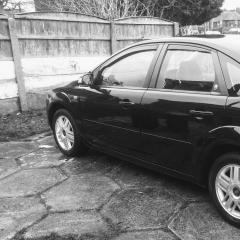
My car is a 56 plate 2ltr tdci ,

ForScan pointed at the BCM but im thinking that I only drive 2 miles a day that it could be the battery dying and in need of replacing ,

So my questions are has anyone come across this before, how did they resolve the issue and where is the BCM unit and if it is this how much am I looking at to get it fixed.


Kind regards Adam 


Hello and hope all are well,
 
So I have a problem with my car that started over the weekend,
 The problems are as follows the hand break stayed on even though it was off the outside temp gage in the dash was blank , air bag light flickered on and off and when i got home the central locking would not work .
 I linked up my pc and cleared the codes the central locking was all good the temp was back and the hand break light was behaving .
My car is a 56 plate 2ltr tdci ,
ForScan pointed at the BCM but im thinking that I only drive 2 miles a day that it could be the battery dying and in need of replacing ,
So my questions are has anyone come across this before, how did they resolve the issue and where is the BCM unit and if it is this how much am I looking at to get it fixed.
 
Kind regards Adam 

Hi , what were the codes showing?
Yunii

Sent from my SM-G925F using Tapatalk

  • Author

I was in to much of a need to fix this in my head I forgot to record them down.


Make sure the plugs that go in to the passenger fuse box are push in as they some times work lose and cause all sorts

of problems the ones at the bottom of the box :smile:

  • Author
Just now, dezwez said:

Make sure the plugs that go in to the passenger fuse box are push in as they some times work lose and cause all sorts

of problems the ones at the bottom of the box :smile:

I will have a look into that on lunch thank you for pointing me in a direction. 


It may have nothing to do with the faults I have but I had to replace a fuse around two to three weeks ago and the fuse box was fighting with me not to go back in to place,

 Hope this is the issue and just need to reseat the plugs if they have become loose.


Kind regards Adam

If it's not the fuse box. Search the forum for 'cluster faults' and I'd get your battery checked. All 3 can cause all sorts of warnings, odd behaviour etc

Latest Deals

Ford UK Shop for genuine Ford parts & accessories

Disclaimer: As the club is an eBay Partner, The club may be compensated if you make a purchase via the club

Join the conversation

You can post now and register later. If you have an account, sign in now to post with your account.

Guest
Reply to this topic...

The "Digestive"


Background Picker
Customize Layout

Account

Navigation

Search

Search

Configure browser push notifications

Chrome (Android)
  1. Tap the lock icon next to the address bar.
  2. Tap Permissions → Notifications.
  3. Adjust your preference.
Chrome (Desktop)
  1. Click the padlock icon in the address bar.
  2. Select Site settings.
  3. Find Notifications and adjust your preference.
