
Skip to content
View in the app

A better way to browse. Learn more.

Ford Owners Club - Ford Forums

A full-screen app on your home screen with push notifications, badges and more.

To install this app on iOS and iPadOS
  1. Tap the Share icon in Safari
  2. Scroll the menu and tap Add to Home Screen.
  3. Tap Add in the top-right corner.
To install this app on Android
  1. Tap the 3-dot menu (⋮) in the top-right corner of the browser.
  2. Tap Add to Home screen or Install app.
  3. Confirm by tapping Install.


Join the Independent Ford Owners' Club

Our community has been built by enthusiasts, for enthusiasts, and proudly run by Ford owners' for over 18 years. As an independent, non-official club, everything you’ll find here, advice, support, and opinions, comes directly from members with genuine Ford ownership experience.

Join our friendly community... it's Free!
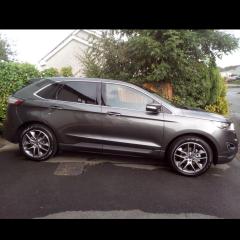
 

wipers

Featured Replies

hi all,

my windscreen wipers don't return to the bottom of the glass when in use and I switch the engine-ignition off. they will just park at that position they are in without returning into the park position. surely this isn't right or do you all have the same?

the wipers otherwise work fine. thanks


My wipers never park properly when in automatic mode. After use the driver’s side wiper sits about 1.5” high, but at the bottom of the screen. I assume this is just primed for the next wipe. If I turn them off, they park correctly. 

One thing that I was amazed at was the ‘intelligent’ part to them. Normally cars have two wipers that are linked but the Edge (and others) have independent mechanisms which talk to each other. I found out when washing the car for the first time, that you can lift and rotate each wiper independently to raise them off the screen and it doesn’t matter which way round you put them back down, right over left or left over right. If you do it the wrong way round, when you put the ignition on, the wipers sort themselves out.  The correct uppermost wiper is the driver’s side, but it’s fun to watch them correct themselves if you deliberately put the passenger side one uppermost. Perhaps I’m just easily pleased but it’s very clever !

  • Author

hey Edge thanks for replying. yes I've noticed that they sit primed at the bottom of the windscreen ready for next swipe. if that doesn't happen they will move an inch or so lower as if "parking up".

its when I switch the ignition off they will stop at the position they'r in ie. middle of glass if that's where they are. I always leave them in auto- maybe I should switch them off each time which to me makes auto wipers pointless. I find i'm switching the ignition on to get them back at the bottom of the screen!

i'll have to swap my wipers around and see them sort themselves out. I might put an audience on the back seats first too :biggrin:

I’m sure if I switch my ignition off mid-sweep then they just stop wherever they are, like yours. I always turn them off though, so they park. 

  • Author

on my old car they always went back to park position when ignition switched off. this is why I find it a bit annoying. thanks anyway. as long as I know there's not a problem  with them

22 hours ago, Edge of Reason said:

...... park properly when in automatic mode. After use the driver’s side wiper sits about 1.5” high, but at the bottom of the screen.

Mine also do this but if the screen receives no more water after about 20-30 seconds they do park correctly and I leave them on Auto all the time.

30 minutes ago, Jim610 said:

Mine also do this but if the screen receives no more water after about 20-30 seconds they do park correctly and I leave them on Auto all the time.

Yes mine do that too. 👍

  • Author

On my old car when i turned the ignition barrel to off the wipers would continue and finish parked at the bottom of the screen as long as the key was still in. It was when I pulled the key out the wipers would stop, so that's why I expected them to park up on the Edge. Obviously the start stop button can't offer this selection although radio stays on until the door is opened. 

Yes it’s a ‘design feature’. 😜

Latest Deals

Ford UK Shop for genuine Ford parts & accessories

Disclaimer: As the club is an eBay Partner, The club may be compensated if you make a purchase via the club

Join the conversation

You can post now and register later. If you have an account, sign in now to post with your account.

Guest
Reply to this topic...

The "Digestive"


Background Picker
Customize Layout

Account

Navigation

Search

Search

Configure browser push notifications

Chrome (Android)
  1. Tap the lock icon next to the address bar.
  2. Tap Permissions → Notifications.
  3. Adjust your preference.
Chrome (Desktop)
  1. Click the padlock icon in the address bar.
  2. Select Site settings.
  3. Find Notifications and adjust your preference.
