
Skip to content
View in the app

A better way to browse. Learn more.

Ford Owners Club - Ford Forums

A full-screen app on your home screen with push notifications, badges and more.

To install this app on iOS and iPadOS
  1. Tap the Share icon in Safari
  2. Scroll the menu and tap Add to Home Screen.
  3. Tap Add in the top-right corner.
To install this app on Android
  1. Tap the 3-dot menu (⋮) in the top-right corner of the browser.
  2. Tap Add to Home screen or Install app.
  3. Confirm by tapping Install.


Join the Independent Ford Owners' Club

Our community has been built by enthusiasts, for enthusiasts, and proudly run by Ford owners' for over 18 years. As an independent, non-official club, everything you’ll find here, advice, support, and opinions, comes directly from members with genuine Ford ownership experience.

Join our friendly community... it's Free!


Alarm Problems
Featured Replies

Hi

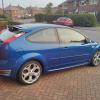
I have had my bonnet mechanism replaced and my sub and amp wired up by a mechanic friend of mine on my 2006 Focus ST-3 . Since then I have had some issues with the alarm, it seems to be when people use their key fob to unlock when in close proximity to mine it sets my alarm off. Note: this only seems to happen if their vehicle is a Ford.

I have been searching for various solutions to the problem for a little while now to no avail. I don't know whether it is something to do with the battery being left disconnected whilst the sound system was wired up?

I would really appreciate any help or suggestions as this is driving me insane, as you could imagine!

Thanks (First post!)

Lee


First place to start is the bonnet, it may be the root cause seeing as your have changed someting on it. Other cause could be voltage leakage through the new amp. Does it completely power down when car is off?

Check your bonnot sensor , should be two wires.

Check your earth points on amp for voltage draining.

I can't see how the other remotes are triggering but i guess it could happen , not sure if the systems have a detection if the signals are being scanned.

  • Author

I thought it was the bonnet sensor at first so I bridged the connection and it has not resolved the issue. The amp does switch off completely when the car is off. I will check the earth points and report back.

I agree, it does seem strange how other peoples key fobs set my alarm off, it's most frustrating as the other car in the family is a Ford!

Thanks for your reply

Lee

  • Author

I've disconnected the amp completely and the problem still persists :wacko:

It definitely seems to be other peoples keys that set it off. It's as though a Ford remote frequency it does not recognise causes the alarm to sound.

Thanks

Lee

Perhaps , program reset all the keys to the car , it might block out all the other frequencies then.

  • Author

I've reprogrammed both keys to the car and it still goes off.

Could then new wiring have any effect on it?

Thank you

Lee

Is ur car keyless or standard

Sent from my iPhone using Ford OC

  • Author

Standard

Well i guess the wiring could have an effect on it , are you certain it only goes off when someone else locks their Ford Car.

Only way to check the wiring is discoect it all and see if the alarm still goes off.

There is a radio frequency receiver in roof could be an issue have checked faults won't show light on dash

Sent from my iPhone using Ford OC

  • Author

Yeah I'm pretty sure it is only Ford's that set it off. I've never noticed it going off with any other vehicles apart from Ford's.

It seems as though something needs calibrating with regards the frequency so maybe that could be it. Where abouts is the receiver?

Thanks for your replies

In roof think above interior light have u had faults checked I be defo checking fault codes first is it factory or aftermarket alarm

Sent from my iPhone using Ford OC

  • Author

Yeah I'm going to get them checked. It's a factory fitted alarm.

Cheers

How did the guy wire up ur sub and amp did he know what he was doing

Sent from my iPhone using Ford OC

Latest Deals

Ford UK Shop for genuine Ford parts & accessories

Disclaimer: As the club is an eBay Partner, The club may be compensated if you make a purchase via the club

Join the conversation

You can post now and register later. If you have an account, sign in now to post with your account.

Guest
Reply to this topic...

The "Digestive"


Background Picker
Customize Layout

Account

Navigation

Search

Search

Configure browser push notifications

Chrome (Android)
  1. Tap the lock icon next to the address bar.
  2. Tap Permissions → Notifications.
  3. Adjust your preference.
Chrome (Desktop)
  1. Click the padlock icon in the address bar.
  2. Select Site settings.
  3. Find Notifications and adjust your preference.
