
Skip to content
View in the app

A better way to browse. Learn more.

Ford Owners Club - Ford Forums

A full-screen app on your home screen with push notifications, badges and more.

To install this app on iOS and iPadOS
  1. Tap the Share icon in Safari
  2. Scroll the menu and tap Add to Home Screen.
  3. Tap Add in the top-right corner.
To install this app on Android
  1. Tap the 3-dot menu (⋮) in the top-right corner of the browser.
  2. Tap Add to Home screen or Install app.
  3. Confirm by tapping Install.


Join the Independent Ford Owners' Club

Our community has been built by enthusiasts, for enthusiasts, and proudly run by Ford owners' for over 18 years. As an independent, non-official club, everything you’ll find here, advice, support, and opinions, comes directly from members with genuine Ford ownership experience.

Join our friendly community... it's Free!


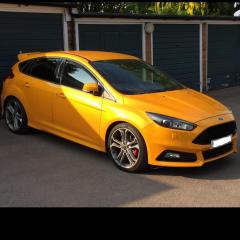
Warming Up Mk3 St
Featured Replies

Hi guys. Do I need to wait till my ST oil temp is 50 degrees or can I drive and wait for it to warm up.

I've been driving it keeping the turbo off and below 2000 rpm till the oil warms up. Good plan or over worrying?


Different model but in my mk1 RS I have a scanguage and personally wait till around 80c before booting it, Dont necessary stay off boost just drive slower till upto temp

Then coming home drive the last few miles off boost letting the oil and turbo cool down :)

Use Torque Pro (If you use an Android phone) and a bluetooth OBD module in the data port.

It will notify you with a voice message when up to optimum temperature.

Use Torque Pro (If you use an Android phone) and a bluetooth OBD module in the data port.

It will notify you with a voice message when up to optimum temperature.

Could you recommend a Bluetooth OBD?

Cheers

Sent from my GT-I9300 using Ford OC mobile app

the focus restricts engine power whilst then engines cold to prevent wear and damage so sitting warming it up is a waste of time it warms up quicker while driving

Latest Deals

Ford UK Shop for genuine Ford parts & accessories

Disclaimer: As the club is an eBay Partner, The club may be compensated if you make a purchase via the club

Join the conversation

You can post now and register later. If you have an account, sign in now to post with your account.

Guest
Reply to this topic...

The "Digestive"


Background Picker
Customize Layout

Account

Navigation

Search

Search

Configure browser push notifications

Chrome (Android)
  1. Tap the lock icon next to the address bar.
  2. Tap Permissions → Notifications.
  3. Adjust your preference.
Chrome (Desktop)
  1. Click the padlock icon in the address bar.
  2. Select Site settings.
  3. Find Notifications and adjust your preference.
