
Skip to content
View in the app

A better way to browse. Learn more.

Ford Owners Club - Ford Forums

A full-screen app on your home screen with push notifications, badges and more.

To install this app on iOS and iPadOS
  1. Tap the Share icon in Safari
  2. Scroll the menu and tap Add to Home Screen.
  3. Tap Add in the top-right corner.
To install this app on Android
  1. Tap the 3-dot menu (⋮) in the top-right corner of the browser.
  2. Tap Add to Home screen or Install app.
  3. Confirm by tapping Install.


Join the Independent Ford Owners' Club

Our community has been built by enthusiasts, for enthusiasts, and proudly run by Ford owners' for over 18 years. As an independent, non-official club, everything you’ll find here, advice, support, and opinions, comes directly from members with genuine Ford ownership experience.

Join our friendly community... it's Free!


Anyone Had The 2014 Titanium Heated Seats Option
Featured Replies

Morning all,

I tried a quick search on this, but while there's a lot of threads about after market seats I didn't find what I wanted so....

As the title really. Anyone here take the heated seats option in a 2014 Titanium without also upgrading to leather seats? If you did, are they standard style seats or the sports style ones from the X? I know what answer I want, but I'll see what answers I get before revealing.

Thanks


Thats the reason I went for the X, normal Titanium dont have the sports seats, unless you spec the full leather, which I didn't want, so went for the X with heated half leather

Hope that kind of answers your question?

Sent from my GT-I9300 using Ford OC mobile app

  • Author

I opted for heated seats which are listed simply as "heated front seats" on the extras list, then I noticed today the X is listed as having 'sports style' heated front seats. Personally I don't like the sports style - just a personal preference - so I suddenly thought "oh bugger, hope the heated option on the Titanium is just standard seats with the heater bits in". Was hoping someone might have taken that option to save me calling the dealer and asking a dumb question.

I looked at the X but for some reason it actually worked out better for me to spec up a Titanium rather than get the X. Annoyingly there's more new Fiestas gone past me on the roads in the last week than I've seen in the last month. I'm sure they're rubbing it in.

Oh ok, the titanium with the heated seats would just be the normal seats with the heated part in.

Yes, I found that when I was waiting for mine, they were all over the shop :)

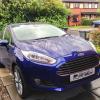
Also as I have Deep Impact Blue, I keep seeing loads of other Fords in the same colour, on the way back today I saw a 14 plate Focus and 14 plate Mondeo in the same colour, Mondeo did look proper nice I have to say.

Sent from my GT-I9300 using Ford OC mobile app

  • Author

Oddly, I seem to be seeing every colour except Deep Impact Blue, so still haven't seen one in the flesh. Red, White, Black, Candy Blue, and even a Hot Mustard but no DIB.

Thanks for sharing your opinion on the seats. I guess it would have listed them as "sports style" if that's what they were, but you know what it's like when you start second guessing yourself :)

dumb question from this side of the pond, but what does the Titanium X have extra compaired to the standard Titanium?

  • Author

I guess it's all relative. The UK Titanium X seems to be closer to the standard US Titanium, although there are still differences (US comes with reversing camera for example) and don't get me started on how far behind we are on in-car tech over here. Still no AppLink and it's been over there for what, nearly 2 years now? So much so, you're now on touch screens!

Here's a link to the UK spec ebrochures. http://www.ford.co.uk/SBE/Brochures/BrochuresandPricelists

The Fiesta should be the 2nd one. Spec comparisons of the UK models are on page 17.

Latest Deals

Ford UK Shop for genuine Ford parts & accessories

Disclaimer: As the club is an eBay Partner, The club may be compensated if you make a purchase via the club

Join the conversation

You can post now and register later. If you have an account, sign in now to post with your account.

Guest
Reply to this topic...

The "Digestive"


Background Picker
Customize Layout

Account

Navigation

Search

Search

Configure browser push notifications

Chrome (Android)
  1. Tap the lock icon next to the address bar.
  2. Tap Permissions → Notifications.
  3. Adjust your preference.
Chrome (Desktop)
  1. Click the padlock icon in the address bar.
  2. Select Site settings.
  3. Find Notifications and adjust your preference.
