
Skip to content
View in the app

A better way to browse. Learn more.

Ford Owners Club - Ford Forums

A full-screen app on your home screen with push notifications, badges and more.

To install this app on iOS and iPadOS
  1. Tap the Share icon in Safari
  2. Scroll the menu and tap Add to Home Screen.
  3. Tap Add in the top-right corner.
To install this app on Android
  1. Tap the 3-dot menu (⋮) in the top-right corner of the browser.
  2. Tap Add to Home screen or Install app.
  3. Confirm by tapping Install.


Join the Independent Ford Owners' Club

Our community has been built by enthusiasts, for enthusiasts, and proudly run by Ford owners' for over 18 years. As an independent, non-official club, everything you’ll find here, advice, support, and opinions, comes directly from members with genuine Ford ownership experience.

Join our friendly community... it's Free!


Wing Mirror Cover Removal
Featured Replies

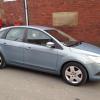
hi all, ive been looking all over the place to find out if the clear lens cover on my wing mirror indicator can be removed. i only noticed the other night that it has some water floating around near the bulb. would i have to remvoe the mirror glass or does the lens cover just pop off?

thank you in advance


The indicator lens/bulb holder will come out with no need to touch the mirror.

If you have an Owners manual it shows how in there.

If you haven't got one let me know and I'll get a copy of the relevant info for you.

Or drive down a narrow lane with cars parked either side, that usually does the trick getting lens out., well the lens, mirror cover, glass. Lol

There's instructions in the handbook on how to remove the indicator lens in the section about changing bulbs - basically mirror cover needs to come off first, then the lens pulls out from the pointy end first.

Tip for removing the mirror cover is to tilt the glass fully downwards so you can then use a thin screwdriver to lever down the 2 clips/tangs you'll see inside above the mirror glass.

Mine came off in seconds, reversing in the drive for the first time lol ;)

  • Author

thanks for the replies guys, wouldve replied sooner, but virigin have been &*£$"£$% lol it seems the manual i have is for another model. will have a look at it over weekend, if weather improves

thanks again folks

  • Author

thanks very much Stoney, really appreciate the help bud

  • 3 years later...

Just to add my 2 pennyworth in case it is helpful having found out the hard way as the instructions in the manual are incomplete to anyone unfamiliar with the types of clips involved.

The cap comes off as shown in the image above; the 2 tangs you want to lever off point horizontally back and restrain the plastic clip that points down from the cap. There is a ~4mm hole between them; push a small screw driver through this hole and gently lever down until the clip pops off. The cap should then rotate forwards and down and come off without any force. (see second photo; the mirror lens is off to make it easier to show the clip in the photo but it is easy enough to do with the lens on))

The indicator lens can then be unclipped without removing the mirror lens. Using a longish screwdriver go vertically down through the inner front of the big hole in the top of the mirror assembly as in the handbook diagram above. There is a clip with a curved piece of plastic that needs to be pushed gently away from the car, ie tightening the curve. This allows the cap to pop out and the rest is easy. (see first photo)


Hope that helps

45337756_2197071920562695_7473426683417067520_n.jpg

45177491_258362948195050_7767636577462779904_n edit.jpg

  • 2 months later...

Thanks richard-j. I couldn't make sense of the original instructions, but it's just as you say - stick something in the holes and push down (whilst tugging the top of the cap forwards). Cheers.

Latest Deals

Ford UK Shop for genuine Ford parts & accessories

Disclaimer: As the club is an eBay Partner, The club may be compensated if you make a purchase via the club

Join the conversation

You can post now and register later. If you have an account, sign in now to post with your account.
Note: Your post will require moderator approval before it will be visible.

Guest
Reply to this topic...

The "Digestive"


Background Picker
Customize Layout

Account

Navigation

Search

Search

Configure browser push notifications

Chrome (Android)
  1. Tap the lock icon next to the address bar.
  2. Tap Permissions → Notifications.
  3. Adjust your preference.
Chrome (Desktop)
  1. Click the padlock icon in the address bar.
  2. Select Site settings.
  3. Find Notifications and adjust your preference.
