
Skip to content
View in the app

A better way to browse. Learn more.

Ford Owners Club - Ford Forums

A full-screen app on your home screen with push notifications, badges and more.

To install this app on iOS and iPadOS
  1. Tap the Share icon in Safari
  2. Scroll the menu and tap Add to Home Screen.
  3. Tap Add in the top-right corner.
To install this app on Android
  1. Tap the 3-dot menu (⋮) in the top-right corner of the browser.
  2. Tap Add to Home screen or Install app.
  3. Confirm by tapping Install.


Join the Independent Ford Owners' Club

Our community has been built by enthusiasts, for enthusiasts, and proudly run by Ford owners' for over 18 years. As an independent, non-official club, everything you’ll find here, advice, support, and opinions, comes directly from members with genuine Ford ownership experience.

Join our friendly community... it's Free!
 

USB bad media

Featured Replies

Hi all,

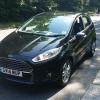
I have a ford fiesta ecboost 2014 plate. I can steam all my music, my phone connects fine and everything all connects up great to the usb slot except my one usb stick.

I have a USB stick with tons of songs that i use on my PC with no issues at all, but when i plug it into the cars usb, i just get a messege saying" bad media device" or something along those lines.

Ive checked the usb on my pc and its fine, all songs play no issues. Any idea on how i can resolve this?

Regards,


What filesystem is it?

Sync can't read NTFS, needs to be FAT32.

exFAT might work (it does on Sync 2), not sure about Sync 1.

Might just be the format of the songs,  try putting some on there in a different format and see if it will read them? 

  • Author
55 minutes ago, alexp999 said:

What filesystem is it?

Sync can't read NTFS, needs to be FAT32.

exFAT might work (it does on Sync 2), not sure about Sync 1.

Just checked it is FAT32. sony usb.


It used to work just fine up until about a month ago!

  • Author
11 minutes ago, wri9hty said:

Might just be the format of the songs,  try putting some on there in a different format and see if it will read them? 

Just removed about 100 songs form it, cleared the space, reformatted the USB stick and then downloaded all the songs again, but no luck so far :( wont play anything off this USB

Have you tried a different usb with just a handful of mp3s on to test if it is a problem with the car?

  • Author
6 minutes ago, alexp999 said:

Have you tried a different usb with just a handful of mp3s on to test if it is a problem with the car?

Just read your post and used my little sisters usb and all of her songs are playing fine. So i can now only assume its an issue with my usb. But reformatted, the songs are fine, running the right filesystem, what else could it be?

I'd trying running an error check on your USB. Maybe it has developed a fault and Sync is more sensitive to it than your PC?

4 minutes ago, Adam1991 said:

Just read your post and used my little sisters usb and all of her songs are playing fine. So i can now only assume its an issue with my usb. But reformatted, the songs are fine, running the right filesystem, what else could it be?

Did you try your songs on her USB? I know its a long shot but 1 file/song or a few of them could mean Sync isn't reading the full thing? If you have formatted the USB stick (whilst changing the format to FAT32) then I would say to just try a new USB stick (Few quid on Amazon) and just get a reputable one like SanDisk.


You could try formatting it, and trying 1 song, ensuring its MP3, FAT32 etc and see if that works? (on your current stuck). If not then it may just be the car refusing to read that USB for 1 reason or another!

  • Author
19 minutes ago, JSMarsden said:

Did you try your songs on her USB? I know its a long shot but 1 file/song or a few of them could mean Sync isn't reading the full thing? If you have formatted the USB stick (whilst changing the format to FAT32) then I would say to just try a new USB stick (Few quid on Amazon) and just get a reputable one like SanDisk.


You could try formatting it, and trying 1 song, ensuring its MP3, FAT32 etc and see if that works? (on your current stuck). If not then it may just be the car refusing to read that USB for 1 reason or another!

not tried my songs on her usb but to be frank, its a rather old USB. my dad has just given me an old memory stick of his so i think im going to transfer a few songs over and if it works, ill just use that. I have a feeling maybe the male part of the USB is damaged one way or another so proberbly not reading it right as you mentioned.

when you say you re-downloaded them?  where did you download them from?  If its a legit site then they may be DRM (Digital Rights Management) protected in which case they won't play other than the authorised device.  If thats not the case are they MP3 format?  can you try the stick on another car or another PC?

Latest Deals

Ford UK Shop for genuine Ford parts & accessories

Disclaimer: As the club is an eBay Partner, The club may be compensated if you make a purchase via the club

Join the conversation

You can post now and register later. If you have an account, sign in now to post with your account.
Note: Your post will require moderator approval before it will be visible.

Guest
Reply to this topic...

The "Digestive"


Background Picker
Customize Layout

Account

Navigation

Search

Search

Configure browser push notifications

Chrome (Android)
  1. Tap the lock icon next to the address bar.
  2. Tap Permissions → Notifications.
  3. Adjust your preference.
Chrome (Desktop)
  1. Click the padlock icon in the address bar.
  2. Select Site settings.
  3. Find Notifications and adjust your preference.
