
Skip to content
View in the app

A better way to browse. Learn more.

Ford Owners Club - Ford Forums

A full-screen app on your home screen with push notifications, badges and more.

To install this app on iOS and iPadOS
  1. Tap the Share icon in Safari
  2. Scroll the menu and tap Add to Home Screen.
  3. Tap Add in the top-right corner.
To install this app on Android
  1. Tap the 3-dot menu (⋮) in the top-right corner of the browser.
  2. Tap Add to Home screen or Install app.
  3. Confirm by tapping Install.


Join the Independent Ford Owners' Club

Our community has been built by enthusiasts, for enthusiasts, and proudly run by Ford owners' for over 18 years. As an independent, non-official club, everything you’ll find here, advice, support, and opinions, comes directly from members with genuine Ford ownership experience.

Join our friendly community... it's Free!


Sat Nav installation Ford Mondeo 1.6 TDCi Eco Zetec Business Edition
Featured Replies

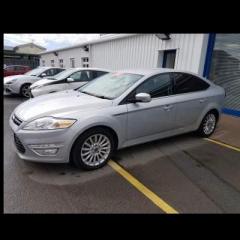
Hi, I finally had enough of my 13 year old mondeo and bought a more up to date one. Got a great deal from available car on the ford mondeo 1.6 TDCi Eco Zetec Business Edition. Just wondering if anyone knows how I get the sat nav working. It just saying insert original data carrier. I can't find no information online to what this is. Can anyone help? Thank you 


It's trying ( badly) to say it's got no map data. It's probably missing it's SD card!. Mine said that a day after it was delivered, took it back to the dealer and they said the sd card wasn't locked in properly during the PDI. On my 2014 Business edition the sd card is hidden behind the panel with the main volume control knob. I believe you pull off the volume control knob and then gently lift out the panel to access the sd card slot. I've never tried it myself though...

  • Author

Thank you so much. I have tried to get information from everywhere and had no luck. I pick the car up on Tuesday and hopefully I can then remove the panel and see if itshe dvd or sd card. Available car told me for would charge around £1500 to sort this problem out. 

Hi, There's a thread here with a video showing how to remove the panel http://www.talkford.com/community/topic/157763-where-is-sd-card-slot-located/

Surely the supplier should be supplying the car with a working satnav ? 

  • Author

Thank you, is it just a case of buying the card and inserting it? Do i have to get anything else installed? I am buying from available car and it has every optional extra on it but it's just the sat nav needs the original data carrier.

I've just bought a 2013 Business edition with touchscreen - I'm looking at checking for updates to the satnav but there seem to be a few options such as MCA 7" or TravelPilot - how do I find out which one I've got?

  • Author

Problem solved regarding the sat navery issue. Picked the car up today and they've installed the nav system for me. When I told the guy I was informed on my test drive that the car doesn't have it he told me not many people who work their know how to find the sd card. Thank you everyone for their help.  

  • Author
On 04/07/2016 at 0:38 PM, Iantofullpelt said:

I've just bought a 2013 Business edition with touchscreen - I'm looking at checking for updates to the satnav but there seem to be a few options such as MCA 7" or TravelPilot - how do I find out which one I've got?

I'm completely new to the whole built in sat nav thing. I really wouldn't know, I've still not had a good play on mine yet.

Sorted out which one it is by sending a photo to Fords (MCA 7"). They advised which SD card is needed for 2016 updates which I bought for £78. Inserted card but nothing happens - HELP!!!

Probably best to get back to Fords. I have the same car, the same age as you  but the Sat Nav was up and running when I bought the car. I had toyed with the idea of upgrading but was concerned it would turn out to be extremely complicated. From what you have been through, I'm glad I didn't try it.  Please post back when you make progress.:smile:

  • Author
On 08/07/2016 at 7:48 AM, Iantofullpelt said:

Sorted out which one it is by sending a photo to Fords (MCA 7"). They advised which SD card is needed for 2016 updates which I bought for £78. Inserted card but nothing happens - HELP!!!

I know you may have already tried this but have you tried sliding the grey tab on the sd card and re-inserting it? I've read a few forums on this and they'very resolved it this way.

  • 2 weeks later...
On 09/07/2016 at 0:53 AM, Neon Tetra said:

Probably best to get back to Fords. I have the same car, the same age as you  but the Sat Nav was up and running when I bought the car. I had toyed with the idea of upgrading but was concerned it would turn out to be extremely complicated. From what you have been through, I'm glad I didn't try it.  Please post back when you make progress.:smile:

i just bought a mondeo and i'm thinking of updating satnav too. the difficulty i am having is that ford will not give me and info unless i book it in first. all i want to know is if its a current version of not but they refuse to help. actually changing the SD card is very easy which may explain fords lack in telling people this. what i would like to know is if you can update the SD card over the internet or do you have to go to ford?

I read somewhere that because of Licensing issues, if you update the SD card you don't get the traffic information updates. So new SD card means updated maps but traffic info lost.

  • 3 years later...

I have a 2011 Mondeo titanium with a sat nav business stereo and some reason when I press the large climate button nothing happens however I can get to to climate menu via voice activation

can any body help to explain why my climate button don’t do anything 

thanks

Latest Deals

Ford UK Shop for genuine Ford parts & accessories

Disclaimer: As the club is an eBay Partner, The club may be compensated if you make a purchase via the club

Join the conversation

You can post now and register later. If you have an account, sign in now to post with your account.

Guest
Reply to this topic...

The "Digestive"


Background Picker
Customize Layout

Account

Navigation

Search

Search

Configure browser push notifications

Chrome (Android)
  1. Tap the lock icon next to the address bar.
  2. Tap Permissions → Notifications.
  3. Adjust your preference.
Chrome (Desktop)
  1. Click the padlock icon in the address bar.
  2. Select Site settings.
  3. Find Notifications and adjust your preference.
