
Skip to content
View in the app

A better way to browse. Learn more.

Ford Owners Club - Ford Forums

A full-screen app on your home screen with push notifications, badges and more.

To install this app on iOS and iPadOS
  1. Tap the Share icon in Safari
  2. Scroll the menu and tap Add to Home Screen.
  3. Tap Add in the top-right corner.
To install this app on Android
  1. Tap the 3-dot menu (⋮) in the top-right corner of the browser.
  2. Tap Add to Home screen or Install app.
  3. Confirm by tapping Install.


Join the Independent Ford Owners' Club

Our community has been built by enthusiasts, for enthusiasts, and proudly run by Ford owners' for over 18 years. As an independent, non-official club, everything you’ll find here, advice, support, and opinions, comes directly from members with genuine Ford ownership experience.

Join our friendly community... it's Free!
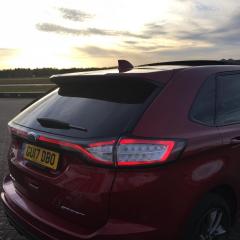
 

Dash cam

Featured Replies

You could get a piggy back fuse tap and do it that way, is really simple. Then wire in a 12v socket to the fuse tap, earth it to the car and store it out of sight behind the dash then connect your camera power lead to the socket. Have you checked the 12v socket you are using turns off when you exit the car?

The other alternative is to get a 12V socket extension with the plug on one end and a socket on the other, connect it up to the socket then run it to behind the dash and connect your dashcam power lead.

If you have paid out for a very decent camera then you really want it in the right place so you get the right angle etc. It will read number plates much easier. I would personally hard wire it, you can get a nextbase kit from Maplin which I think would do the job, the best option is to get a control box so you can set things like leaving it on constantly, but have the box monitor the battery voltage and if it drops it will turn the camera off.


Sent from my iPad using Tapatalk


On 23/03/2017 at 8:24 AM, ian whu said:

Used number 3 for the switched live,    for parking mode


I'm sure I used 34 for live all time,    


And I put 5amp fuses in the fuse taps. 


Is 3 definitely switched ? I connected mine here and it was still on an hour after locking the car 

  • 6 months later...

Hi all,

I know this thread is over 6 months old but was just wondering on the outcome of which fuse was used to power the dashcam?  Also, where was the wiring earthed to?  I'm struggling to find a good earth and fuse to connect to....

Thanks

Iain

I’ve not fitted a dashcam to my Edge but had one in my Focus ST. I used a tester to find a fuse switched by the ignition and put a piggy back fuse holder in so the original fuse was still in situ. I earthed on one of the bolts under the bulkhead in the passenger footwell. I’ve not looked at the Edge so cannot guarantee this will work but I can’t see any reason why not. I’d be interested to find out though as I definitely intend to fit one at some point. 

As above, one of those cheap car specific voltage checking screwdrivers will identify a switched live fuse. I used one of the really cheap ones, the small flat headed see through driver with a bulb in it and it stayed lit when I touched each and every fuse (Mk5 Mondeo). I ended up spending about £7 on a car specific one with a pointed tip, this worked fine. If in doubt, the 12v socket fuse (and socket) stay live for approx 75 mins after the engine is switched off and the amount of draw from the camera should not affect the battery in any way.
If you can't find a suitable earthing point, of which their should be many, you could just use a self tapping screw into the chassis.


Sent from my iPad using Tapatalk

So after trying 3-4 different fuses with no joy I decided to do a continuity test on the piggy back fuse holder.....which turned out to be faulty!  I'm up and running now.

  • 3 weeks later...

Guys, I found that best fuse to use would be 37 - heated steering wheel (passenger fuse box).

Fuse diagram cpuld be found here: http://www.autogenius.info/ford-edge-mk2-2015-fuse-box-diagram/

For ground, there are two possible areas: steel frame under steering wheel or lateral steel frame.

NOTE: I am talking about LHD vehicle config.

PS: you will need a MICRO2 Fuse Tap / Add-a-fuse, if possible with longer legs / support, in order to fit securely in place!

  • 4 weeks later...

what are the peoples choice when it comes to dash cams for the Edge? I've never owned one but will get one when i get my 2017 edge sport.

what are the peoples choice when it comes to dash cams for the Edge? I've never owned one but will get one when i get my 2017 edge sport.


It all depends on your budget, I have a drivepro 220 in the front and drivepro 200 in the back which I think cost about £200 for the 2 but I can’t remember. If money was not a factor then I would be going for a BlackVue set up. Regardless of what you get I would recommend getting one with GPS as that will show your speed. The 220 in the front has GPS and the 200 doesn’t as I only need the speed recorded in one of the feeds, saved a bit of money like that too.


Sent from my iPad using Tapatalk
  • 3 months later...

Hi all I tried fitting a fuse tap to fuse 37 today after running the power cable behind the dash and around door seal . But I can't seem to get the tap to fit it seems to big, or the legs are too short . I've tried  micro2 and micro3  fuse taps but none want to fit it's almost like where the fuse go into the tap this part seems too big and  hits the other fuses in the fuse box . I'm begin to wish i had started any help would be great .

Yes mate one of those I just can't  seem to get  it to fit . It almost as if the tap legs are to short , and I don't  want to push too hard and break anything .

Sorted at last a bit of brute force and the tap went in . I used fuse 23 in the passenger  foot well so it only comes on with the ignition :smile::yahoo:

3 hours ago, nickblackedge said:

Sorted at last a bit of brute force and the tap went in . I used fuse 23 in the passenger  foot well so it only comes on with the ignition :smile::yahoo:

Well done Nick 👍

Latest Deals

Ford UK Shop for genuine Ford parts & accessories

Disclaimer: As the club is an eBay Partner, The club may be compensated if you make a purchase via the club

Join the conversation

You can post now and register later. If you have an account, sign in now to post with your account.

Guest
Reply to this topic...

The "Digestive"


Background Picker
Customize Layout

Account

Navigation

Search

Search

Configure browser push notifications

Chrome (Android)
  1. Tap the lock icon next to the address bar.
  2. Tap Permissions → Notifications.
  3. Adjust your preference.
Chrome (Desktop)
  1. Click the padlock icon in the address bar.
  2. Select Site settings.
  3. Find Notifications and adjust your preference.
