
Skip to content
View in the app

A better way to browse. Learn more.

Ford Owners Club - Ford Forums

A full-screen app on your home screen with push notifications, badges and more.

To install this app on iOS and iPadOS
  1. Tap the Share icon in Safari
  2. Scroll the menu and tap Add to Home Screen.
  3. Tap Add in the top-right corner.
To install this app on Android
  1. Tap the 3-dot menu (⋮) in the top-right corner of the browser.
  2. Tap Add to Home screen or Install app.
  3. Confirm by tapping Install.


Join the Independent Ford Owners' Club

Our community has been built by enthusiasts, for enthusiasts, and proudly run by Ford owners' for over 18 years. As an independent, non-official club, everything you’ll find here, advice, support, and opinions, comes directly from members with genuine Ford ownership experience.

Join our friendly community... it's Free!


Another sat nav question
Featured Replies

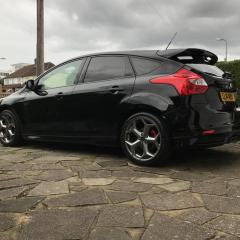
Hi all, I really want to retrofit sat nav to my pre facelift 2014 st3. Now I know I have to find a nav screen with the same number as my current screen (DM5T) but can't find one for the life of me. So my question is can I just buy a complete system i.e. Screen, fascia and CD player part from a car that is being broken. The number for these parts start with BM5T. Would it be a case of plug n play or will it need coding to my car? Is this doable?

Cheers!


ive got a 2013 ford focus and i had a screen starting with bm5t. i installed the factory fit sat nav with the screen starting f1bt with no problems at all.

  • Author

Yeah I've seen loads of them f1bt screens on eBay, all seem to be from fiestas. Might give one of these a try. Was it just plug n play and adding the two wires?

forgot to mention my CD player part is BM5T. So if I buy the complete unit screen fascia and CD player all starting with BM5T from a car that is being broken it should all work no?

hi. yes it was plug and play i added the 2 wires so the voice on the sat nav works. the cd player i just left in my one that originally came with my car so basically i just added the screen the sony front panel and the 2 wires plus the wire which works the traffic.

  • Author

Right ok cheers for the help. Think I'm gonna take the gamble! With the two wires what length was it and would any wire do? Also what type of connectors did you use?

I have a fakra cable is this for the traffic? I also have a Fakra gps thing.

hi. i managed to get a wiring loom out of a scrapped titanium x which had the wires so i unpicked them from the connectors and added them to my car.  

  • Author

Right ok cheers mate.

Latest Deals

Ford UK Shop for genuine Ford parts & accessories

Disclaimer: As the club is an eBay Partner, The club may be compensated if you make a purchase via the club

Join the conversation

You can post now and register later. If you have an account, sign in now to post with your account.

Guest
Reply to this topic...

The "Digestive"


Background Picker
Customize Layout

Account

Navigation

Search

Search

Configure browser push notifications

Chrome (Android)
  1. Tap the lock icon next to the address bar.
  2. Tap Permissions → Notifications.
  3. Adjust your preference.
Chrome (Desktop)
  1. Click the padlock icon in the address bar.
  2. Select Site settings.
  3. Find Notifications and adjust your preference.
