
Skip to content
View in the app

A better way to browse. Learn more.

Ford Owners Club - Ford Forums

A full-screen app on your home screen with push notifications, badges and more.

To install this app on iOS and iPadOS
  1. Tap the Share icon in Safari
  2. Scroll the menu and tap Add to Home Screen.
  3. Tap Add in the top-right corner.
To install this app on Android
  1. Tap the 3-dot menu (⋮) in the top-right corner of the browser.
  2. Tap Add to Home screen or Install app.
  3. Confirm by tapping Install.


Join the Independent Ford Owners' Club

Our community has been built by enthusiasts, for enthusiasts, and proudly run by Ford owners' for over 18 years. As an independent, non-official club, everything you’ll find here, advice, support, and opinions, comes directly from members with genuine Ford ownership experience.

Join our friendly community... it's Free!
 

Pollen Filter

Featured Replies

Hi Everyone.


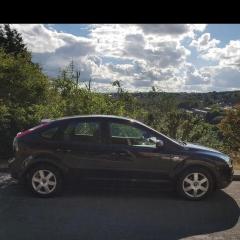
New to the site and i have a 2007 1.6 sport just want some opinions on how to change the pollen filter and how easy is it.


Cheers


11 minutes ago, Gazzer2kx4 said:

Hi Everyone.


New to the site and i have a 2007 1.6 sport just want some opinions on how to change the pollen filter and how easy is it.


Cheers

It's a pain in the bum and fiddly but well worth doing if it's not been done in the last 18 months (IMHO).

I agree especially if you have the pipe that cools the glove box google it and you will see a link to YouTube I would also go for a can of air con clearer once you have changed the filter.

It is a pain to get at but I managed it with little experience of car maintenance.  I think it was my second or third job, after oil and filter and air filter.  I found this vid useful when i did it and haynes.


  • Author

Fantastic I think I'm going to give this a go

what a numpty removing the glovebox. no need

  • Author
3 minutes ago, iantt said:

what a numpty removing the glovebox. no need

I have seen a few vids where they take the glove box out, is it just as easy to leave it in.

yep, done 1000,s of them just by dropping the fuse box, removing the fusebox bracket, removing the screws for the pollen filter cover , filter out.

35 minutes ago, iantt said:

yep, done 1000,s of them just by dropping the fuse box, removing the fusebox bracket, removing the screws for the pollen filter cover , filter out.

lol well i took the glove box out but then i hadn't a clue what i was doing and just went by the book.  I won't bother next time :biggrin:

i wont say how long it takes me to do a pollen filter, as last time i mentioned it there were a few non believers. lol

13 minutes ago, iantt said:

i wont say how long it takes me to do a pollen filter, as last time i mentioned it there were a few non believers. lol

go on, how long?

nope, not saying.

1 hour ago, iantt said:

nope, not saying.

If I recall correctly, back in June the stated time was "around 1 min" :biggrin:

I have left hand drive focus. On mine I have to remove throttle pedal to get to the filter. I thought that mine was pain in the ***** but it seems that right hand drive  filter change is even worse.

12 hours ago, 1979Damian said:

If I recall correctly, back in June the stated time was "around 1 min" :biggrin:

I think I'm a disbeliever :biggrin: @iantt

Next time you need it changing let me know and I will do it for you.lol

Latest Deals

Ford UK Shop for genuine Ford parts & accessories

Disclaimer: As the club is an eBay Partner, The club may be compensated if you make a purchase via the club

Join the conversation

You can post now and register later. If you have an account, sign in now to post with your account.
Note: Your post will require moderator approval before it will be visible.

Guest
Reply to this topic...

The "Digestive"


Background Picker
Customize Layout

Account

Navigation

Search

Search

Configure browser push notifications

Chrome (Android)
  1. Tap the lock icon next to the address bar.
  2. Tap Permissions → Notifications.
  3. Adjust your preference.
Chrome (Desktop)
  1. Click the padlock icon in the address bar.
  2. Select Site settings.
  3. Find Notifications and adjust your preference.
