
Skip to content
View in the app

A better way to browse. Learn more.

Ford Owners Club - Ford Forums

A full-screen app on your home screen with push notifications, badges and more.

To install this app on iOS and iPadOS
  1. Tap the Share icon in Safari
  2. Scroll the menu and tap Add to Home Screen.
  3. Tap Add in the top-right corner.
To install this app on Android
  1. Tap the 3-dot menu (⋮) in the top-right corner of the browser.
  2. Tap Add to Home screen or Install app.
  3. Confirm by tapping Install.


Join the Independent Ford Owners' Club

Our community has been built by enthusiasts, for enthusiasts, and proudly run by Ford owners' for over 18 years. As an independent, non-official club, everything you’ll find here, advice, support, and opinions, comes directly from members with genuine Ford ownership experience.

Join our friendly community... it's Free!


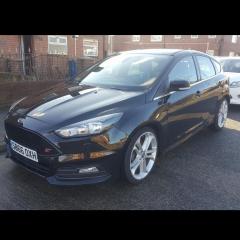
Rear Light question MK3.5
Featured Replies

Does anyone know if the zetec S led style lights are plug and play to a normal zetec?


i have a zetec with all the ST kit (put on by the previous owner) but the standard rear lights look abit gash sp was hoping for an easy upgrade


Cheers


Do you just mean the rear clusters? Ie not the high level brake light?

Not sure if the same as on my titanium, (that has the led tail light bars) but the fogs and brake lights have been swapped. Brake lights are now single filament 382's and the fog lights are twin filament 380's which only use the 21w filament! 

If the looms match, they should be plug and play, they just moved the bulb holders around...

If anyone wants a set of red 382 LEDs for £7 posted let me know! They are cheapy (though solid and work fine) eBay ones which interfered with my DAB, but I ended up with a spare unopened set anyway.

Edit:: just noticed you put mk3.5. Not sure if this still applies.

  • Author

Yeah just the rear clusters, i have a mk3 outside aswell i may have a look at the wiring (this has the led bars aswell) hopefully it wont have changed much between the 3 and 3.5

I think they are fairly plug and play, but you do need to tell the car you have LED tail lights, which will also require the LED running lights on the front as AFAIK the computer will turn off the front sidelights and/or throw an error about faulty lights. I might be wrong however.

  • Author

ive got an ELM cable on the way as ive bought a cruise control steering wheel (something i miss about my MK3) i may buy the rear clusters anyway and then see how i get on worst comes to worst im "forced" to upgrade the front lights to DRL's that would be a shame like :)

2 hours ago, Azz899 said:

ive got an ELM cable on the way as ive bought a cruise control steering wheel (something i miss about my MK3) i may buy the rear clusters anyway and then see how i get on worst comes to worst im "forced" to upgrade the front lights to DRL's that would be a shame like :)

Will you be using Forscan? If so, is there a list of coding available for various mods, eg locking while in motion etc

  • Author

I think its focccus but ill be getting both bits of software and seeing which ones better, any suggestions?

11 hours ago, Azz899 said:

I think its focccus but ill be getting both bits of software and seeing which ones better, any suggestions?

Focccus and ELMConfig don't work with most of the MK3.5's at present. I think Forscan is your only option atm.

1 hour ago, DJ_Andy_M said:

Focccus and ELMConfig don't work with most of the MK3.5's at present. I think Forscan is your only option atm.

Focccus should work now. It didn't when the MK3.5 first came out, but they've updated it since.

  • Author

Hopefully one will work, im sure ive seen someone using focccus on a mk3.5 on a post somewhere

You may need Forscan too... that’s a great bit of software! And has a dedicated forum too

you can change a hell of a lot in forscan

  • Author

yeah i had vagcom in my last seat leon so having these bits of software is a must for your own car

20 hours ago, alexp999 said:

Focccus should work now. It didn't when the MK3.5 first came out, but they've updated it since.

The FoCCCus program was never updated for the Focus MK3.5.

When Ford released the Focus MK3.5 the original developer of the FoCCCus program stopped developing the program. The original developer had no intentions to update the program for the Focus MK3.5. Version 0.8.5 is the latest version that was released by the original developer. 

Some other persons wanted to update the program for the Focus MK3.5. They got the approval of the original developer and developed Version 0.8.6. This version has limited support for the early Focus MK3.5. However after a short period Ford changed the hardware numbers of the MK3.5 IPC and BCM. These vehicles are not supported by the FoCCCus program.


The Forscan program or the Ford IDS diagnostic system are much more suitible for the Focus MK3.5.

  • Author

Assuming i dont need a special elm cable for forscan? 

The Central Car Configuration of the Focus MK3/MK3.5 is stored in both the BCM (Body Control Module) and the IPC (Instrument Cluster). The main CCC file is stored in the BCM and the backup CCC file is stored in the IPC.

The BCM is connected to the HS (High Speed) CANbus network and can be diagnosed using a standard ELM327 interface. The IPC is connected to the MS (Mid Speed) CANbus network and can not be diagnosed using a standard ELM327 interface. This can only be done with a modified ELM327 interface which has a switch to switch between the HS CANbus and the MS CANbus network.

Because the IPC only contains the backup CCC file and not the main CCC file it is not really needed to change this file. The system uses the main CCC file to configure all modules and settings. Keeping the backup file original will not affect any of the changes made in the main CCC file. However I personally prefer to have both the main and backup CCC file to be identical. 

I don’t seem to have been notified of all the updates to this post, thank you for all the responses re Forscan. Your last post has me a little confused Wilco, it’s gone right over my head lol. I was told you are the man to speak to regarding Forscan updates, I’ve got a few questions regarding retrofitting a rear view camera and a few other mods I’d like to do. Where is the best place to pick your brains, is it best to PM you?


TIA 

my old car, LED rear lights change


cdebebes-960.jpg

b5648d6s-960.jpg


review:    https://www.drive2.ru/l/10018203/

  • Author
13 minutes ago, haygun said:

my old car, LED rear lights change


cdebebes-960.jpg

b5648d6s-960.jpg


review:    https://www.drive2.ru/l/10018203/

plug and play or did you require wiring?


cheers

  • Author

Just to close this out, the rear lights with the "LED" strip are plug and play. Went out on a whim and bought them today 

16 hours ago, Azz899 said:

Just to close this out, the rear lights with the "LED" strip are plug and play. Went out on a whim and bought them today 

Do you get just the LED lit up or the bulb too?

  • Author

On sidelights just the LED strip and the top bit becomes your brake light

Latest Deals

Ford UK Shop for genuine Ford parts & accessories

Disclaimer: As the club is an eBay Partner, The club may be compensated if you make a purchase via the club

Join the conversation

You can post now and register later. If you have an account, sign in now to post with your account.
Note: Your post will require moderator approval before it will be visible.

Guest
Reply to this topic...

The "Digestive"


Background Picker
Customize Layout

Account

Navigation

Search

Search

Configure browser push notifications

Chrome (Android)
  1. Tap the lock icon next to the address bar.
  2. Tap Permissions → Notifications.
  3. Adjust your preference.
Chrome (Desktop)
  1. Click the padlock icon in the address bar.
  2. Select Site settings.
  3. Find Notifications and adjust your preference.
