
Skip to content
View in the app

A better way to browse. Learn more.

Ford Owners Club - Ford Forums

A full-screen app on your home screen with push notifications, badges and more.

To install this app on iOS and iPadOS
  1. Tap the Share icon in Safari
  2. Scroll the menu and tap Add to Home Screen.
  3. Tap Add in the top-right corner.
To install this app on Android
  1. Tap the 3-dot menu (⋮) in the top-right corner of the browser.
  2. Tap Add to Home screen or Install app.
  3. Confirm by tapping Install.


Join the Independent Ford Owners' Club

Our community has been built by enthusiasts, for enthusiasts, and proudly run by Ford owners' for over 18 years. As an independent, non-official club, everything you’ll find here, advice, support, and opinions, comes directly from members with genuine Ford ownership experience.

Join our friendly community... it's Free!


Lacking Power...still!
Featured Replies

Hi all,

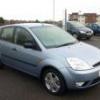
I'm still having problems with the fiesta mk6. Started off every so often the car would hesitate a little when accelerating and then would suddenly spring back into life and all would be good for a while. I was told this would probably be the coil, leads or plugs so as they had not been changed before (car is an 04 but has only 15k on the clock) i changed them all and the problem is still here.

Its more of a constant lack of power now though. Like something is holding the car back. The car seems to roar more when accelerating than actually moving so wondering if this could be exhaust/cat related? Is there a way to test exhaust/cat etc without removing them from the car??? I've looked under the car and the exhaust isn't a mass of rust and looks pretty good condition.

There is no engine light on or anything either. Could fords equipment still diagnose something even if the light isn't on??? I have a universal code reader and thats picking up no faults either but like i say thats only a basic piece of equipment.

The problem is happening a lot more often now too rather than once every so often.

please help?!

Mark :)


Hi Mark.

Wasn't it better in temperatures under zero?

Marek

The problem is happening a lot more often now too rather than once every so often.

Mark :)

  • Author

Doesn't matter if the car is hot or cold and if the weather outside is warm, damp or really cold either.

Ive had a few of these at work normally its the trottle position sensor which comes as part of the electric throttle body which is bolted by 4 torx bolts to the inlet manifold.

I beleave fords also have a TSB on this which replaces the wiring to the throttle body and then they have to carry out a PCM later calibration

  • Author

Ive had a few of these at work normally its the trottle position sensor which comes as part of the electric throttle body which is bolted by 4 torx bolts to the inlet manifold.

I beleave fords also have a TSB on this which replaces the wiring to the throttle body and then they have to carry out a PCM later calibration

Hi and thanks for the reply but what is TSB and PCM all mean??? I'm kinda new to modern fords...just moved over from MG Rover which a child could even work on so all these cars with everything being electronically controlled is a bit baffling!

I was planning on removing the throttle body and making sure its clean and operating correctly...is there any way the throttle position sensor part can be tested??

If its any help, my car has no throttle cable...thats electronic too. I know the 1.25 has a cable still etc.

Many thanks

Mark :)

Latest Deals

Ford UK Shop for genuine Ford parts & accessories

Disclaimer: As the club is an eBay Partner, The club may be compensated if you make a purchase via the club

Join the conversation

You can post now and register later. If you have an account, sign in now to post with your account.

Guest
Reply to this topic...

The "Digestive"


Background Picker
Customize Layout

Account

Navigation

Search

Search

Configure browser push notifications

Chrome (Android)
  1. Tap the lock icon next to the address bar.
  2. Tap Permissions → Notifications.
  3. Adjust your preference.
Chrome (Desktop)
  1. Click the padlock icon in the address bar.
  2. Select Site settings.
  3. Find Notifications and adjust your preference.
