
Skip to content
View in the app

A better way to browse. Learn more.

Ford Owners Club - Ford Forums

A full-screen app on your home screen with push notifications, badges and more.

To install this app on iOS and iPadOS
  1. Tap the Share icon in Safari
  2. Scroll the menu and tap Add to Home Screen.
  3. Tap Add in the top-right corner.
To install this app on Android
  1. Tap the 3-dot menu (⋮) in the top-right corner of the browser.
  2. Tap Add to Home screen or Install app.
  3. Confirm by tapping Install.


Join the Independent Ford Owners' Club

Our community has been built by enthusiasts, for enthusiasts, and proudly run by Ford owners' for over 18 years. As an independent, non-official club, everything you’ll find here, advice, support, and opinions, comes directly from members with genuine Ford ownership experience.

Join our friendly community... it's Free!


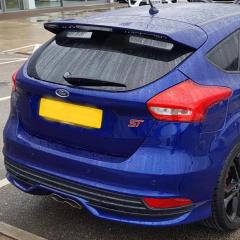
Trying to activate auto locking at speed within Forscan... MK3.5 Focus St3
Featured Replies

I am trying to activate autolock by speed in the BCMii Central configuration within forscan, it tries to connect to the module and then comes with an error message saying that I need to add a file to the configurations file within my documents. It's a Focus MK3.5 with sync 3. I managed to find the file GV6T-14C097-AA.VBF by going to https://www.fordtechservice.dealerconne ... roduct=IDS.

I followed the instructions but it still will not connect and the car just resets everything.
 
Does anyone know how to enable this on a mk3.5 Focus ST (2018)?


7 hours ago, richardc1983 said:
I am trying to activate autolock by speed in the BCMii Central configuration within forscan, it tries to connect to the module and then comes with an error message saying that I need to add a file to the configurations file within my documents. It's a Focus MK3.5 with sync 3. I managed to find the file GV6T-14C097-AA.VBF by going to https://www.fordtechservice.dealerconne ... roduct=IDS.

I followed the instructions but it still will not connect and the car just resets everything.
 
Does anyone know how to enable this on a mk3.5 Focus ST (2018)?

Here’s the Calibration files zip I used. Unzip and place them in your My Documents folder 👍🏼
 

https://1drv.ms/u/s!ApcYQ_s9MXI-zi3TyUYeu7HBn9FH

  • 5 weeks later...
  • Author
On 8/27/2020 at 6:53 AM, colinmcg71 said:

Here’s the Calibration files zip I used. Unzip and place them in your My Documents folder 👍🏼
 

https://1drv.ms/u/s!ApcYQ_s9MXI-zi3TyUYeu7HBn9FH

Thanks for this it still wont let me 😞

Did you copy the folder called CalibrationFiles in the ZIP file to the documents folder rather than the files?

You should end up with a folder called c:\Users\<username>\Documents\CalibrationFiles which contains all of the .vbf files.


This assumes you have your user accounts on the C drive.

<username> is the account name you use to sign on to Windows.


The first time I used Forscan, it complained about calibration files.  I was still connected to my home wi-fi so I just let Forscan download it and put it in the correct place.  I then enabled auto locking at speed without any issues (the errors and flashing on the dash is a bit concerning and you need to clear down any DTC's after) 

Yes, first time you connect to a vehicle you need to make sure you are connected to the internet so Forscan can download all the files.

Also, make sure you have free trial extended license

Delete the profile and start again but with internet connection

  • 4 weeks later...

hi, i would use Foccus if youre still struggling, i have enabled led lights, hill start and hijack locking using this program, easy to use and free 🙂

On 10/25/2020 at 7:21 AM, Dessy said:

hi, i would use Foccus if youre still struggling, i have enabled led lights, hill start and hijack locking using this program, easy to use and free 🙂

I thought I had read somewhere that it doesnt work with the MK3.5 (or isnt fully compatible).

my bad sorry, didn't see the 2018, i know the 0.8.6 ver works fine on 3.5 upto 2016, have read somwhere about using a els27 cable with focccus but haven't seen any outcome of it.

Latest Deals

Ford UK Shop for genuine Ford parts & accessories

Disclaimer: As the club is an eBay Partner, The club may be compensated if you make a purchase via the club

Join the conversation

You can post now and register later. If you have an account, sign in now to post with your account.
Note: Your post will require moderator approval before it will be visible.

Guest
Reply to this topic...

The "Digestive"


Background Picker
Customize Layout

Account

Navigation

Search

Search

Configure browser push notifications

Chrome (Android)
  1. Tap the lock icon next to the address bar.
  2. Tap Permissions → Notifications.
  3. Adjust your preference.
Chrome (Desktop)
  1. Click the padlock icon in the address bar.
  2. Select Site settings.
  3. Find Notifications and adjust your preference.
