
Skip to content
View in the app

A better way to browse. Learn more.

Ford Owners Club - Ford Forums

A full-screen app on your home screen with push notifications, badges and more.

To install this app on iOS and iPadOS
  1. Tap the Share icon in Safari
  2. Scroll the menu and tap Add to Home Screen.
  3. Tap Add in the top-right corner.
To install this app on Android
  1. Tap the 3-dot menu (⋮) in the top-right corner of the browser.
  2. Tap Add to Home screen or Install app.
  3. Confirm by tapping Install.


Join the Independent Ford Owners' Club

Our community has been built by enthusiasts, for enthusiasts, and proudly run by Ford owners' for over 18 years. As an independent, non-official club, everything you’ll find here, advice, support, and opinions, comes directly from members with genuine Ford ownership experience.

Join our friendly community... it's Free!
 

Differences

Featured Replies

Hi,

Bit confused regarding the Mk of my focus

I have a 2008 Ford Focus 1.6 Zetec (115ps) Climate Pack

My friend has a 2005 1.6 Zetec Climate pack i don't think his is 115ps ??

The only difference i can see in the cars is mine has a newer looking radio unit?, i was told mine would have sports suspension as well by someone else but I'm not sure about that. Is mine a MK 2.5? or just a recent mk 2?

Cheers


Okay so the faclift 2.5 is quite different. Different front bumper, door rub strip gone, bigger mirrors, different front grille, cour coded rear spoiler, newer radio silver not grey, new headlights, rear spoiler is slightly wider ... If your bodies are the same as each others you both have pre facelift. His 1.6 may be the Ti-VCT which is 115bhp else 96bhp.

Easier to tell from a photo. Got one?

  • Author

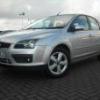
Yeh i reckon i must have the pre-face-lift then, i have uploaded as a profile pic

Yep, that's a pre-facelift MKII, same as mine. The front end is totally different to the facelift, but the interiors are largely identical (asides from the stero as mentioned).

The pre-facelift MKII had a number of stereo units. The base was the 6000CD, then the Sony (MP3 or 6CD) and then the 7" touch-screen Denso unit with satnav and MP3 etc. I have the Denso unit :) 'tis lovely.

  • Author

Thanks for clearing that up. How easy is it to change the stereo in the focus?, and roughly how much do they cost.

Cheers,

Karl

Thanks for clearing that up. How easy is it to change the stereo in the focus?, and roughly how much do they cost.

Cheers,

Karl

Which stereo are you after? Ford or other? Either is easy but after Market would require a blanking plate unless it's a double DIN.

  • Author

Well at the moment i have the standard 6000CD, what i really want is a an aux input (so i can use my i pod), halfords quoted me £110 that seems quite alot just for one cable and to fit it. Or they said a parrot system with i pod connectivity was £200.

What do you recommended?

Is it worth changing the stereo for ipod / aux connectivity or shall i pay out for the cable. I don't really want to install the cable myself.

Well at the moment i have the standard 6000CD, what i really want is a an aux input (so i can use my i pod), halfords quoted me £110 that seems quite alot just for one cable and to fit it. Or they said a parrot system with i pod connectivity was £200.

What do you recommended?

Is it worth changing the stereo for ipod / aux connectivity or shall i pay out for the cable. I don't really want to install the cable myself.

Check with Ford. The Aux retro-fit should be a simple one if I recall correctly and Ford will be able to order the parts.

Latest Deals

Ford UK Shop for genuine Ford parts & accessories

Disclaimer: As the club is an eBay Partner, The club may be compensated if you make a purchase via the club

Join the conversation

You can post now and register later. If you have an account, sign in now to post with your account.

Guest
Reply to this topic...

The "Digestive"


Background Picker
Customize Layout

Account

Navigation

Search

Search

Configure browser push notifications

Chrome (Android)
  1. Tap the lock icon next to the address bar.
  2. Tap Permissions → Notifications.
  3. Adjust your preference.
Chrome (Desktop)
  1. Click the padlock icon in the address bar.
  2. Select Site settings.
  3. Find Notifications and adjust your preference.
