
Skip to content
View in the app

A better way to browse. Learn more.

Ford Owners Club - Ford Forums

A full-screen app on your home screen with push notifications, badges and more.

To install this app on iOS and iPadOS
  1. Tap the Share icon in Safari
  2. Scroll the menu and tap Add to Home Screen.
  3. Tap Add in the top-right corner.
To install this app on Android
  1. Tap the 3-dot menu (⋮) in the top-right corner of the browser.
  2. Tap Add to Home screen or Install app.
  3. Confirm by tapping Install.


Join the Independent Ford Owners' Club

Our community has been built by enthusiasts, for enthusiasts, and proudly run by Ford owners' for over 18 years. As an independent, non-official club, everything you’ll find here, advice, support, and opinions, comes directly from members with genuine Ford ownership experience.

Join our friendly community... it's Free!


Is it possible to turn fog lights into cornering lights
Featured Replies

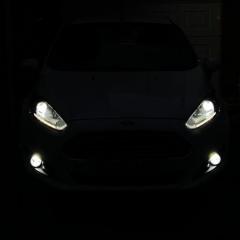
Hi all, I was wondering if it’s possible to somehow make my fog lights come on as cornering lights. I have a fiesta mk7.5 zetec. Has anybody done this previously? Thanks


I'd imagine you'd need software like Forscan or UCDS, and also the nerves of steel to rewrite your cars Modules!

If its even possible on the mk7.5... I know it is on the Focus Mk4 etc...

As above, if it is possible then you will be able to do it via Forscan. 

As long as you make copies of your AS-BUILT parameters then it's relatively safe to do it. I've done a lot with Forscan on my MK5 Mondeo and MK3.5 Focus, including changes to power output etc. 

3 minutes ago, Jonro2009 said:

As above, if it is possible then you will be able to do it via Forscan. 

As long as you make copies of your AS-BUILT parameters then it's relatively safe to do it. I've done a lot with Forscan on my MK5 Mondeo and MK3.5 Focus, including changes to power output etc. 

Yup, Backup Backup Backup... and Backup again!!

4 minutes ago, TDCiST said:

Yup, Backup Backup Backup... and Backup again!!

I make a full back up of everything the first time I run Forscan on a new car. Then when it comes to making changes I screenshot the entire screen and save that to the cloud and take a photo of the screen too. Can't be too careful.

3 minutes ago, Jonro2009 said:

I make a full back up of everything the first time I run Forscan on a new car. Then when it comes to making changes I screenshot the entire screen and save that to the cloud and take a photo of the screen too. Can't be too careful.

We wont talk of the 10 minutes of panic I had the other day after enabling launch control and then having "Drive Modes not Available"...

Came back after a couple of ignition cycles luckily!

I now also have many many backups of every as-built (well, and now the modified as-builts)

  • Author
2 hours ago, TDCiST said:

Yup, Backup Backup Backup... and Backup again!!

I’ll get forscan set up fairly soon and I’ll post in here about how I get on it with it. Thanks for your help lads. Also going to get some LED fog lights soon to complete the full LED swap I’ve done to the headlights.

It's not possible on MK7 Fiesta and only possible on MK3.5 Focus if you fit the Xenon headlamps and the HCMs and then the cornering lights are in the headlamps, not the fogs.

If you do a bit of research though, someone has invented a "jumper" box for the MK3 Focus that will make the fogs work as cornering lights, but it's very expensive. I would imagine this would work on MK7 Fiesta also

Latest Deals

Ford UK Shop for genuine Ford parts & accessories

Disclaimer: As the club is an eBay Partner, The club may be compensated if you make a purchase via the club

Join the conversation

You can post now and register later. If you have an account, sign in now to post with your account.

Guest
Reply to this topic...

The "Digestive"


Background Picker
Customize Layout

Account

Navigation

Search

Search

Configure browser push notifications

Chrome (Android)
  1. Tap the lock icon next to the address bar.
  2. Tap Permissions → Notifications.
  3. Adjust your preference.
Chrome (Desktop)
  1. Click the padlock icon in the address bar.
  2. Select Site settings.
  3. Find Notifications and adjust your preference.
