
Skip to content
View in the app

A better way to browse. Learn more.

Ford Owners Club - Ford Forums

A full-screen app on your home screen with push notifications, badges and more.

To install this app on iOS and iPadOS
  1. Tap the Share icon in Safari
  2. Scroll the menu and tap Add to Home Screen.
  3. Tap Add in the top-right corner.
To install this app on Android
  1. Tap the 3-dot menu (⋮) in the top-right corner of the browser.
  2. Tap Add to Home screen or Install app.
  3. Confirm by tapping Install.


Join the Independent Ford Owners' Club

Our community has been built by enthusiasts, for enthusiasts, and proudly run by Ford owners' for over 18 years. As an independent, non-official club, everything you’ll find here, advice, support, and opinions, comes directly from members with genuine Ford ownership experience.

Join our friendly community... it's Free!
 

SYNC 3

Featured Replies

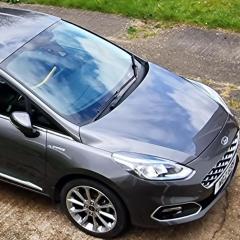
Evening everyone, anyone else had this issue? Logged into my Ford account and noticed a new feature tab that's highlighted red. SOFTWARE UPDATES DISABLED. This seems to have appeared after I done the latest Sync 3 update in January 23. When I click on the view details tab it brings up a pop up box, see pics. Then I click the how to change settings and another Web page opens with details of Ford Power Up software updates. Never seen this before, Ford Power Updates ?? Have checked Sync 3 settings in car and automatic updates are set to on. Tapped Ford pass tab and all settings are also on, IE Live traffic, hazards and send data. Any ideas what this could be. Double checked Sync 3 settings and everything is switched on. My vehicle is a 2020 Vignale, 1.0 Ecoboost.

328799696_750069339836371_8389170777134825734_n.jpg

329047064_1627747130992053_2016101830328580720_n.jpg

328686939_512221110997352_7622689150504560590_n.jpg


Ford Power-Up is just marketing jargon, they are just software updates.

Mine says the same in my account, but I do actually have auto updates turned off.

Mine is showing the same even though everything is turned on, this feature has only recently appeared.

Recently performed the latest Sync 3.4 update but can't upload the log file because every time I try I get the upload fail...please later message. The car however has upgraded to the latest version. I assume others aren't seeing this problem. Tried using both Chrome and Edge, still the same result...might have to try another browser.

On another point Sync 3.4 seems useless playing back music from a USB stick. On my previous MK8, running Sync 3.3, I had no issues but on this MK8 facelift, running Sync 3.4, there is an occasional stutter similar to a CD skipping when knocked. Makes having the fancy B+O system a bit pointless. I'm also finding Sync 3.4 quite laggy too....🐌

1 minute ago, martinf64 said:

Mine is showing the same even though everything is turned on, this feature has only recently appeared.

Recently performed the latest Sync 3.4 update but can't upload the log file because every time I try I get the upload fail...please later message. The car however has upgraded to the latest version. I assume others aren't seeing this problem. Tried using both Chrome and Edge, still the same result...might have to try another browser.

On another point Sync 3.4 seems useless playing back music from a USB stick. On my previous MK8, running Sync 3.3, I had no issues but on this MK8 facelift, running Sync 3.4, there is an occasional stutter similar to a CD skipping when knocked. Makes having the fancy B+O system a bit pointless. I'm also finding Sync 3.4 quite laggy too....🐌

Sync 3.4 is known to stutter unfortunately. 

25 minutes ago, alexp999 said:

Sync 3.4 is known to stutter unfortunately. 

Yep have heard that...Ford incorporated that authentic scratched record experience...damn frustrating 😤

  • Author
5 hours ago, martinf64 said:

Mine is showing the same even though everything is turned on, this feature has only recently appeared.

Recently performed the latest Sync 3.4 update but can't upload the log file because every time I try I get the upload fail...please later message. The car however has upgraded to the latest version. I assume others aren't seeing this problem. Tried using both Chrome and Edge, still the same result...might have to try another browser.

On another point Sync 3.4 seems useless playing back music from a USB stick. On my previous MK8, running Sync 3.3, I had no issues but on this MK8 facelift, running Sync 3.4, there is an occasional stutter similar to a CD skipping when knocked. Makes having the fancy B+O system a bit pointless. I'm also finding Sync 3.4 quite laggy too....🐌

Hi Martin,

I has a similar issue with chrome so I done the log file via Edge & all went OK.

So you have the same tab on your cars home page.

I have been told by another Mk8 owner that this is a new feature that Ford have added to the vehicles homepage & it's for Sync 4 models only that do not allow USB software updates but strictly over the air updates???

I thought there was an issue with my automatic updates but it seems a lot of owners have the same feature.

Spot on what @Anorakmark said. Sync 3 cars don't have any 4G modules to grab the updates directly from Ford. Sync 3 requires updates via a USB stick (you can grab the updates from Ford's website)

Ford SYNC & Maps Update - Check Ford Update | Ford UK

Only Sync 4 supports OTA updates. Hope this helps.

1 hour ago, LukeJQuinn said:

Spot on what @Anorakmark said. Sync 3 cars don't have any 4G modules to grab the updates directly from Ford. Sync 3 requires updates via a USB stick (you can grab the updates from Ford's website)

Ford SYNC & Maps Update - Check Ford Update | Ford UK

Only Sync 4 supports OTA updates. Hope this helps.

That's not quite true. Models from late 2019 onwards have a 4G modem, mine does.

It's just that Sync 3 will only auto update over WiFi, not the modem. Alternatively there is the USB method.

One benefit of Sync 3 is lifetime map updates and I personally find USB updates I have more control over much better.

Mine wont accept log file after update, which was successful, either. Checked with Ford UK and was told it is a known problem on some cars and they are trying to rectify it but to keep trying to upload log fie as it might suddenly be accepted. Tried using the trouble shooting method today of downloading the log file and trying to upload that to the website. Got no further than inserting the USB into the car and a message comes up on the screen saying "there is an error" contact phone no. *********** which is the Ford UK number that I had already contacted. Looks like it is back to CyanLabs.

2 minutes ago, jsk said:

Mine wont accept log file after update, which was successful, either. Checked with Ford UK and was told it is a known problem on some cars and they are trying to rectify it but to keep trying to upload log fie as it might suddenly be accepted. Tried using the trouble shooting method today of downloading the log file and trying to upload that to the website. Got no further than inserting the USB into the car and a message comes up on the screen saying "there is an error" contact phone no. *********** which is the Ford UK number that I had already contacted. Looks like it is back to CyanLabs.

If you connect the car to wifi and turn on auto updates it might log the update itself.

15 hours ago, Anorakmark said:

I has a similar issue with chrome so I done the log file via Edge & all went OK.

I've tried Chrome and Edge but doesn't upload, tried Firefox yesterday same result.

1 hour ago, alexp999 said:

If you connect the car to wifi and turn on auto updates it might log the update itself.

Wi-fi and auto updates are both on. Scan for updates over wi-fi correctly returns latest version is now installed in the car, just can't upload log file. I've left Wi-fi and auto update turned on so maybe it will rectify itself.

I prefer the USB update route....can't be doing with sitting outside with the engine running whilst it downloads over wi-fi.

Its strange how Ford UK are saying its an issue with some cars, you would think it would affect all cars...

33 minutes ago, martinf64 said:

can't be doing with sitting outside with the engine running whilst it downloads over wi-fi.

Ford says that the car does not need to be on for the wifi updates.

I made sure that wifi updates are turned off on mine, as standard mine is Sync 3.0 so I stuck 3.4 on it with Cyanlabs, overnight it downgraded back to 3.0 with wifi on. Wifi isv staying off.

9 minutes ago, deandeandean said:

overnight it downgraded back to 3.0 with wifi on. Wifi isv staying off.

Well at least that proves my point that the car doesn't need to be switched on for the WiFi updates to work 😉

2 hours ago, deandeandean said:

I made sure that wifi updates are turned off on mine, as standard mine is Sync 3.0 so I stuck 3.4 on it with Cyanlabs, overnight it downgraded back to 3.0 with wifi on. Wifi isv staying off.

That’s not possible. 3.0 uses a totally different partition layout.  You can’t “update” between 3.0 and 3.2+ only reformat and it wouldn’t be able to do that over Wi-Fi. 

Regarding the update log error issue, I found the following suggestion on another forum :


If you open the xml file in notepad on Windows, don’t change anything, just click file/save you will then find the site accepts the file.

It has some unprintable characters in the original, which if you open in a browser, you will see it complains the xml isn’t valid. After it’s saved (without changes) it is then valid xml


So I've tried this and I now no longer see the log file error when uploading to the Ford website...so I assume it has successfully uploaded it which is a move forward. My account is still showing the SYNC update is outstanding but I guess it might take the Ford servers a while to process the log file and update the details. So will be keeping an eye on it over the next few days 😎

Thanks for that Martin. Just tried it on mine. Didn't say it uploaded it but didn't say "Upload failed. Please try again" like it has been doing. Just sent off an email to ukcrc1 about this problem just before reading your topic so that might be unnessary now but will wait and see what comes back.

Thanks again

Have received standard reply from ukcrc. We cannot do anything remotely check with dealer. Still showing Sync update is outstanding after three days. Has yours been accepted Martin?


3 hours ago, jsk said:

Have received standard reply from ukcrc. We cannot do anything remotely check with dealer. Still showing Sync update is outstanding after three days. Has yours been accepted Martin?


Unfortunately not John, I'm guessing they either have very slow servers 🐌 or it simply hasn't worked. From memory I believe the web-site normally confirms successful upload at the time the upload is done, which didn't happen...will probably just have to wait and see whether it confirms itself, which is what happened on the last update I did.

I have done a couple of update scans using wi-fi in the car and it simply confirms that the software is up to date. I was hoping that would be enough to update the Ford database but still no joy..

  • 2 months later...

i have exactly the same issue.

I have been having a call log debate with Ford since January 2023.

Sending them screenshots and descriptions of the fault.

Just back and forward with instructions about updating sync all the time.

Removing and readding the care to Ford Pass app doesn't fix it either.


I'm assuming that your profile is needing to be updated ?

What car year and Sync system are you referring to ?

profile.JPG

Latest Deals

Ford UK Shop for genuine Ford parts & accessories

Disclaimer: As the club is an eBay Partner, The club may be compensated if you make a purchase via the club

Join the conversation

You can post now and register later. If you have an account, sign in now to post with your account.

Guest
Reply to this topic...

The "Digestive"


Background Picker
Customize Layout

Account

Navigation

Search

Search

Configure browser push notifications

Chrome (Android)
  1. Tap the lock icon next to the address bar.
  2. Tap Permissions → Notifications.
  3. Adjust your preference.
Chrome (Desktop)
  1. Click the padlock icon in the address bar.
  2. Select Site settings.
  3. Find Notifications and adjust your preference.
