
Skip to content
View in the app

A better way to browse. Learn more.

Ford Owners Club - Ford Forums

A full-screen app on your home screen with push notifications, badges and more.

To install this app on iOS and iPadOS
  1. Tap the Share icon in Safari
  2. Scroll the menu and tap Add to Home Screen.
  3. Tap Add in the top-right corner.
To install this app on Android
  1. Tap the 3-dot menu (⋮) in the top-right corner of the browser.
  2. Tap Add to Home screen or Install app.
  3. Confirm by tapping Install.


Join the Independent Ford Owners' Club

Our community has been built by enthusiasts, for enthusiasts, and proudly run by Ford owners' for over 18 years. As an independent, non-official club, everything you’ll find here, advice, support, and opinions, comes directly from members with genuine Ford ownership experience.

Join our friendly community... it's Free!


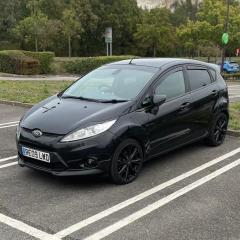
Things to look for mk2 focus st225
Featured Replies

Hi, looking at upgrading from my mk7 fiesta to a mk2 focus st 225. Any common problems to keep an eye out for when viewing? cheers


From my own experience the bodywork is standing up more or less, had an oil diaphragm unit fail with shorted heater element then couple of driveshaft boots failed/perished usually on drivers side as it’s more exposed. Plus an alternator packed in followed by the Ford re-manufactured replacement only a month later 🙄

My pre-facelift succumbed to a cracked liner near the end of its warranty, I’d say these days lot of cars have either had block mods to prevent this or have already suffered failures and been fixed.

Some other issues like boot water leaks aren’t unique to the ST models so lot of info already in the Focus section here. 

Best thing to keep an eye out for is petrol stations, like a BEV, you'll need to plan for where they are

  • Author
2 hours ago, troy45 said:

From my own experience the bodywork is standing up more or less, had an oil diaphragm unit fail with shorted heater element then couple of driveshaft boots failed/perished usually on drivers side as it’s more exposed. Plus an alternator packed in followed by the Ford re-manufactured replacement only a month later 🙄

My pre-facelift succumbed to a cracked liner near the end of its warranty, I’d say these days lot of cars have either had block mods to prevent this or have already suffered failures and been fixed.

Some other issues like boot water leaks aren’t unique to the ST models so lot of info already in the Focus section here. 

perfect cheers, have heard quite a few things about these cracked liners so will defo keep an eye out for that and try go for one that has had a block mod done 

23 hours ago, troy45 said:

driveshaft boots failed/perished usually on drivers side

I've had one on my 2008 ST

22 hours ago, DaveT70 said:

keep an eye out for is petrol stations

I get nearly 33mpg out of myST !


Check to see if the hatch glass has the "gutters" fitted on either side (42410).

g017619806.thumb.png.820c2276586f0f2612bf198553852951.png

Without these, every time I lifted the hatch in rain, it tipped water into the boot.

I think the rain channels were factory fitted to facelift models, possibly came in with late pre-facelift cars. Easy enough to fit if needed. 
 

I don’t do mega miles in mine so don’t keep too much of an eye on fuel consumption. Running RS injectors which will distort the calculations for what the car is telling me and I never tried to see how accurate the mpg readings were before the injectors were changed.


Latest Deals

Ford UK Shop for genuine Ford parts & accessories

Disclaimer: As the club is an eBay Partner, The club may be compensated if you make a purchase via the club

Join the conversation

You can post now and register later. If you have an account, sign in now to post with your account.

Guest
Reply to this topic...

The "Digestive"


Background Picker
Customize Layout

Account

Navigation

Search

Search

Configure browser push notifications

Chrome (Android)
  1. Tap the lock icon next to the address bar.
  2. Tap Permissions → Notifications.
  3. Adjust your preference.
Chrome (Desktop)
  1. Click the padlock icon in the address bar.
  2. Select Site settings.
  3. Find Notifications and adjust your preference.
