
Skip to content
View in the app

A better way to browse. Learn more.

Ford Owners Club - Ford Forums

A full-screen app on your home screen with push notifications, badges and more.

To install this app on iOS and iPadOS
  1. Tap the Share icon in Safari
  2. Scroll the menu and tap Add to Home Screen.
  3. Tap Add in the top-right corner.
To install this app on Android
  1. Tap the 3-dot menu (⋮) in the top-right corner of the browser.
  2. Tap Add to Home screen or Install app.
  3. Confirm by tapping Install.


Join the Independent Ford Owners' Club

Our community has been built by enthusiasts, for enthusiasts, and proudly run by Ford owners' for over 18 years. As an independent, non-official club, everything you’ll find here, advice, support, and opinions, comes directly from members with genuine Ford ownership experience.

Join our friendly community... it's Free!
 

Help Required

Featured Replies

Can anybody help?

60 plate Titanium 5 door (with new Sony Radio).

On my 2008 6.5 Fiesta I was able to programme the unlocking of the car doors to just unlock the driver's door with one push of the remote, and all of the doors with a second push of the remote, but on the new one the Handbook says I can programme the central locking to do the same as the old one.

I went through the book and it does not tell you how. I then telephoned the Dealer who said it has to be done on their Computer. I took it to the Dealership who in fact could not do it; they telephoned the Ford Technical Department who said it cannot be done on this model. Has anybody found a way round this, or can give me any advice, as I think it is a retrograde step, not to be able to just unlock one door.

Thanks,

Kristal


Hello again... nice to see you back :)

Off the top of my head, it can be done through the car menu. Either that or I'm imagining it!

If it can be done, it's under Menu and then something like vehicle settings. Just have a good root through the menus :)

Hope that helps!

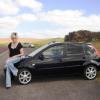
P.S. Pics of the car??

Unlock the car. Press and hold both the lock and unlock buttons for about 7 seconds. The indicators will flash 3 times.

This works on my three door so should work on your 5 door

Unlock the car. Press and hold both the lock and unlock buttons for about 7 seconds. The indicators will flash 3 times.

This works on my three door so should work on your 5 door

That's what my dealer told me too.

  • Author

ALP1101 thanks,

I did try all the menu's before I contacted the dealer and there were none that would do it

Unlock the car. Press and hold both the lock and unlock buttons for about 7 seconds. The indicators will flash 3 times.

This works on my three door so should work on your 5 door

Fordpartsman,and Mark T,

thanks for that,and yes it did work,should have thought of that one as thats what i had to do on my Mondeo,I did try that on the 6.5 Fiesta and it didnt work,had to use the menu's..........so I thought i would have to use the menu's on the MK7..........wrong........... so thanks guys, I think Ford Technical Dept need to get its act to-gether as I will be contacting the dealer to-morrow to tell them "how to do it",which will be interesting especially from a female......lol

Best wishes

Kristal

  • 2 weeks later...

I have just tried this on mine but it doesnt work... ?

Anyone know why?

I have just tried this on mine but it doesnt work... ?

Anyone know why?

It works on my 58 plate titanium 3 door with Keyless power/lock. Pretty much as above.

1. unlock the car.

2. press the lock and the unlock key

3. wait 6 to 7 seconds and the door locks fire and there where only to indicator flashes on mine.

standard use after that as one press of the unlock drivers door only and press again to unlock the passenger door

The door button for keyless only unlocks the drivers door and cannot be double pressed to unlock all doors.

Nice to see you back Kristal, you took the plunge with a MK7 then!

Unlock the car. Press and hold both the lock and unlock buttons for about 7 seconds. The indicators will flash 3 times.

This works on my three door so should work on your 5 door

Hi fordpartsman

Thanks for the great tip. :)

If you wanted to return it to 'default' (one press opens all doors) do you repeat the process again? If not, then how is it done?

Thanks, BHeart

Latest Deals

Ford UK Shop for genuine Ford parts & accessories

Disclaimer: As the club is an eBay Partner, The club may be compensated if you make a purchase via the club

Join the conversation

You can post now and register later. If you have an account, sign in now to post with your account.

Guest
Reply to this topic...

The "Digestive"


Background Picker
Customize Layout

Account

Navigation

Search

Search

Configure browser push notifications

Chrome (Android)
  1. Tap the lock icon next to the address bar.
  2. Tap Permissions → Notifications.
  3. Adjust your preference.
Chrome (Desktop)
  1. Click the padlock icon in the address bar.
  2. Select Site settings.
  3. Find Notifications and adjust your preference.
