
Skip to content
View in the app

A better way to browse. Learn more.

Ford Owners Club - Ford Forums

A full-screen app on your home screen with push notifications, badges and more.

To install this app on iOS and iPadOS
  1. Tap the Share icon in Safari
  2. Scroll the menu and tap Add to Home Screen.
  3. Tap Add in the top-right corner.
To install this app on Android
  1. Tap the 3-dot menu (⋮) in the top-right corner of the browser.
  2. Tap Add to Home screen or Install app.
  3. Confirm by tapping Install.


Join the Independent Ford Owners' Club

Our community has been built by enthusiasts, for enthusiasts, and proudly run by Ford owners' for over 18 years. As an independent, non-official club, everything you’ll find here, advice, support, and opinions, comes directly from members with genuine Ford ownership experience.

Join our friendly community... it's Free!


Strange whine from engine bay
Featured Replies

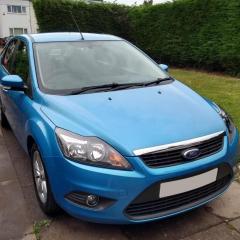
2009 Ford Focus 1.6 Petrol 100

I have just noticed a strange whine from the engine bay. It sounds like its coming from the drivers side of the engine bay, and it does not change pitch with engine RPM, electrical load, if the AC is on or when turning the steering wheel. I have replaced the alternator and belts a couple months ago and the car has been fine. I recently did Brake fluid, coolant and power steering fluid flush, driven the car a bit since and its been fine. I noticed about an hour ago when pulling onto the drive I could hear this odd whining noise. Sometimes it goes away for about 2 seconds then comes back. It sounds like its coming from the alternator but I can't really pin point it. The Timing belt was done at 57k I think in about 2017 (If I remember it was a Dayco kit), its on 93k now. I sprayed a touch of water on the belts to see if the noise would change and it didn't so I dont think its them but like i said it doesnt change pitch with engine RPM. Could it be the alternator? It s a Lucas branded one. (Battery was also replaced shortly before alternator with a Varta brand)


That does sound rotational, but can't be anything to do with the engine if it doesn't change with RPM.  Is the radiator fan running in the heat maybe?

If the timing belt was done in 2017, that is due again now.  8 year interval on the 1.6 petrol.

  • Author

Fan wasn't on, it did come on when I tried the AC but sounded no different to how it did before. I've got a timing belt kit ready to go on.

1 hour ago, Lochlan said:

Fan wasn't on, it did come on when I tried the AC but sounded no different to how it did before. I've got a timing belt kit ready to go on.

Not sure what to suggest then.  Might be worth doing the belt as soon as you can can now just in case it is that, though it should change note with RPM.

You could try grabbing each of the fuel pipes and vac pipes in case one of those is vibrating at a resonant frequency but it doesn't really sound like that.

  • Author

A development, started it this morning and during cold idle the noise was not present. As soon as the idle dropped to normal operating temp idle it came back. To make things worse i think i also have a leak from the brake master cylinder (fluid from bolts on the master cylinder)

  • 2 weeks later...
  • Author

Update:


It was the water pump. Did the timing belt and water pump, noise has gone. I thought the belt and pump was done at 57k, now on 93k but the water pump is original so they must have just changed the belt.

Latest Deals

Ford UK Shop for genuine Ford parts & accessories

Disclaimer: As the club is an eBay Partner, The club may be compensated if you make a purchase via the club

Join the conversation

You can post now and register later. If you have an account, sign in now to post with your account.

Guest
Reply to this topic...

The "Digestive"


Background Picker
Customize Layout

Account

Navigation

Search

Search

Configure browser push notifications

Chrome (Android)
  1. Tap the lock icon next to the address bar.
  2. Tap Permissions → Notifications.
  3. Adjust your preference.
Chrome (Desktop)
  1. Click the padlock icon in the address bar.
  2. Select Site settings.
  3. Find Notifications and adjust your preference.
