
Skip to content
View in the app

A better way to browse. Learn more.

Ford Owners Club - Ford Forums

A full-screen app on your home screen with push notifications, badges and more.

To install this app on iOS and iPadOS
  1. Tap the Share icon in Safari
  2. Scroll the menu and tap Add to Home Screen.
  3. Tap Add in the top-right corner.
To install this app on Android
  1. Tap the 3-dot menu (⋮) in the top-right corner of the browser.
  2. Tap Add to Home screen or Install app.
  3. Confirm by tapping Install.


Join the Independent Ford Owners' Club

Our community has been built by enthusiasts, for enthusiasts, and proudly run by Ford owners' for over 18 years. As an independent, non-official club, everything you’ll find here, advice, support, and opinions, comes directly from members with genuine Ford ownership experience.

Join our friendly community... it's Free!


Why Didnt I Just Buy A Fez In The First Place?
Featured Replies

Hi all,

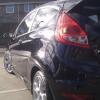
Well I’ve had my fiesta zetec s tdci for just under a week now and i haven’t looked back since. I’ve owned many French cars which have always let me down, but from the looks and feel of the fez i don’t have the same sinking feeling every time i get in it. There are just a few questions though which are bugging me. When i have my iPod plugged in there seems to be a lot of static in the back ground and the volume doesn’t seem to be as loud as the radio. Has anyone got any ideas or tips on how to solve this? Also when i picked the car up the dealer paired my phone to the car and showed me how to work it, however my phone book doesn’t seem to show up anymore and when i try to programme the voice control settings they don’t seem to work when i ask for name. I have a HTC with the froyo 2.2 update.

Anyway any help or advice would be great!

Regards,

A very happy geordie


hmm, maybe ensure the iPod settings and graphic equalizer are all set to off. The volume can be different, just due to using different input sources i.e. radio/ iPod. As for the phone, I would suggest reading the manual first as it can be pretty in depth, you also need to programme into the cars memory any numbers you want to dial by saying the name (Dial Name) feature, I have an iPhone 4 and it can read the phones directory but you can't dial a name from the list until I've done what I said. I haven't tried an Android phone but I would think it will work ok, Froyo isn't that old and should have good bluetooth support.

But first read the manual, then come back to us, it help you when getting replies as the manual has several pages on the audio and comms system. It's a pretty advance bit of kit. Was your car brand new? Reason I ask is because it should have the latest software on the car stereo system then. It has had a couple of updates launched over the last 2 years that help with things like bluetooth.

With the sound problem it's also worth checking the leads you're using, borrow one off someone just to rule it out.

Also check: http://www.ford-mobile-connectivity.com for phone conenctivity

Get your dealer to check the latest firmware is in your bluetooth unit in the car.......im using HTC desire on 2.2 and it works perfectly.....

Ken

Yeah ipod is a bit quieter than the radio, there is a difference when you go back to radio!

Yeah to call people by voice commands you'll have to first say "STORE NAME", the car will ask for a name, clearly say the name, then it will ask for the number, read the number out (usings zero for 0's etc), when the car reads back the number and says 'continue', you say "STORE". Then it replies "STORING NUMBER... blar blar blar, NUMBER STORED".

(This is all from memory so don't quote me on exact wording).

From then on once you've 'stored' a name+number, you'll then be able to just say "DIAL NAME", the car will say "NAME PLEASE", you state the name, then the car replies "DIALLING... [name], CONFIRM YES... OR NO".

If I made no sense then just check the manual lol :D

  • Author

Cheers guys, i did spend an hour or so reading through the ford manual and tried to set some names into the directory but once i had done what i was though was right, the car started telling me the command wasnt available. I plan to sit down in the next few days with a clear head and try again. The car is only 6 month old so i would imagine the software would be up to date for the phone issue. Im using my own ipod and aux cable for my ipod as i didnt see the point in spending 20 pound for something iv already got! But do you think the ford cable would solve the static? One last thing i forgot to ask before, do the wing mirrors on a 10 plate fiesta fold in? Im scared to try incase i break something.

If your car is 6months old there is an update available (mine was built July and had it updated in October)

The wing mirrors do fold in yes.

Cheers guys, i did spend an hour or so reading through the ford manual and tried to set some names into the directory but once i had done what i was though was right, the car started telling me the command wasnt available. I plan to sit down in the next few days with a clear head and try again. The car is only 6 month old so i would imagine the software would be up to date for the phone issue. Im using my own ipod and aux cable for my ipod as i didnt see the point in spending 20 pound for something iv already got! But do you think the ford cable would solve the static? One last thing i forgot to ask before, do the wing mirrors on a 10 plate fiesta fold in? Im scared to try incase i break something.

Don't worry mate, I consider myself pretty tech savvy and it took me a while to work it all out! But once you do and it works it's dead easy to use. Maybe make sure the phone is connected by bluetooth first, then enter the numbers.

I bought a £2 aux cable from B&Q and it has pretty decent sound. You do get static but try turning the volume on the ipod to max that masks all the static and gets very loud too.

Latest Deals

Ford UK Shop for genuine Ford parts & accessories

Disclaimer: As the club is an eBay Partner, The club may be compensated if you make a purchase via the club

Join the conversation

You can post now and register later. If you have an account, sign in now to post with your account.

Guest
Reply to this topic...

The "Digestive"


Background Picker
Customize Layout

Account

Navigation

Search

Search

Configure browser push notifications

Chrome (Android)
  1. Tap the lock icon next to the address bar.
  2. Tap Permissions → Notifications.
  3. Adjust your preference.
Chrome (Desktop)
  1. Click the padlock icon in the address bar.
  2. Select Site settings.
  3. Find Notifications and adjust your preference.
