
Skip to content
View in the app

A better way to browse. Learn more.

Ford Owners Club - Ford Forums

A full-screen app on your home screen with push notifications, badges and more.

To install this app on iOS and iPadOS
  1. Tap the Share icon in Safari
  2. Scroll the menu and tap Add to Home Screen.
  3. Tap Add in the top-right corner.
To install this app on Android
  1. Tap the 3-dot menu (⋮) in the top-right corner of the browser.
  2. Tap Add to Home screen or Install app.
  3. Confirm by tapping Install.


Join the Independent Ford Owners' Club

Our community has been built by enthusiasts, for enthusiasts, and proudly run by Ford owners' for over 18 years. As an independent, non-official club, everything you’ll find here, advice, support, and opinions, comes directly from members with genuine Ford ownership experience.

Join our friendly community... it's Free!


Ford Fiesta St Photoshops
Featured Replies

Couldn't sleep last night, so I decided to be creative and do some photo editing! Quite happy with the outcome so thought I'd share them.

I found the fiesta's on google images, they are not my cars, and the original pictures do not belong to me, I've just edited them for fun.

Sorry in advance if I've defaced anyone on here's car! :P

Original:

Ford_Fiesta_Zetec_S.jpg

Edit 1:

Ford_Fiesta_Zetec_St7.jpg

Changes:

Focus RS side inlet vents, re-badged to ST

US Fiesta LED DRL housing replacing Fog lights

Rear disc brakes and yellow callipers all round

Rear lights tinted

Rear windows tinted further

Front windows lightly tinted

fordownersclub.com decal in rear window

Edit 2Ford_Fiesta_Zetec_Stx.jpg

Changes:

Same as above

Ford Focus ST alloys in black

Original B:

fiesta-zetec-s.jpg

Edit 1B:

fiesta-zetec-stfinal1.jpg

Changes:

Focus RS side inlet vents, re-badged to ST

US Fiesta LED DRL housing replacing Fog lights

Yellow callipers on front brakes

Front, back and windscreen tinted

Grills painted black

Upper grill extended with black vinyl

Indicators de-tangoed

Headlights brightened

All pictures were made in G.I.M.P (or GNU Image Manipulation Program) It's like photoshop but it's free, and is open source. Let me know what you think! I might get play with the back if/when I can find a decent picture


  • Author

Did the back, nothing too imaginative here, can't improve much on perfection!

Original C:

2623067-4.jpg

Edit C1:

fordfiestastrear.jpg

Changes:

Rear lights and high brake light tinted

Rear Windscreen tinted further

De-badged/Re-badged ST

Mountune Diffuser + Cat-back exhaust

Parking sensors covered

Interior display light coloured blue

This is my interpretation:

cf0ef4d7.jpg

B)

a couple of 'shopps' I did a while back...

modded.jpg

white800.jpg

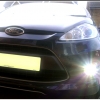
Which one looks better?

unled1dq.jpg

Uploaded with ImageShack.us

Which one looks better?

Left one makes the front look a bit cluttered to me

pity mountune never did there bumper inserts

Left one makes the front look a bit cluttered to me

I think you are perfectly right. Somehow I really believe that this small car should not be overdone with tuning stuff ;)

Which one looks better?

The one on the right hand side looks far better. Them sliver bits ruin the look for me :)

Latest Deals

Ford UK Shop for genuine Ford parts & accessories

Disclaimer: As the club is an eBay Partner, The club may be compensated if you make a purchase via the club

Join the conversation

You can post now and register later. If you have an account, sign in now to post with your account.

Guest
Reply to this topic...

The "Digestive"


Background Picker
Customize Layout

Account

Navigation

Search

Search

Configure browser push notifications

Chrome (Android)
  1. Tap the lock icon next to the address bar.
  2. Tap Permissions → Notifications.
  3. Adjust your preference.
Chrome (Desktop)
  1. Click the padlock icon in the address bar.
  2. Select Site settings.
  3. Find Notifications and adjust your preference.
