
Skip to content
View in the app

A better way to browse. Learn more.

Ford Owners Club - Ford Forums

A full-screen app on your home screen with push notifications, badges and more.

To install this app on iOS and iPadOS
  1. Tap the Share icon in Safari
  2. Scroll the menu and tap Add to Home Screen.
  3. Tap Add in the top-right corner.
To install this app on Android
  1. Tap the 3-dot menu (⋮) in the top-right corner of the browser.
  2. Tap Add to Home screen or Install app.
  3. Confirm by tapping Install.


Join the Independent Ford Owners' Club

Our community has been built by enthusiasts, for enthusiasts, and proudly run by Ford owners' for over 18 years. As an independent, non-official club, everything you’ll find here, advice, support, and opinions, comes directly from members with genuine Ford ownership experience.

Join our friendly community... it's Free!


Does Anybody Have Info On A Mk3 Fiesta RX??
Featured Replies

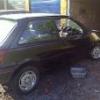
I have just aquired a mk3 fiesta which i believe to be an RX, im not totally sure though as i have only seen it once in the dark in a garage, but i do remember it having fiesta RS alloys red and grey interior, central locking and wat looks like XR2i style bumpers.

Also i remember a X on the bootlid on the left hand-side (this was a white graphic not plastic letters) but didn't pay much attention. The bumpers had red strips running through them and the car had a sunroof whether that means anything or not! And It is black too!

I have spoken to a few friends who reckon its a 1.4 or 1600 RX or maybe a 1.3 SX but am still unsure!

The car is a J reg and has only had 2 owners from my girlfriends family and the car was bought as is from the factory forecourt.

I haven't aquired the log book yet as it needs to be found! And i won't b seeing the car again for a week or two yet so any help would be appreciated.

Many thanx


  • Author

i managed to see the car again today and it appears to be a 1300SX, just has alot of extras :lol:

Latest Deals

Ford UK Shop for genuine Ford parts & accessories

Disclaimer: As the club is an eBay Partner, The club may be compensated if you make a purchase via the club

Join the conversation

You can post now and register later. If you have an account, sign in now to post with your account.

Guest
Reply to this topic...

The "Digestive"


Background Picker
Customize Layout

Account

Navigation

Search

Search

Configure browser push notifications

Chrome (Android)
  1. Tap the lock icon next to the address bar.
  2. Tap Permissions → Notifications.
  3. Adjust your preference.
Chrome (Desktop)
  1. Click the padlock icon in the address bar.
  2. Select Site settings.
  3. Find Notifications and adjust your preference.
