
Skip to content
View in the app

A better way to browse. Learn more.

Ford Owners Club - Ford Forums

A full-screen app on your home screen with push notifications, badges and more.

To install this app on iOS and iPadOS
  1. Tap the Share icon in Safari
  2. Scroll the menu and tap Add to Home Screen.
  3. Tap Add in the top-right corner.
To install this app on Android
  1. Tap the 3-dot menu (⋮) in the top-right corner of the browser.
  2. Tap Add to Home screen or Install app.
  3. Confirm by tapping Install.


Join the Independent Ford Owners' Club

Our community has been built by enthusiasts, for enthusiasts, and proudly run by Ford owners' for over 18 years. As an independent, non-official club, everything you’ll find here, advice, support, and opinions, comes directly from members with genuine Ford ownership experience.

Join our friendly community... it's Free!


Got The Car Back But...
Featured Replies

Got my car back from the paint shop on Saturday. Guess what...bonnet won't open. F**k!!

Tried the screwdriver method but nothing seems to work. They're talking about air sawing my grill.

I'd rather they didn't! Does the screwdriver method require extreme force?


It does take quite a clout to relocate the anti tamper yes had to do mine a few weeks back.

I really want my parts people to get back to me with the fix, I want to get rid of this darned setup sooner rather than later!

It does require patience and a good amount of force!

  • Author

Got a slight confession to make. Before the car went in for paint, I read the "how to" guide on opening a mk2 focus bonnet after the connection has been lost (male/female connector anti-tamper design).

When I tried to open my car bonnet a few days after I got the car back from paint, the bonnet wouldn't pop open when I turned the key to the left. Having read the "how to" guide, I feared and assumed the worst. Having returned the car the the body shop we all tried to get the bonnet open for about an hour with no luck.

Then this morning I looked at this picture on my phone:

IMG_11361_zpsbb335e82.jpg

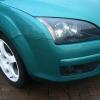
I sent a text to the guy who painted my car and told him I wasn't happy with the panel gap between the bonnet (which had been re-sprayed) and the grill/headlights/front bumper. He then told me he'd painted the bonnet in situ, so it shouldn't look any different to how it used to. I then looked at this picture I took a while back:

IMG_09541_zpsa1446bdd.jpg

I could see there wasn't much of a gap at all. That's when the light bulb appeared above my head. What if the body shop left the bonnet on the safety catch? Well, that's what it turned out to be be. I turned the key to the right and lifted the bonnet.

So the moral of the story is that I'm an idiot and you shouldn't assume the worst :)

Lol at least it's sorted an you know next time

Could have been nasty. A few years ago I had a bonnet open on me on the road. Completely folded back on to the roof breaking the hinges and leaving a dent on the roof. Also me with no forward vision as there was a bonnet in my windscreen. Luckily I was only doing 30mph and could stop easily.

I put it down to it not being properly shut the last time I had it open. Needless to say I ALWAYS check to make sure it is completely shut now.

lol at least it was an easy fix in the end couldvew been worse

  • Author

Yeah I must admit that the bonnet flipping open came into my head after I realised it hadn't been shut properly. I was doing 70mph a few times!

Latest Deals

Ford UK Shop for genuine Ford parts & accessories

Disclaimer: As the club is an eBay Partner, The club may be compensated if you make a purchase via the club

Join the conversation

You can post now and register later. If you have an account, sign in now to post with your account.

Guest
Reply to this topic...

The "Digestive"


Background Picker
Customize Layout

Account

Navigation

Search

Search

Configure browser push notifications

Chrome (Android)
  1. Tap the lock icon next to the address bar.
  2. Tap Permissions → Notifications.
  3. Adjust your preference.
Chrome (Desktop)
  1. Click the padlock icon in the address bar.
  2. Select Site settings.
  3. Find Notifications and adjust your preference.
