
Skip to content
View in the app

A better way to browse. Learn more.

Ford Owners Club - Ford Forums

A full-screen app on your home screen with push notifications, badges and more.

To install this app on iOS and iPadOS
  1. Tap the Share icon in Safari
  2. Scroll the menu and tap Add to Home Screen.
  3. Tap Add in the top-right corner.
To install this app on Android
  1. Tap the 3-dot menu (⋮) in the top-right corner of the browser.
  2. Tap Add to Home screen or Install app.
  3. Confirm by tapping Install.


Join the Independent Ford Owners' Club

Our community has been built by enthusiasts, for enthusiasts, and proudly run by Ford owners' for over 18 years. As an independent, non-official club, everything you’ll find here, advice, support, and opinions, comes directly from members with genuine Ford ownership experience.

Join our friendly community... it's Free!


Remote Central Locking
Featured Replies

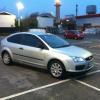
i have just bought a 55 plate ford focus 1.4 studio and was wondering would i be able to use a fob to lock and unlock my car. i tryed the turning the key 8 times in the ignition and pressing the fob but nothing happens i hear a bleep but no movement of parts can anyone help ive been told it might of been a fleet viechle and to save money they didn't have a fob.


If you get the beep, then pressing the keys (any one) should pair it. If it doesn't try changing the battery on the fob.

  • Author

We tryed about three different remotes has anyone for a solution ?

As far as I remember Focus MK2/MK2.5 versions without remote central locking do not have the receiver fitted or the remote functionality is deactivated.

The central locking system is fully controlled by the GEM module/fuse box. Early MK2 versions have an external remote receiver mounted above the roofliner. late MK2 and MK2.5 versions have the receiver built in the GEM module/fuse box. On these vehicles the remote functionality must be activated before it will work.

  • Author

How will I find this and try to make it work mine is 55 plate so it's the first of the mk2 focus

The remote central locking receiver is located above the roofliner. On the cars I have seen it was mounted with velcro. Possibly the wiring is taped to the wiring loom near the interior light.

The remote central locking receiver looks like this:

Keyless_zps7e5b596d.jpg

As far as I remember in most cases the receiver would be the only missing thing. If the wiring is present you simply have to install the receiver to make it work.

  • Author

Do I have to get one of these from ford and get it programmed ?

You can buy one from Ford but a receiver will be much cheaper at a local scrapyard or on Ebay. A new receiver will cost approximately €100,-.

This type of receiver is used on a Focus MK2, Focus CC MK1, C-max MK1 and Jaguar X-type.

If the wiring is present you only have to install the receiver and program the FOB following the procedure which is listed in the owners manual. Most times there is no need to get the receiver programmed by a Ford dealer.

If programming is needed you can do this yourself with a modified ELM327 interface and the free ELMconfig software.

  • Author

Will need to have a look so by my interior light ?

Sometimes the connector for the receiver is taped to the wiring loom near the interior light. If you cannot find or reach it throught the interior light frame you have to remove the roofliner.

  • 2 months later...

I have that module if anyone wants it. £30 if you want it. I take paypal and that price incudes p&p

  • 10 months later...

Will need to have a look so by my interior light ?

Hi, I have got a studio as well and i was wondering if you fitted central locking in the end.

Hope you still use this website

Latest Deals

Ford UK Shop for genuine Ford parts & accessories

Disclaimer: As the club is an eBay Partner, The club may be compensated if you make a purchase via the club

Join the conversation

You can post now and register later. If you have an account, sign in now to post with your account.
Note: Your post will require moderator approval before it will be visible.

Guest
Reply to this topic...

The "Digestive"


Background Picker
Customize Layout

Account

Navigation

Search

Search

Configure browser push notifications

Chrome (Android)
  1. Tap the lock icon next to the address bar.
  2. Tap Permissions → Notifications.
  3. Adjust your preference.
Chrome (Desktop)
  1. Click the padlock icon in the address bar.
  2. Select Site settings.
  3. Find Notifications and adjust your preference.
