
Skip to content
View in the app

A better way to browse. Learn more.

Ford Owners Club - Ford Forums

A full-screen app on your home screen with push notifications, badges and more.

To install this app on iOS and iPadOS
  1. Tap the Share icon in Safari
  2. Scroll the menu and tap Add to Home Screen.
  3. Tap Add in the top-right corner.
To install this app on Android
  1. Tap the 3-dot menu (⋮) in the top-right corner of the browser.
  2. Tap Add to Home screen or Install app.
  3. Confirm by tapping Install.


Join the Independent Ford Owners' Club

Our community has been built by enthusiasts, for enthusiasts, and proudly run by Ford owners' for over 18 years. As an independent, non-official club, everything you’ll find here, advice, support, and opinions, comes directly from members with genuine Ford ownership experience.

Join our friendly community... it's Free!
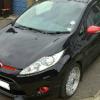
 

Mk7 Speakers.

Featured Replies

Hi all.

Just wondered if anyone has uprated their door speakers and to what?

I have a zetec s with bluetooth stereo, (not sony though).

I had my doorcard off today and saw the speakers, they are 25 watt, 4 ohms- im not very versed in speaker/stereo design and wouldn't know what rating speaker I could change too. Any advice appreciated.

Sent from my SM-T310 using Ford OC mobile app


Get hertz m8, 125w rms 250w peak, if you want to keep your stereo you really need an amp to make the most of the new speakers over wise you will have the same sound just better base dont go to halfords find a good audio car company they will tell you everything you need to know and what to do. Its easy really, run speak to RCA converter at the back on the stereo then run that to the amp, then run speaker wire to each of the new speaker, run a live feed from the battery to the amp and then find a ground for the amp, and run a switched live feed from the stereo to the amp so you can turn it off when the car turns off then you just need to set up the amp to what you want :) easy m8 :)

Sent from my iPhone using Ford OC mobile app

  • Author

Cheers Dan, that sounds like the way to go, will have a look for all the parts required to do it and price it all up. :D

Sent from my SM-T310 using Ford OC mobile app

No worries m8 :) mine was around 600 for everything

Sent from my iPhone using Ford OC mobile app

Not sure which version of the stereo you have (they make more than one of the non-Sony series of varying power) but mine is amazing for a standard car. I can crank up the bass and volume and it thunders nicely without any distortion. No need to upgrade the standard speakers at all. I am very happy with the standard set up.

In Etis it is labelled as:

ICE mid level

ICE feature pack 3

Highline ICE ICP

6 speakers

Voice control.

I have not taken the card off so don't know what the speakers are.

ICE mid level

ICE feature pack 3

Highline ICE ICP

Does anyone have a definitive description of what these terms actually mean?

I wish I did but I did find out that the standard 'Alien' design non-Sony has at least 2 power models and if you have 6 speakers then it's the higher one and 4 speakers is lower. That's all I know at the moment.

  • Author

My stereo powers 2 tweeter speakers in the front door pillars, 2 front door speakers and 2 rear speakers. Is that the higher model?

It also has the voice control.

Sent from my SM-T310 using Ford OC mobile app

Slightly off topic, and on topic. In the ST 2 with sony stereo, are the speakers sony as well?

Dan yes sounds like it. On the top right of the radio buttons is a musical note button which controls the bass, tone and balance. It's worth spending a few minutes playing with this with a decent CD or something in as you can get very good results. Don't leave it on default settings.

Jonny I don't know but someone who has had their door card off might do.

Speakers are the same regardless of model / trim.

Sent from my SM-N9005 using Ford OC mobile app

Latest Deals

Ford UK Shop for genuine Ford parts & accessories

Disclaimer: As the club is an eBay Partner, The club may be compensated if you make a purchase via the club

Join the conversation

You can post now and register later. If you have an account, sign in now to post with your account.

Guest
Reply to this topic...

The "Digestive"


Background Picker
Customize Layout

Account

Navigation

Search

Search

Configure browser push notifications

Chrome (Android)
  1. Tap the lock icon next to the address bar.
  2. Tap Permissions → Notifications.
  3. Adjust your preference.
Chrome (Desktop)
  1. Click the padlock icon in the address bar.
  2. Select Site settings.
  3. Find Notifications and adjust your preference.
