
Skip to content
View in the app

A better way to browse. Learn more.

Ford Owners Club - Ford Forums

A full-screen app on your home screen with push notifications, badges and more.

To install this app on iOS and iPadOS
  1. Tap the Share icon in Safari
  2. Scroll the menu and tap Add to Home Screen.
  3. Tap Add in the top-right corner.
To install this app on Android
  1. Tap the 3-dot menu (⋮) in the top-right corner of the browser.
  2. Tap Add to Home screen or Install app.
  3. Confirm by tapping Install.


Join the Independent Ford Owners' Club

Our community has been built by enthusiasts, for enthusiasts, and proudly run by Ford owners' for over 18 years. As an independent, non-official club, everything you’ll find here, advice, support, and opinions, comes directly from members with genuine Ford ownership experience.

Join our friendly community... it's Free!


Hi Fordsters! Well, I Finally Did It!
Featured Replies

Yep, I finally broke my 25 year Fiat habit!

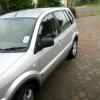
Today I got a Fusion. Lots of nice refinements. Can't believe how well-specced it is compared to previous Fiats.

Never had a Ford before so I'm probably going to be needing some Fordsters' wisdom :)


Hi and welcome

Hi welcome :)

Welcome tot he family Sam!

Hopefully you will be wondering why you didnt come 25 years ago ;) :p

  • Author

Thanks for the welcomes, guys!

@jeebo - yes, absolutely, I'm now wondering why I stuck with Fiat so long. Habit? The devil-you-know thing?

I'm enjoying getting used to a completely different car and appreciating the Fusion's merits. At some point I'll post my humble review...

Welcome!

Welcome to the club Sam

Welcome!! Look forward to seeing some pics of it :)

Sent from my iPhone using Ford OC

  • Author
Some pix of the beast. First two after test drive and the others when I got it home (nice car, shame about the photog!!)
PS - sorry couldn't find how to paste up the pix themselves here.

no worries, for reference if you type in your reply box, just under the smiley face to the left is a little square with what looks like a green tree, press this button, paste the link to the file if its online and done!

If you want to add pictures inline, you need to use the "More Reply Options" if your typing in the quick reply box, then you can add an attachment to the post, then, when you want the picture to go in the post (like HERE for example)....

You then just put the curser where you want your picture, and press "Add to post" once you have attached it, and the picture sits in the middle of the reply.

Latest Deals

Ford UK Shop for genuine Ford parts & accessories

Disclaimer: As the club is an eBay Partner, The club may be compensated if you make a purchase via the club

Join the conversation

You can post now and register later. If you have an account, sign in now to post with your account.

Guest
Reply to this topic...

The "Digestive"


Background Picker
Customize Layout

Account

Navigation

Search

Search

Configure browser push notifications

Chrome (Android)
  1. Tap the lock icon next to the address bar.
  2. Tap Permissions → Notifications.
  3. Adjust your preference.
Chrome (Desktop)
  1. Click the padlock icon in the address bar.
  2. Select Site settings.
  3. Find Notifications and adjust your preference.
