
Skip to content
View in the app

A better way to browse. Learn more.

Ford Owners Club - Ford Forums

A full-screen app on your home screen with push notifications, badges and more.

To install this app on iOS and iPadOS
  1. Tap the Share icon in Safari
  2. Scroll the menu and tap Add to Home Screen.
  3. Tap Add in the top-right corner.
To install this app on Android
  1. Tap the 3-dot menu (⋮) in the top-right corner of the browser.
  2. Tap Add to Home screen or Install app.
  3. Confirm by tapping Install.


Join the Independent Ford Owners' Club

Our community has been built by enthusiasts, for enthusiasts, and proudly run by Ford owners' for over 18 years. As an independent, non-official club, everything you’ll find here, advice, support, and opinions, comes directly from members with genuine Ford ownership experience.

Join our friendly community... it's Free!


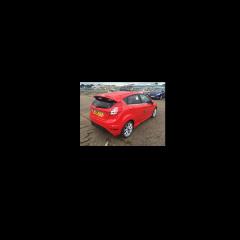
Spare wheel for Titanium
Featured Replies

Having ordered my spare wheel and tyre for my Fiesta Titanium I picked it up from my local Ford dealer, (By the way if your car has not been supplied with a spare wheel you also require a jack and a retaining screw for the boot to hold the wheel in place) the tyre size was 175/65 R14 but the tyres on my car are 195/45 R16, when I phoned the dealer up they said that the spare was the right size, could someone please explain if I have the correct spare wheel size. Many thanks.


Regardless of what wheels you have, the spare will be the same size. It's very common to have the spare smaller, that's why mileage should be as limited as possible on your spare.

Right the 175 on a tyre number refers to the width of the tyre in 175mm and this is less than the standard 195 as Fords, I assume, have decided this will mean they can design a smaller spare wheel compartment at the bottom of the boot (i.e. the floor doesn't need to drop out of the bottom of the boot as much as it would with a 195mm tyre, only an inch or so I know but ... anyway this leaves the designers more space to plan where the exhaust etc can go, or plan where the wheel brace etc will sit)

The /65 relates to the height of the tyre sidewall expressed as a percentage of the tyre’s width (i.e. from the the top of the rim to the tread) and is quoted as a percentage i.e. 65%, whereas the standard alloy wheel / tyre is more low profile as its /45 so its only 45% and thus looks better and more sporty

A 16 inch wheel = a diameter of 16 x 25.4 (inches to millimetre conversion) = 406.60mm

/45 of a 195 tyre = 195 x 0.45 = 87.75mm (this needs to be added twice as the tyre is above and below the wheel rim)

So the overall rolling circumference of ya standard alloy wheel / tyre combo = 406.60 + 87.75 + 87.75 = 582.10mm

A 14 inch wheel = a diameter of 14 x 25.4 = 355.60mm

/65 of a 175 tyre = 175 x 0.65 = 113.75mm

So the overall rolling circumference of ya steel spare wheel / tyre combo = 355.60 + 113.75 + 113.75 = 583.10mm

Anyway, if my maths is correct this is within 1.0mm of the standard alloy wheel / tyre combo. You shouldn't notice this when driving - however the width of the tyre is less, 175mm not 195mm, so you should take care getting home and that is the point of these types of spares, its just to get you home. This also allows the Manufacturer to supply you with a cheaper steel wheel with a non-low profile tyre and still allow you to get home

Don't worry it won't make the car tip at one corner as you might of imagined when you first see that its a 14 inch wheel ................

Was the spare a steel not an alloy ?? - What was the make of tyre (purely out of interest ??)

I have 16" alloys and my spare wheel is 14" so I think it is normal:)

Latest Deals

Ford UK Shop for genuine Ford parts & accessories

Disclaimer: As the club is an eBay Partner, The club may be compensated if you make a purchase via the club

Join the conversation

You can post now and register later. If you have an account, sign in now to post with your account.

Guest
Reply to this topic...

The "Digestive"


Background Picker
Customize Layout

Account

Navigation

Search

Search

Configure browser push notifications

Chrome (Android)
  1. Tap the lock icon next to the address bar.
  2. Tap Permissions → Notifications.
  3. Adjust your preference.
Chrome (Desktop)
  1. Click the padlock icon in the address bar.
  2. Select Site settings.
  3. Find Notifications and adjust your preference.
