
Skip to content
View in the app

A better way to browse. Learn more.

Ford Owners Club - Ford Forums

A full-screen app on your home screen with push notifications, badges and more.

To install this app on iOS and iPadOS
  1. Tap the Share icon in Safari
  2. Scroll the menu and tap Add to Home Screen.
  3. Tap Add in the top-right corner.
To install this app on Android
  1. Tap the 3-dot menu (⋮) in the top-right corner of the browser.
  2. Tap Add to Home screen or Install app.
  3. Confirm by tapping Install.


Join the Independent Ford Owners' Club

Our community has been built by enthusiasts, for enthusiasts, and proudly run by Ford owners' for over 18 years. As an independent, non-official club, everything you’ll find here, advice, support, and opinions, comes directly from members with genuine Ford ownership experience.

Join our friendly community... it's Free!
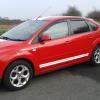
 

Badge Removel

Featured Replies

Right this is probably a stupid question..... i want to remove boot badges as I just dont like them.

Whats the best way without damaging the paintwork.

Ta very much


Well you can use dental floss to saw the badge away then use sticky stuff remover to take the stcky backing away t cut then polish and you're done or use fishing Line or slightly heat the badge up first I use the first method

You may also need to buff out any shadowing left in the paint when the badges come off.

watching this one! want to remove my 1.6 badge last car i did this on was always left with a slight shadow no matter how much i polished it lol

  • Author

watching this one! want to remove my 1.6 badge last car i did this on was always left with a slight shadow no matter how much i polished it lol

I`ll have a go with the floss and let you know how it goes

watching this one! want to remove my 1.6 badge last car i did this on was always left with a slight shadow no matter how much i polished it lol

That's because the paint around the badge will have faded. Not much you can do other than getting the panel resprayed.

That's because the paint around the badge will have faded. Not much you can do other than getting the panel resprayed.

Was only 3 years old must have been the cheap vauxhall paint lol

it doesn't take long. The UV can be very strong in summer, especially with the thinning of the ozone layer.

I used boiling water on my Focus to soften up the glue and peeled the badges off. I then used lighter fuel to clean off the residue and then polished the area.

Hairdryer softens the adhesive. The a credit card slid carefully under the badge. Any sticky stuff remover then a t-cut and polish

Sent from my iPhone using Ford OC mobile app

I managed to just gently twist the lettering off my old mk7 fiesta when I had it, the odd large letter wouldn't move so I used an old credit card as Phil just mentioned, after that I also used t cut and bobs your uncle

Sent from my iPad using Ford OC

  • 3 weeks later...
  • Author

Ok...I used a fine plastic scraper that cost 75p in home bargains to remove the badge.

The black sticky stuff that was left was removed by scoring it with my thumb nail and rubbing a flash kitchen wipe over it.

Its all gone but you can see where the badges have been so tomorrow its getting a good wash and polish

Gonna watch this as i wanna remove the badges off the back of mine as they are seriously un cool!

I was gonna use hairdryer then bank card to scrape away but ill watch the fishing line one (im a fisherman)

im still waiting for the sun to come out :(

  • 3 weeks later...

just done the 1.6 badge used a credit card to pry it off a toffee wheel (see google) and some polish, looks like it was never there :)

Did mine with the hairdryer & dental floss..cuts off the badge no problem. To get the glue off I just kept heating it up and peeling it off, with a bit of perseverance it came away

Latest Deals

Ford UK Shop for genuine Ford parts & accessories

Disclaimer: As the club is an eBay Partner, The club may be compensated if you make a purchase via the club

Join the conversation

You can post now and register later. If you have an account, sign in now to post with your account.
Note: Your post will require moderator approval before it will be visible.

Guest
Reply to this topic...

The "Digestive"


Background Picker
Customize Layout

Account

Navigation

Search

Search

Configure browser push notifications

Chrome (Android)
  1. Tap the lock icon next to the address bar.
  2. Tap Permissions → Notifications.
  3. Adjust your preference.
Chrome (Desktop)
  1. Click the padlock icon in the address bar.
  2. Select Site settings.
  3. Find Notifications and adjust your preference.
