
Skip to content
View in the app

A better way to browse. Learn more.

Ford Owners Club - Ford Forums

A full-screen app on your home screen with push notifications, badges and more.

To install this app on iOS and iPadOS
  1. Tap the Share icon in Safari
  2. Scroll the menu and tap Add to Home Screen.
  3. Tap Add in the top-right corner.
To install this app on Android
  1. Tap the 3-dot menu (⋮) in the top-right corner of the browser.
  2. Tap Add to Home screen or Install app.
  3. Confirm by tapping Install.


Join the Independent Ford Owners' Club

Our community has been built by enthusiasts, for enthusiasts, and proudly run by Ford owners' for over 18 years. As an independent, non-official club, everything you’ll find here, advice, support, and opinions, comes directly from members with genuine Ford ownership experience.

Join our friendly community... it's Free!


Managed To Retro Fit Bluetooth Without The Module
Featured Replies

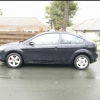
Just finished a long day of working on the car(Painting calipers, new center caps, cleaning, bluetooth fitting)

I'm happy to announce that my mk2.5 focus now has bluetooth without the module and just an AD2P bluetooth box which cost £15 from ebay. I wired the aux from the glovebox to behind the radio and then have the box placed under the steering column. I then spliced an micro usb to male usb and cut off the male usb side and then cut the 12 perm live radio cable and then used a cheese block to place the cables together. Then I realised I was pumping 12v after testing it into a box which only wants 5v and we were wondering why the led was flashing!

So we knew that the AD2P works with a cigarette lighter usb port so we got the old one took it apart and wired the positive negative and the output to the corresponding places and then we had an actual 5v output and then bluetooth works perfectly. It works well too because its always on so music plays instantly no waiting for it to pair as it does this when walking to the car.

I do have some pictures of the work if anyone is interested but it is basically what I wrote there.

  • 4 weeks later...


Have you got a link to this box? I've had a nosey on eBay but can't seem to see anything matching your description.

  • Author

Of course mate. I got it from amazon and its cheap as chips too. Here you go:

http://www.amazon.co.uk/HomeSpot-NFC-enabled-Bluetooth-Receiver-System/dp/B009OBCAW2/ref=sr_1_13?ie=UTF8&qid=1426609239&sr=8-13&keywords=bluetooth+aux

Let me know if you follow this too.

That's awesome thanks!

Just finished a long day of working on the car(Painting calipers, new center caps, cleaning, bluetooth fitting)

I'm happy to announce that my mk2.5 focus now has bluetooth without the module and just an AD2P bluetooth box which cost £15 from ebay. I wired the aux from the glovebox to behind the radio and then have the box placed under the steering column. I then spliced an micro usb to male usb and cut off the male usb side and then cut the 12 perm live radio cable and then used a cheese block to place the cables together. Then I realised I was pumping 12v after testing it into a box which only wants 5v and we were wondering why the led was flashing!

So we knew that the AD2P works with a cigarette lighter usb port so we got the old one took it apart and wired the positive negative and the output to the corresponding places and then we had an actual 5v output and then bluetooth works perfectly. It works well too because its always on so music plays instantly no waiting for it to pair as it does this when walking to the car.

I do have some pictures of the work if anyone is interested but it is basically what I wrote there.

Seems like a great little device.

If its always on though, won't it deplete the battery?

  • Author

Seems like a great little device.

If its always on though, won't it deplete the battery?

It uses a very little little amount and not had any issues with it since doing it mind you I drive most days.

Latest Deals

Ford UK Shop for genuine Ford parts & accessories

Disclaimer: As the club is an eBay Partner, The club may be compensated if you make a purchase via the club

Join the conversation

You can post now and register later. If you have an account, sign in now to post with your account.
Note: Your post will require moderator approval before it will be visible.

Guest
Reply to this topic...

The "Digestive"


Background Picker
Customize Layout

Account

Navigation

Search

Search

Configure browser push notifications

Chrome (Android)
  1. Tap the lock icon next to the address bar.
  2. Tap Permissions → Notifications.
  3. Adjust your preference.
Chrome (Desktop)
  1. Click the padlock icon in the address bar.
  2. Select Site settings.
  3. Find Notifications and adjust your preference.
